Process Blender export files to extract material properties with Python library
Hello dear community and pro developers!!
I hope everyone is doing great. I am working with Python processing of Blender files. Specifically, I need to extract the material properties of a compound in Blender and process it for each body part that makes up a compound. I need to know how can I do this and what's the best Blender exporting file to extract the material properties of each body part ( points, mesh, compounds, geometric properties, etc) I would very much appreciate this.
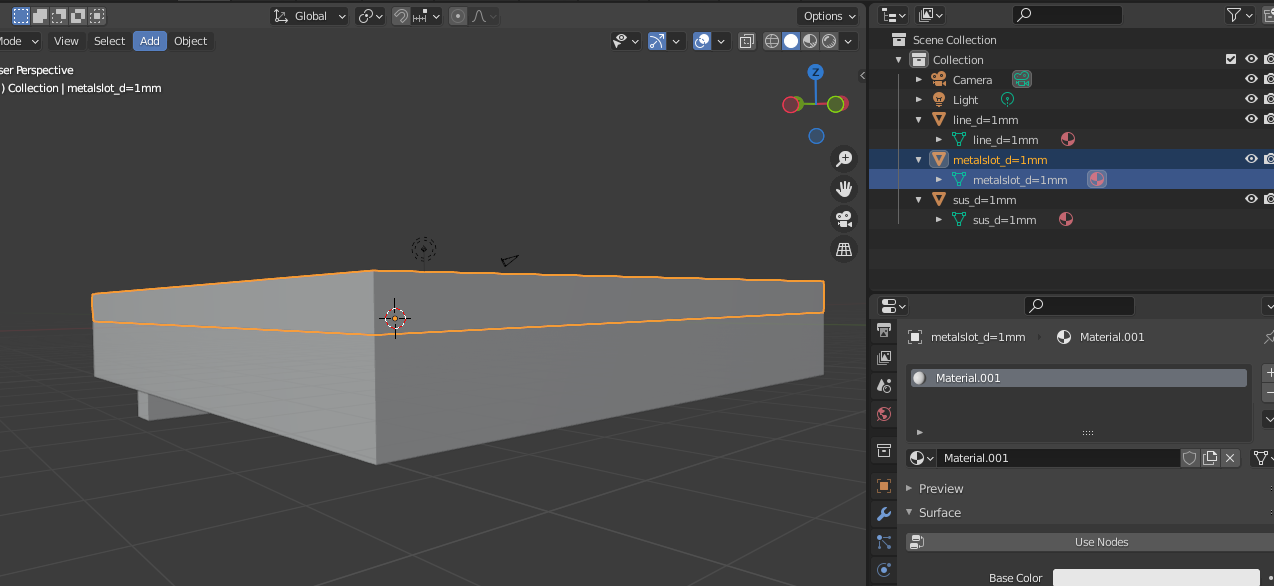
I attach a simple 3 pieced compound that has individual Material ID for each body part and a .stl mesh Python Lib that processes this information. I need to create a Python Lib similar to this, but that takes into account the material properties of each file (ie. mesh file)
Thanks a lot and big hugs!
Diego
Python .stl Mesh Processing Library in Python IDE:
import sys from builtins import dict
import numpy as np import pandas as pd import os from pyntcloud import PyntCloud import h5py import trimesh from stl import mesh from mpl_toolkits import mplot3d from matplotlib import pyplot
def convert_mesh_3DNumpy(filename_stl,coords_init,domain,discretization):
"""

Args:
:param filename_stl: (string) Path nombre del archivo .stl mesh tipo malla exportado del modelo 3D de FreeCAD.
:param coords_init: (list) Lista de coordenadas iniciales del archivo 3D  CAD exportado.
:param domain: (list) Lista de las dimensiones del dominio a simular del modelo 3D en gprMax en m.
:param discretization: (list) Lista de las dimensiones de la resolución espacial del modelo 3D a simular en gprMax.
El parámetro de discretización espacial debe ser el mismo que la resolución de la malla exportada de FreeCAD.

:return:
"""

# Abre el archivo
if not os.path.exists(filename_stl):
    sys.exit("Path Error: El archivo de binary voxel libreria no existe!!")
else:
    pass

# segmentos de división
x_seg = int(float(domain[0] / discretization[0]))
y_seg = int(float(domain[1] / discretization[1]))
z_seg = int(float(domain[2] / discretization[2]))

# delta de posiciones iniciales en mm
x_delta = coords_init[0]*1000
y_delta = coords_init[1]*1000
z_delta = coords_init[2]*1000


# 3D Numpy Array datos con dimensiones de los segmentos del modelo 3D de gprMax
datos = np.zeros((int(domain[0]/discretization[0]), int(domain[1]/discretization[1]), int(domain[2]/discretization[2])), dtype=np.int16)

# Point Cloud de puntos extraidos de mesh files
point_cloud = []

# Delta Point de puntos desplazados en las coordenadas iniciales del body

delta_points = []

# carga la malla trimesh del archivo .stl
mesh_tri = trimesh.load_mesh(filename_stl)
#assert (mesh_tri.is_watertight)

mesh_tri.show()

# genera voxel grid de la malla mesh con tamaño de voxel de 1mm
vol = mesh_tri.voxelized(pitch=1)
# extrae los puntos de la malla voxelizada
point_cloud = vol.points
point_cloud.shape

# for point in point_cloud:
#     actual_point = point
#
#     x_new = actual_point[0] + x_delta
#     y_new = actual_point[1] + y_delta
#     z_new = actual_point[2] + z_delta
#
#     new_point=[x_new,y_new,z_new]
#
#     delta_points.append(new_point)


# crea el data frame de los puntos extraidos
df = pd.DataFrame(data=point_cloud, columns=['x', 'y', 'z'])
# crea clase Point Cloud nube de puntos con los puntos de malla
cloud = PyntCloud(df)
cloud.plot(initial_point_size=0.1)

voxel_id=cloud.add_structure("voxelgrid", n_x=x_seg, n_y=y_seg, n_z=z_seg)
voxel=cloud.structures[voxel_id]
voxel.plot(d=3, mode="density", cmap="hsv")

# genera 3D Numpy Binary Voxel array a partir de Point Cloud extraido de la malla
binary_voxel=voxel.get_feature_vector(mode='binary')
binary_voxel.shape


# crear mesh malla a partir de archivo .stl exportado de FreeCAD

#mesh_init = mesh.Mesh.from_file(filename_stl)
#print(type(mesh_init))
#mesh_1 = o3d.io.read_triangle_mesh(filename_stl)

#df_init = pd.DataFrame(data=mesh_1, dtype=np.meshgrid, columns=['x', 'y', 'z'])
#cloud_2 = PyntCloud(points=df, mesh=mesh_1)


# recorre la matriz de datos de salida y agrega los datos de 3D Binary Voxel lib
for ii in range(datos.shape[0]):
    for jj in range(datos.shape[1]):
        for kk in range(datos.shape[2]):

            actual_vox = binary_voxel[ii,jj,kk]

            if actual_vox == 1:
                datos[ii,jj,kk] = 1
            else:
                datos[ii, jj, kk] = 0


# Creación de archivo de geometría (HDF5)
hdf5file = os.path.splitext(filename_stl)[0] + '.h5'
print("Archivo HDF5 de geometria creado.")

with h5py.File(hdf5file, 'w') as fout:

    fout.attrs['dx_dy_dz'] = discretization
    fout.create_dataset('data', data=datos, dtype=np.int16)

#print("Los puntos de malla son:")
#print(delta_points)

print("Los datos del archivo HDF5 de geometria son:")
print(datos)
return datos
Debug: metodos para hacer debug
convert_mesh_3DNumpy("C:/Free_CAD/WORKSPACE/Export_Files/gssi_1.5ghz_antenna/d=1mm/mesh_gssi_1.5ghz_d=1mm.stl", [0,0,0], [0.480,0.148,0.235], [0.001,0.001,0.001]) print("Code ended")