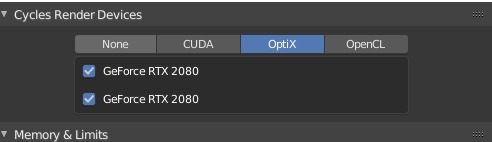
Benchmark Blender 2.8 RTX OptiX
Les comparto resultados de tiempos de render utilizando Optix RTX en Blender 2.8 Se utilizo 2x RTX 2080 en una escena interior a 1920x1080
256tiles ->builder bot -> cuda_denoiser -> 4:29
256tiles ->builder bot -> cuda -> 4:24
256tiles -> optix_denoiser -> 3:16
256tiles -> optix -> 3:12
32tiles -> optix -> 3:44
Sin duda alguna los tiempos utilizando la nueva tecnología RTX brinda aproximadamente en este caso 1 minuto de mejora :O
Juan Gea Rodriguez me pidió probar su build, estos son los resultados con la misma escena y mismos samples, aproveche de hacer pruebas con E-cycles también
Todos los test son con 800 samples y sin denoiser
Dithered Sobol -> scrambling 1 -> 256tiles ->CPU I7 8700 + 2X RTX2080 -> 14:58
Dithered Sobol -> scrambling 1 -> 32tiles ->CPU I7 8700 + 2X RTX2080 -> 4:10
Dithered Sobol -> scrambling 1 -> 16tiles ->CPU I7 8700 + 2X RTX2080 -> 4:09
Dithered Sobol -> scrambling 1 -> 256tiles ->2X RTX2080 -> 4:14
Dithered Sobol -> scrambling 1 -> 32tiles ->2X RTX2080 -> 4:17
Dithered Sobol -> scrambling 1 -> 16tiles ->2X RTX2080 -> 4:21
Dithered Sobol -> scrambling 0.12 -> 256tiles ->2X RTX2080 -> 4:02
Dithered Sobol -> scrambling 0.12 -> 16tiles ->2X RTX2080 -> 4:26
Dithered Sobol -> scrambling 0.12 -> AutoTiles ->2X RTX2080 -> 4:12
E-cycles v. 2019 05 16
Dithered Sobol -> CUDA boost -> AutoTile (el tamaño automatico fue como 32) -> 2X RTX2080 -> 03:49
Dithered Sobol -> CUDA boost -> 256tiles -> 2X RTX2080 -> 3:46
Dithered Sobol -> CUDA boost -> 32tiles -> 2X RTX2080 -> 3:52
Dithered Sobol -> CUDA boost-> Adaptive sampling -> Autotile -> 2X RTX2080 -> 3:52
E-cycles 2.81 2019 08 09
Dithered Sobol -> CUDA boost -> AutoTile (el tamaño automatico fue como 256) -> 2X RTX2080 -> 02:44
Dithered Sobol -> CUDA boost -> 256tiles -> 2X RTX2080 -> 2:40
Dithered Sobol -> CUDA boost-> Adaptive sampling -> Autotile -> 2X RTX2080 -> 1:59