
Geometry nodes viewport/render update
(I'm fairly new to Geo Nodes, so if this already exists please let me know)
Geometry nodes, from what I've been using in 3.2, works on a what-you-see-is-what-you-get basis- that usually is good, but in use cases with people who have not-so-powerful computers it isn't good.
Take particles in geo nodes, for instance. While the method for scattering here is super powerful, it is still lacking basic features like particle children and other customisation- if I want to render a million particles and I have a low spec computer, I am limited to only a certain number of particles. This can simply be solved by giving the particle node something like viewport particles and render particles. The same goes for the subdivision surface node too- I can have 1 or 2 levels of subdivision in the viewport, while having 5 or 6 levels of subdivision in the render.
Right now Geo nodes is at an interesting spot where it is able to do some of the most complicated stuff, but is lacking in the very basic things- I had to google for 20 mins on how to cut an object, and after realising it could not be done I had to boolean that obect in geo nodes- this isnt efficient (again, I'm new to geo nodes, so if there is a better way i can use it, please let me know).
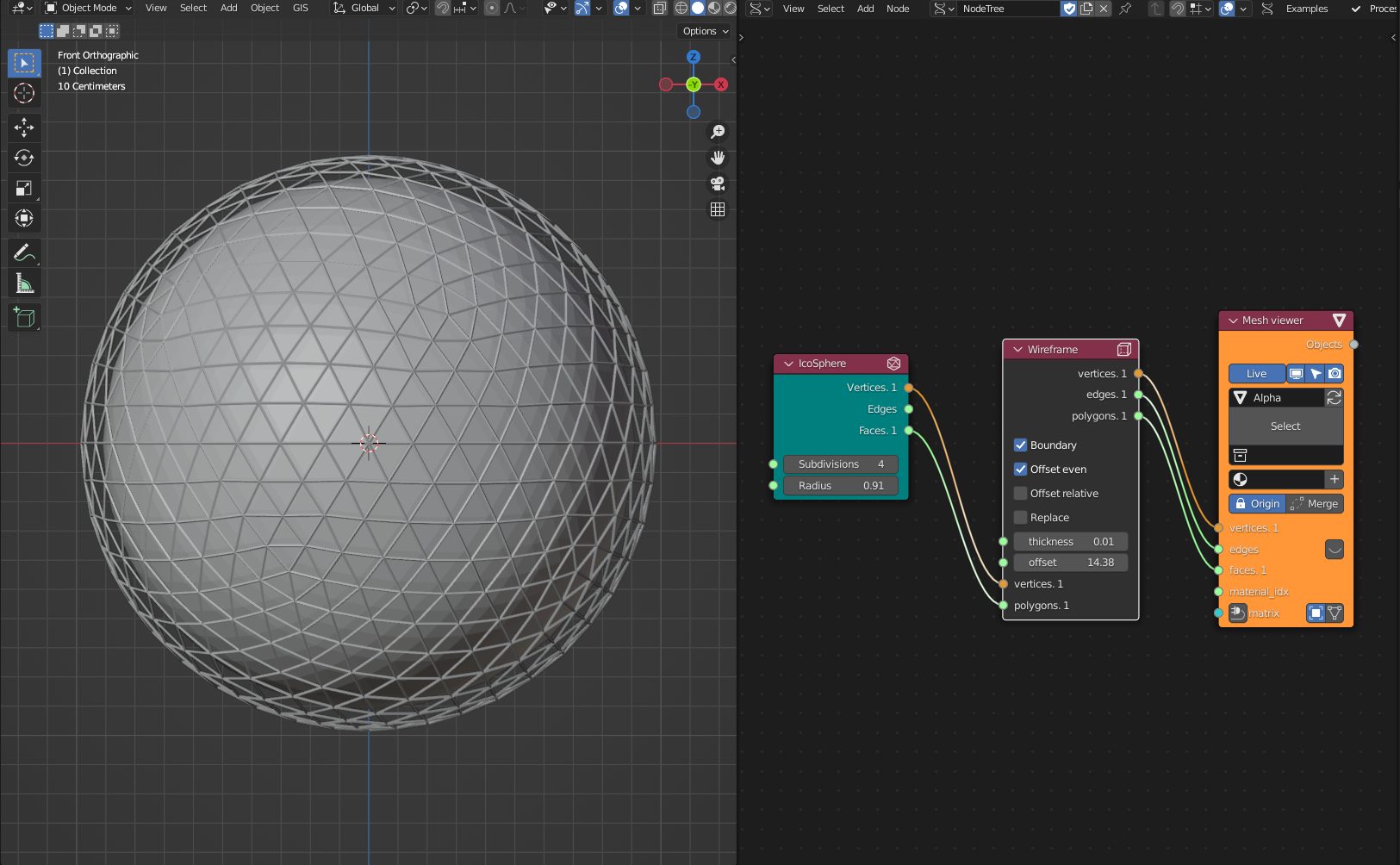
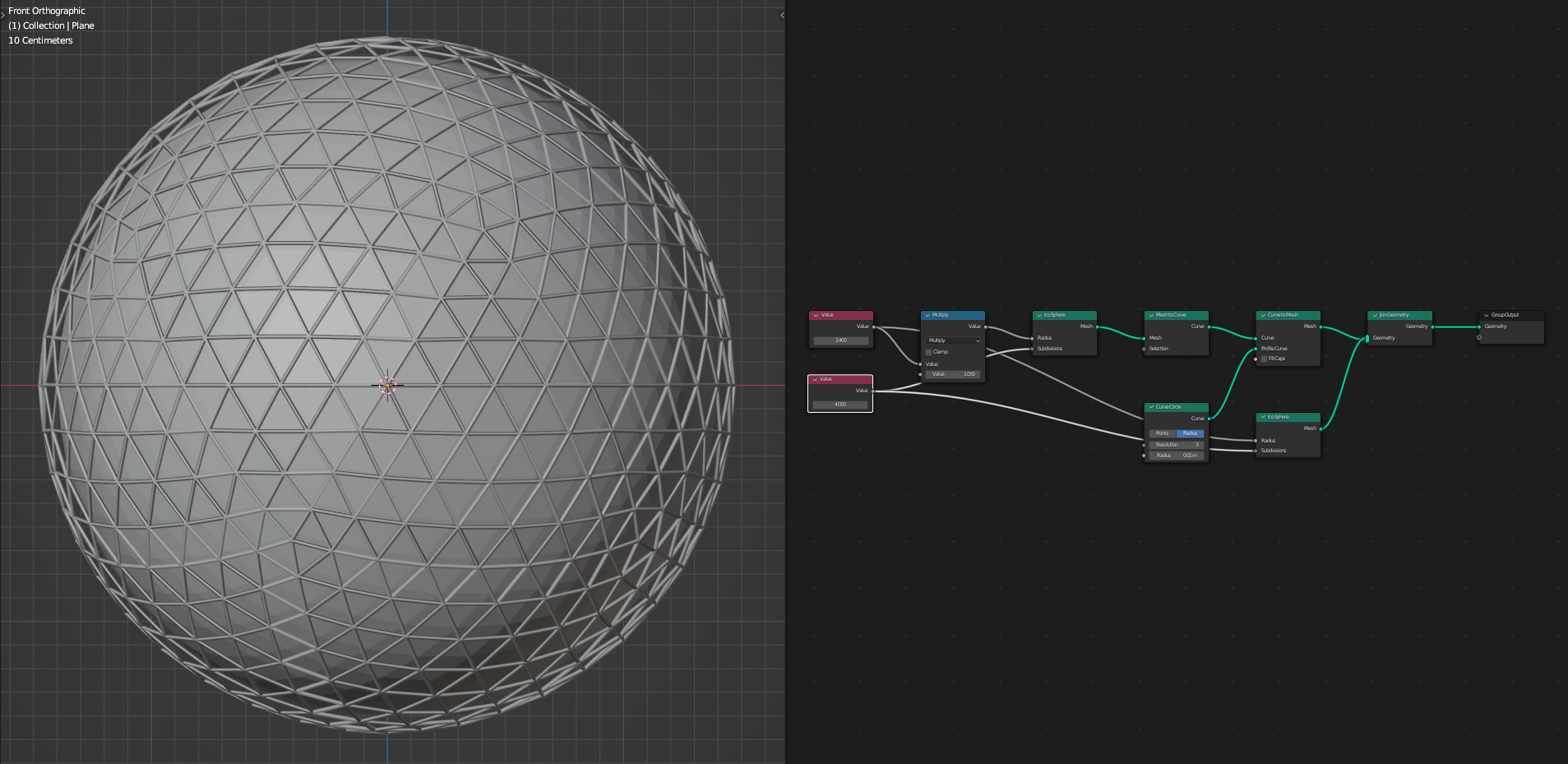
On an unrelated note, Geo Nodes can really take a page out of Sverchok's book on how it works. For instance, I had to make a wireframe of an object i made in geo nodes. I could use the wireframe modifier, but because i wanted it to be done completely within the node editor, i started to look for a method. I had to do an insanely complicated process of duplicating the object, the converting it into a curve, then giving it a profile, then back into a mesh, then joining the geometry. In sverchok, I simply add the wireframe node. I've made the same model in geo nodes and sverchok (top is sverchok, bottom is geo nodes). The difference is surprising- the only thing that is keeping me from using Sverchok is that it's not working for Blender 3.2.
TL;DR Geo nodes is very powerful but is lacking very basic features like viewport/render options.
6 Comments
This feature already exists. You can use the Is Viewport node in Geometry nodes drive different geometry in the viewport versus in a render.
Regarding using different values for render/viewport, I have actually published a custom node that does this. You can check it out on blender market.
blendermarket.com/products/viewport-selector-node
For splitting objects, this node exists: docs.blender.org/manual/en/latest/modeling/geometry_nodes/geometry/separate_geometry.html
You can save the nodes you created as a group to make a Wireframe node so that you have it to place in any graph you want.
Why this can't exist by default? If I would like to do things a complicated way, I could not use Blender, but programm my own modeling software.
They are still developing the entire Geometry Nodes system... from what I've heard they are providing the means to make things from scratch for now and then later on might start adding things like this.
The functionality exists. If you don't want to use it, that's up to you. Programming your own modelling software would be a much larger task. I'd much rather just link up a few nodes one time and save it as an asset to be reused when and where I need it.