
Polybuild: Ignore Backfaces Through Objects
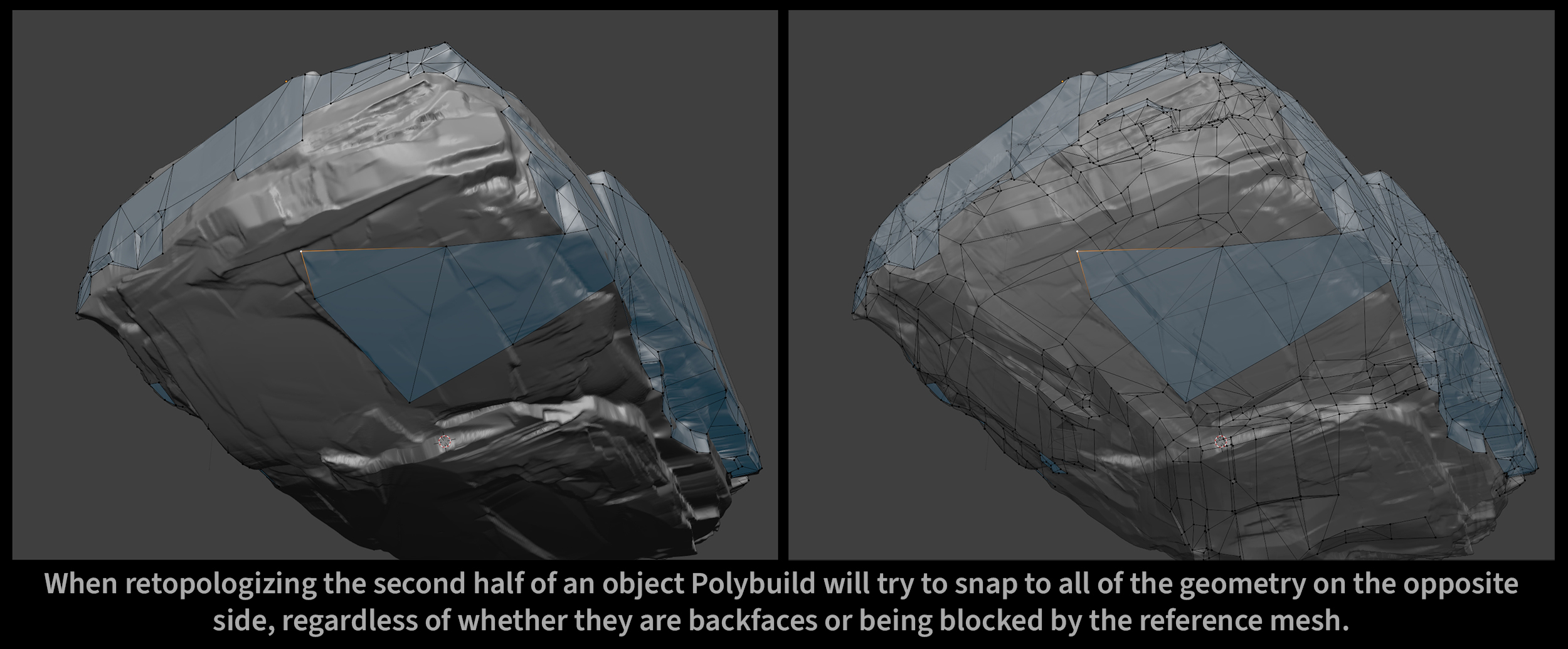
Polybuild is fantastic for retopology when paired with the retopo overlay but it has a major drawback: it does not ignore the opposite side of the mesh you're building.
There is always a point in retopology where the tool becomes all but useless as it constantly snaps to the backside of your half-completed mesh.
I propose that an option is introduced to ignore backfaces, optimally only when they're being blocked by the reference high-poly mesh. It would be best to draw influence from the way similar tools in other industry standards have solved this problem (such as Maya's Quad Draw).
1 Comment
You just descirbe the main reason I often avoid the Polybuild tool.
Doing retopology, 'back-grabbing' annoys and distract me. Being pushed to navigate through backside geometry until one can select the geometry in front. And, anytime I accidentally moved something from the backside, snapping pulls it to the front and creates a cavity on the back.
Brrrrrrh!!!!
What about the other way around: an option for this tool which enables to edit backfacing geometry, but defaults to front faces only.