
Proper Alpha support in Vertex Attribute painting
Tech info
- Blender 4.1
I'd like to ask about very needed feature - alpha editing in vertex paint mode. I think current state was temporary and possible forgotten. I will explain:
1
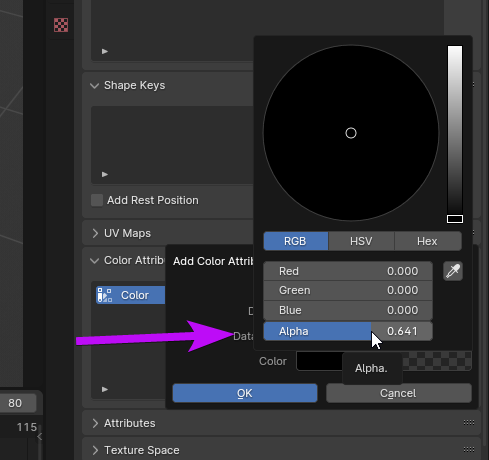 Color menu for new Vertex Attribute channel. Notice alpha slider
2
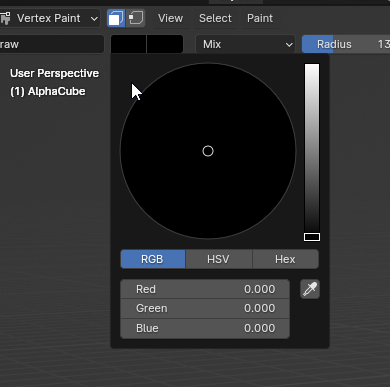 Similar color menu in Vertex Paint mode. Notice Alpha is hidden (it's still here, you just assigned it in previous step)
3
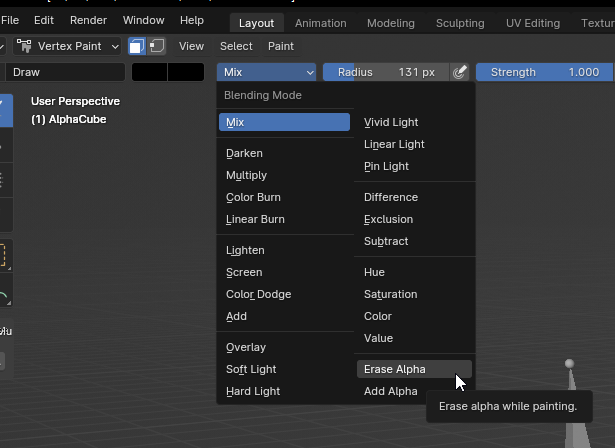 Confirmation you still can access alpha via separated brush(es!!). Not very optimal or intuitive.
4
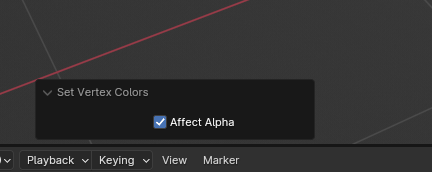 If you decided to use tools like "Set Vertex Colors", you can see "affect alpha" option, however this tool can't affect it, only erase/add alpha brushes. Same menu can be found in brush extra settings
5 Further confirmation of working alpha channel
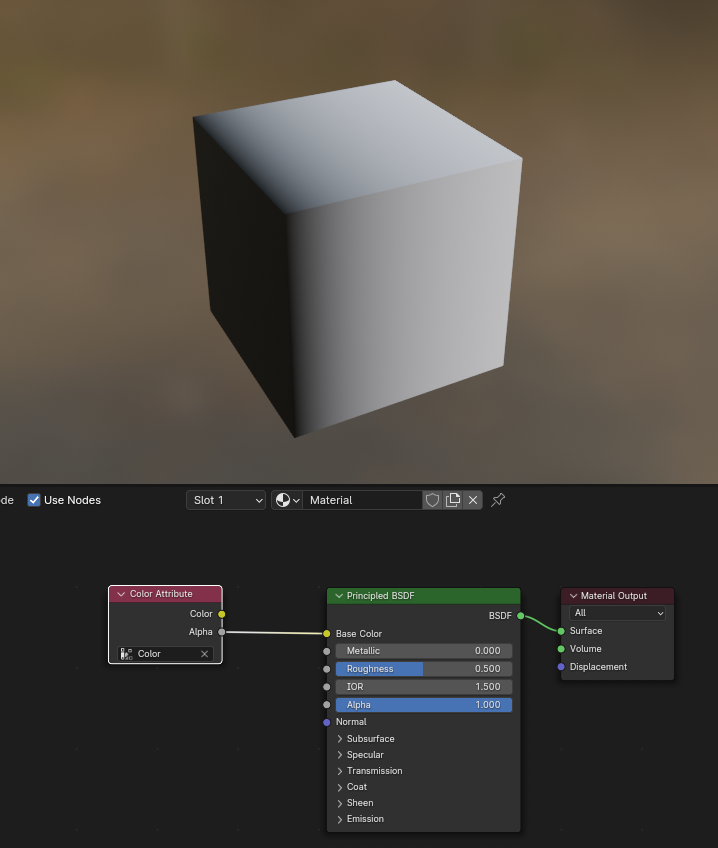 Even if you are OK with selecting alpha brushes, and painting by hand, you will not see your strokes, so you need to create special material to display alpha, not very convenient either.
I tried to give you step by step explanation why current state of alpha painting seems strange to me, and hopefully why It's inconvenient.
Suggested Solution
- Add alpha slider to Vertex Paint mode color menu (old workflow will not change with "affect alpha" option that is already present)
- Add alpha support to "Set Vertex Colors" tool
- Alpha visualization on model in Vertex Paint mode (and probably viewport attribute mode)
0 Comments