
Add cavity and ridge color property in solid mode
The idea is to be able to have more "zbrushy" solid or workbench viewport rendering. Right now you can have a matcap and cavity and ridge (besides shadows, etc) but Cavity and Ridge have only default colors, white for ridge and black for cavity. In Zbrush for example Matcaps are not only an image but a set of shading properties that go with that matcap (that's at least my guessing) so it would be great if Blender could have something similar.
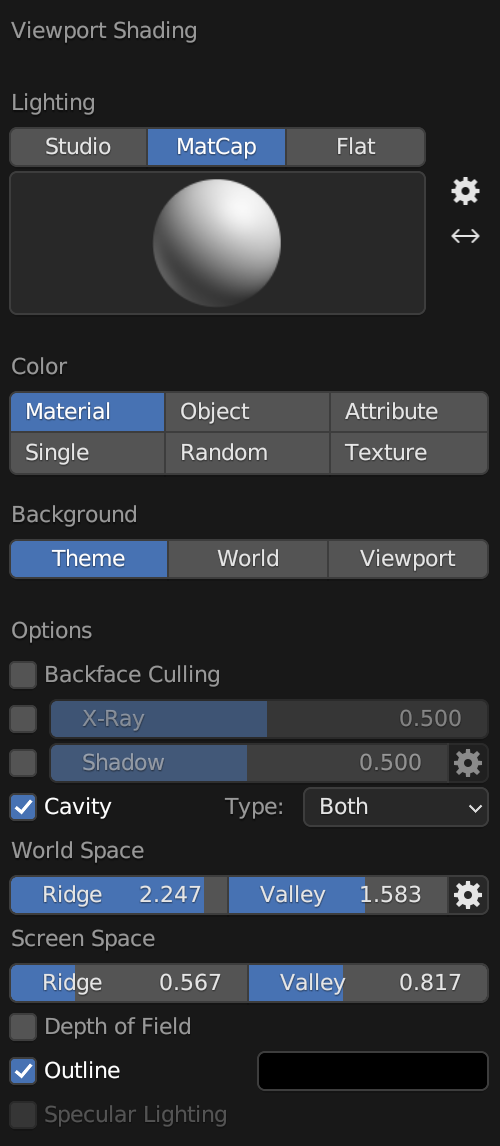 If we could set the cavity color to white, we could render a wax-like material and patinas for metal. It would be very nice when sculpting and wouldn't need to switch to the more demanding Eevee engine.
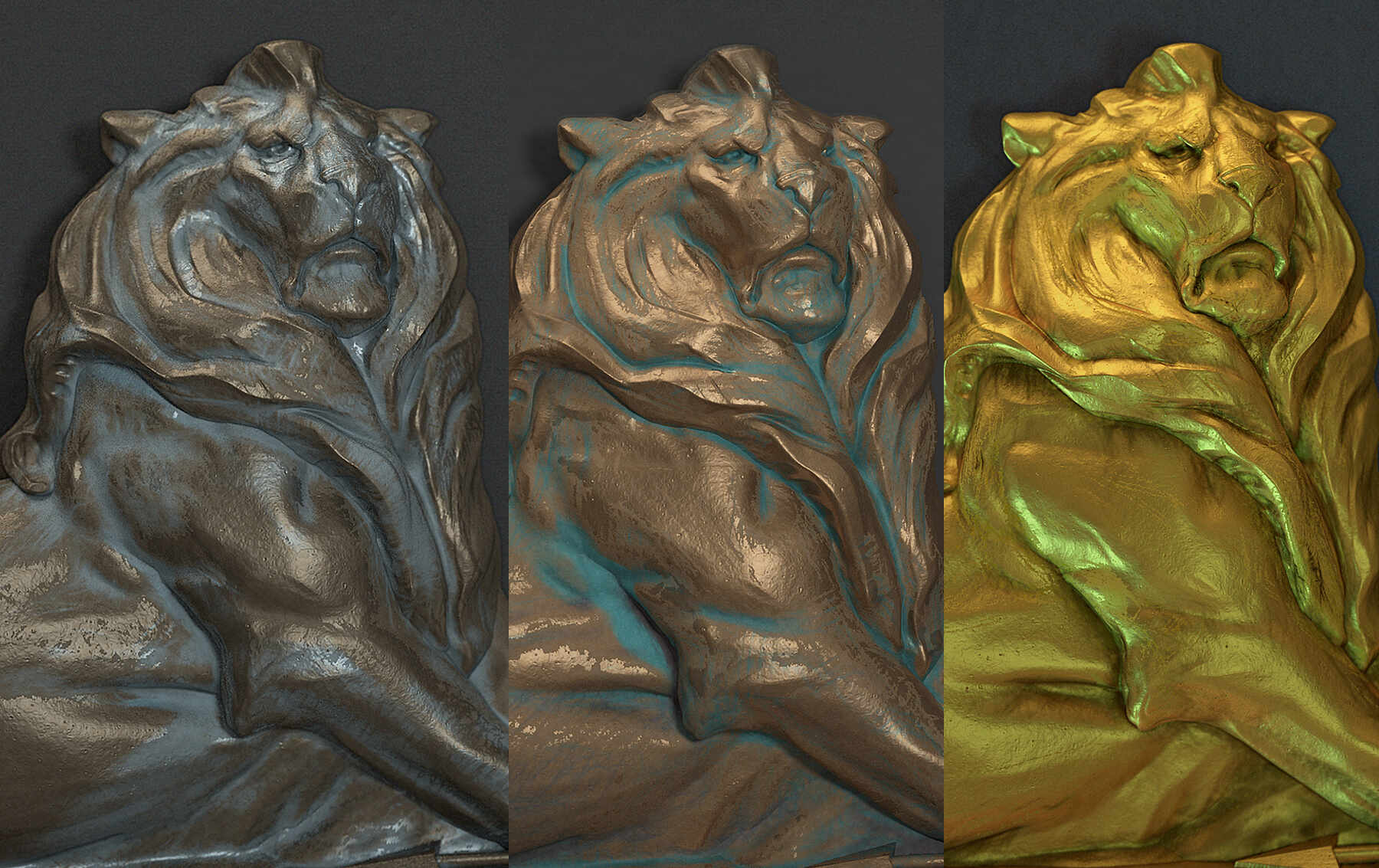
Note: I know the image above is a render and not the viewport result, it's just for illustrating the concept of patina in 3D software.
9 Comments
This was planned at one point. MatCaps can be Multilayer EXR files, in which case each layer can be named to take over a specific material property (Diffuse, Specular, Valleys, Peaks, SSS).
In the end only the Diffuse and Specular layer support was implemented, although the current set of MatCaps still need to be updated to use them: projects.blender.org/blender/blender/issues/104285
so in theory we can load our own multilayer EXR with 2 layers and have Diffuse and Specular separated properies? the Valleys and Peaks are the most useful channels to the appearance for patinas and having that in solid mode would be a nice sculpting experience.
Yes. If you add a layer to the Multilayer EXR file called "Specular", it will be added on top of the main layer called "diffuse". The specular layer can be toggled in the overlays. If no specular layer is detected the overlay toggle will be greyed out.
That should help with readability on very dark surface colors. It's a ver obscure and under-documented feature right now ...
Thank you Julien! good to know that. So do you think my propposal is unnecesary? if it has already been implemented to a certain extent I guess it will be further developed?
I think it's worth it to keep it open for the inclusion of cavity layers. This would be a nice feature even if it's low priority. The only problem I see with it is that the MatCaps that ship with blender should support the feature, so they'd need to be updated. It could be a lot of work ...
Maybe there could be 2 types of Matcaps "simple" and "multilayer" so Blender could include maybe 5 to 10 new multilayer matcaps and also the older ones? I guess the multilayered matcaps could be a little more demanding and this way you can choose speed vs quality, although maybe I am completely wrong and the difference is unnoticeable
Performance is not really an issue. It's also fine if not all MatCaps are supporting all layers. Any missing layers will just default to the current behavior. Only the specular layer is useful enough to be included in every official matcap.
I've read this: projects.blender.org/blender/blender/issues/104285 interesting. My Proposal is just for the cavity and ridge, but I think the issue should be merged into that thread and renamed "Blender Matcaps 2.0" or "Matcaps Next" 🤣
Changing the color of the cavities was possible on previous versions but this was removed and it's a shame, it was very practical for sculpting.