
Graph Editor tied to Actions & dealing with Slots
How often do we want to overview multiple actions in the graph Editor? The image below shows how that might look.
I think it would be much easier to navigate a graph editor that belonged to the Dopesheet, more specifically the Action Editor. This would allow animators to work with Action slots as well as display the Action's timeline markers, not the Scene's.
How it looks without selection filter
Note that all curves are drawn on top of each other and impossible to discern which Action they belong to.
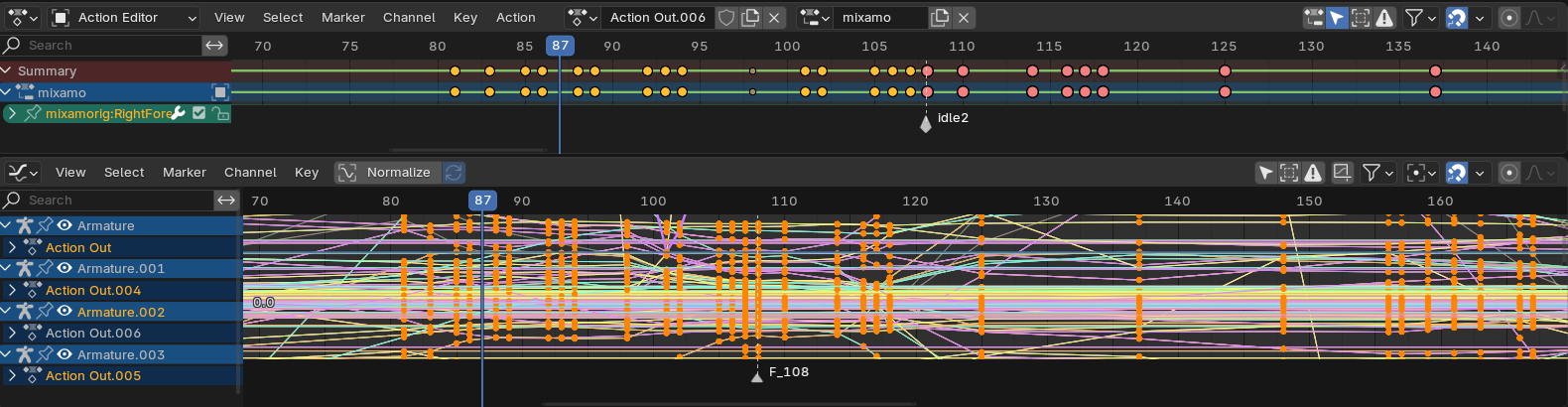
Even with only two Actions, the Graph becomes indiscernible and only useful for less common manipulations such a scaling curves across multiple objects. Most other functions are possible within the dopesheet which at least has rows to separate the Actions.
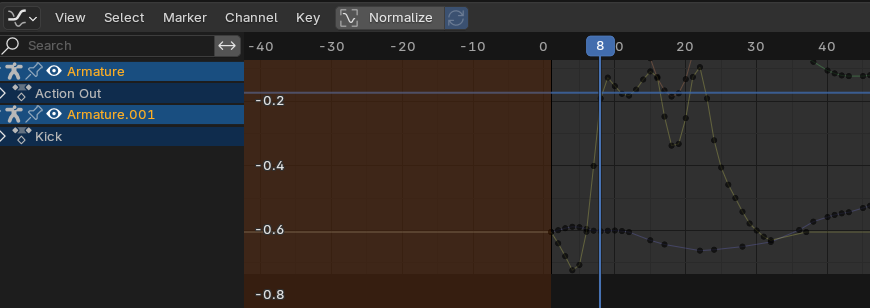
With selection filter and single object
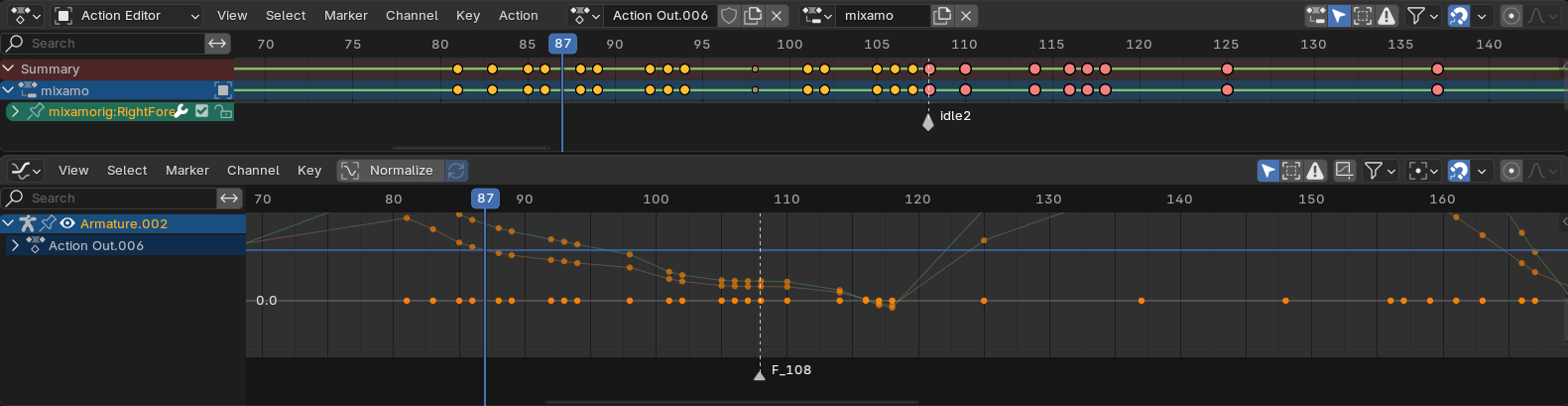
Proposed Editor
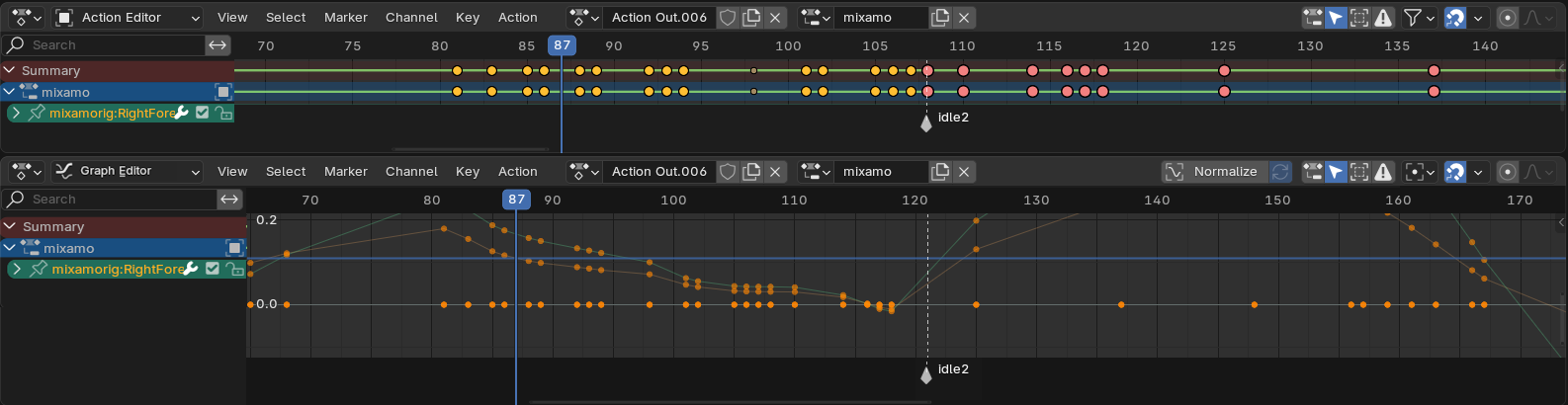
Benefits:
-
Better support for slots. Slots can be displayed instead of the Action root without over crowding.
-
Displays action Timeline Markers instead of scene markers
-
Creates a more focused workspace, considering that graphs are already considerably more complex than the Dopesheet
Considerations:
The last image shows the header as a duplicate of the Action Editor, however it might make more sense to appear as a toggled draw mode (i.e. CTRL+TAB?) as seen in various other animation software.
If the existing Graph Editor remained as it is, there could be some confusion over the two editors using the same icon and name. This is similar to the existing problem of Dopesheet appearing both as a base editor and a sub-editor. Although fairly major, I think the best solution would be move the existing Graph editor into the Dopesheet, and the proposed editor into the Action Editor as draw modes as mentioned.
This way it becomes clear that the Dopesheet and original Graph Editor are for a broad overview of multiple objects and actions, whereas the Action editor and its graph are for a more focussed workspace.
Edit*
Slots Comparison
In this image there are three areas, Left=Action Editor, Right=Action Editor with active object slot filter, Bottom=Graph Editor.
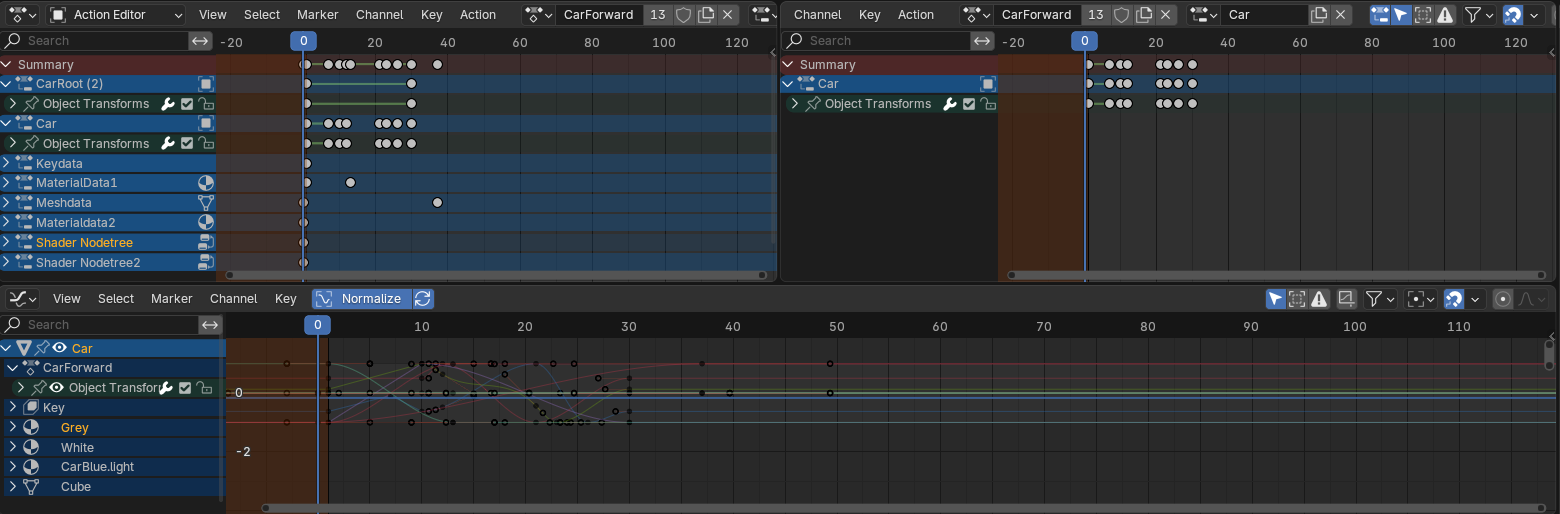
Suprisingly, I only have a single object selected.
First issue is that, the Graph only shows the active Action 'Car Forward' on the Mesh Object. The Grey material Channel actually is not associated with the same Action as the rest. This design no longer reflects how actions work. This could be fixed within the existing editor. However, In the Action Editor I can disable selection filtering but it will only display data related to the active Action as desired.
Secondly, in the Graph Editor there are no slots and no way to filter them. The names displayed are of the data-blocks, not slots.
When working on the finer details, I expect to not only access fcurves but to also know exactly what the animation data belongs to and to be able to filter out as much noise as possible to focus on such details. Therefore it makes sense that if I enter the Action Editor its because I am wanting to work within a certain context, that is itself a kind of filter.
With potentially hundreds of objects, actions and slots, imagine how complex navigating the graph editor can be.
2 Comments
thanks for the detailed proposal, one thing that is not clear to me though is why the "Only Selected" filter doesn't work for you.
Is it that you want to work with data that can't be selected?
That is also an issue in some instances, such as the inability to select a material, I'll come back to this.
The Action editor displays information specific to actions, for example, each action has its own slots, frame range (used in NLA and affects some exporters) and timeline markers, and soon-to-be tracks and strips. None of these are accessible or indicated in the graph editor.
Drawing multiple slots in the graph editor isn't the need but rather filtering them out and identifying them. Now that we have slots, objects such as a meshes can have separate slots for its object-data, shape keys, mesh-data and associated data-blocks such as materials and node-trees can all be contained within the same Action.
In the Graph editor we can filter by data-type but not by slot. In fact we can't tell if they are even contained within the same Action. Actions are only displayed in the graph editor for Object data! Even the Action Editor also lacks ways to filter slots beyond, 'Show Slot Of Active Object', this is where the inability to select sub-data comes is.
I'll upload another image to demonstrate the differences.