
Decouple Grid Subdivisions from Metric Units in Orthographic View
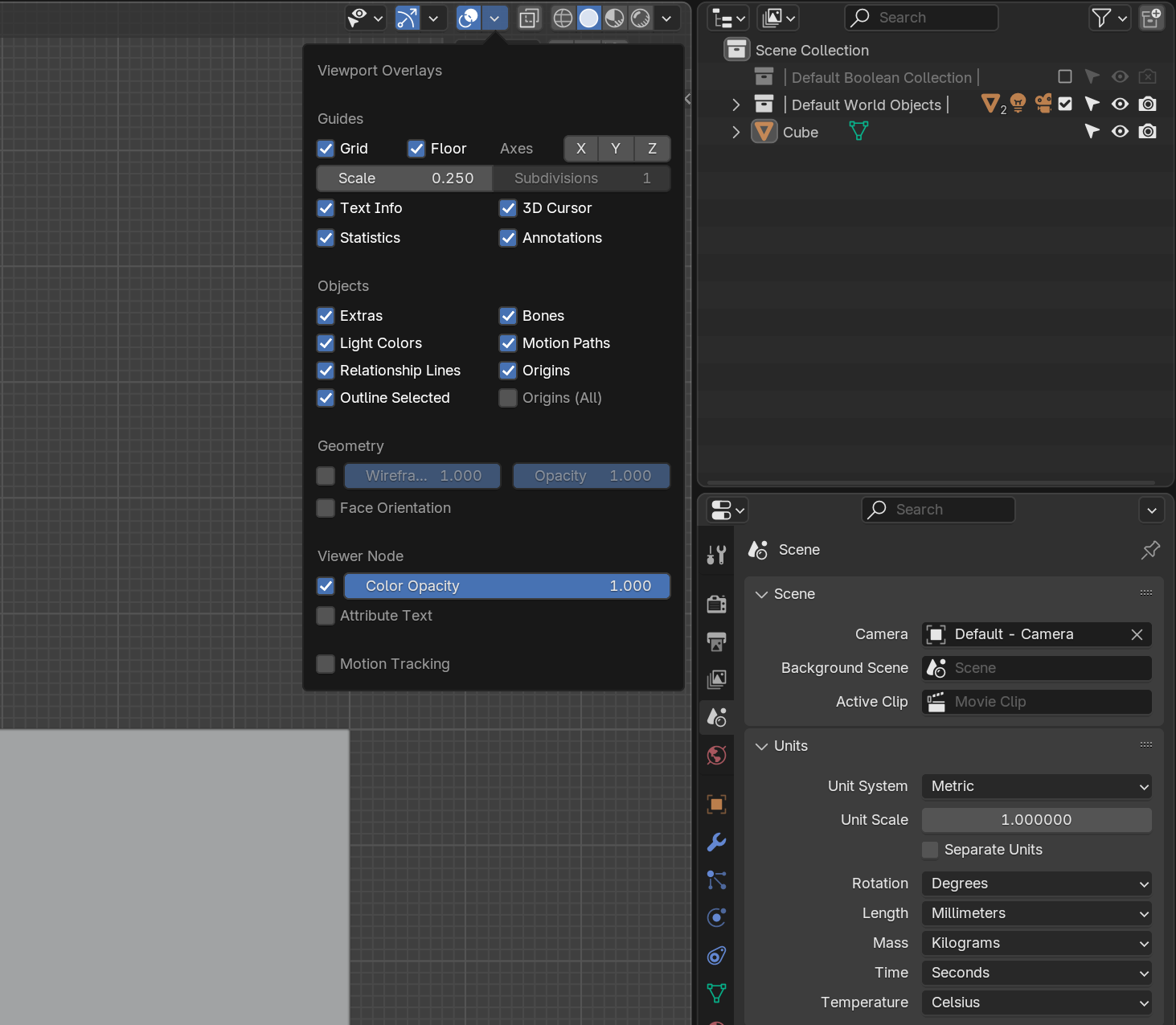
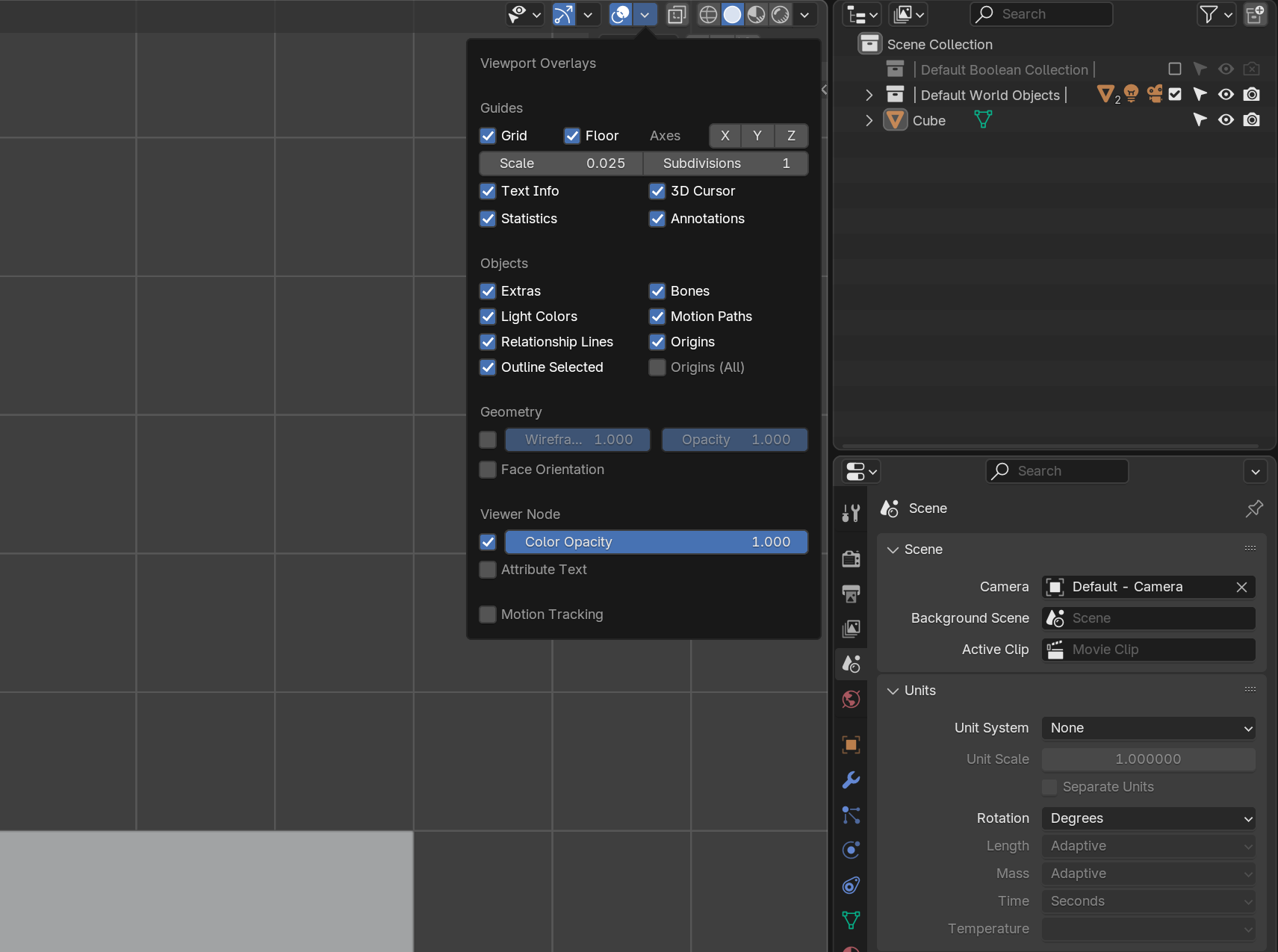
In the 3D viewport, when using orthographic 2D perspective with the Metric unit system enabled, there is currently no option to disable grid subdivisions.
This is in contrast to the "None" unit system, where users can effectively disable grid subdivisions by setting the Viewport Overlay Grid Subdivisions value to 1.
| Reason for Improvement |
- The ability to disable grid subdivisions while retaining the Metric unit system is essential for:
Reducing Visual Clutter - Edited 2025-01-09
- Grid subdivisions can overwhelm the viewport, making it difficult to focus on key design elements.
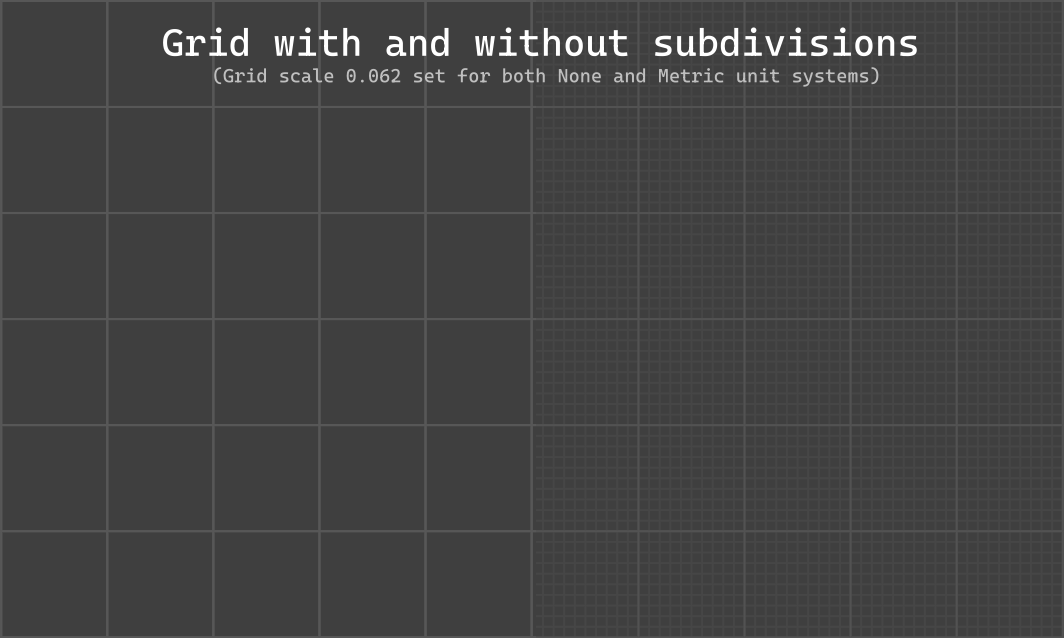
Precision Workflows
- Users who rely on the Metric system for accurate measurements often prefer a simplified grid for clarity.
Customization and Accessibility
- Allowing users to control grid subdivisions enhances the flexibility of Blender’s UI and aligns it with other customization options.
Why a Source Code Fix Is Necessary
- This issue requires changes to Blender’s source code because:
Hardcoded Defaults
- Grid subdivisions in the Metric system are tied to default values in the source code and cannot be overridden by add-ons.
Zoom-Dependent Behavior
- The current implementation adjusts grid subdivisions dynamically based on zoom, which is not always desired. Users should have the option to disable or control this feature.
Lack of Theme Options - Updated in 5.1 - Edited 2026-08-28
- There was no options in the "Theme Editor" to customize grid subdivision line colors or alpha transparency, as these are also locked in the source code. This is now possible in 5.1
| Proposed Solution |
- To address these limitations, the following features could be implemented:
Grid Subdivision Toggle - Edited 2025-01-09
-
Introduce a new option in the Viewport Overlays menu to enable or disable grid subdivisions, regardless of the unit system.
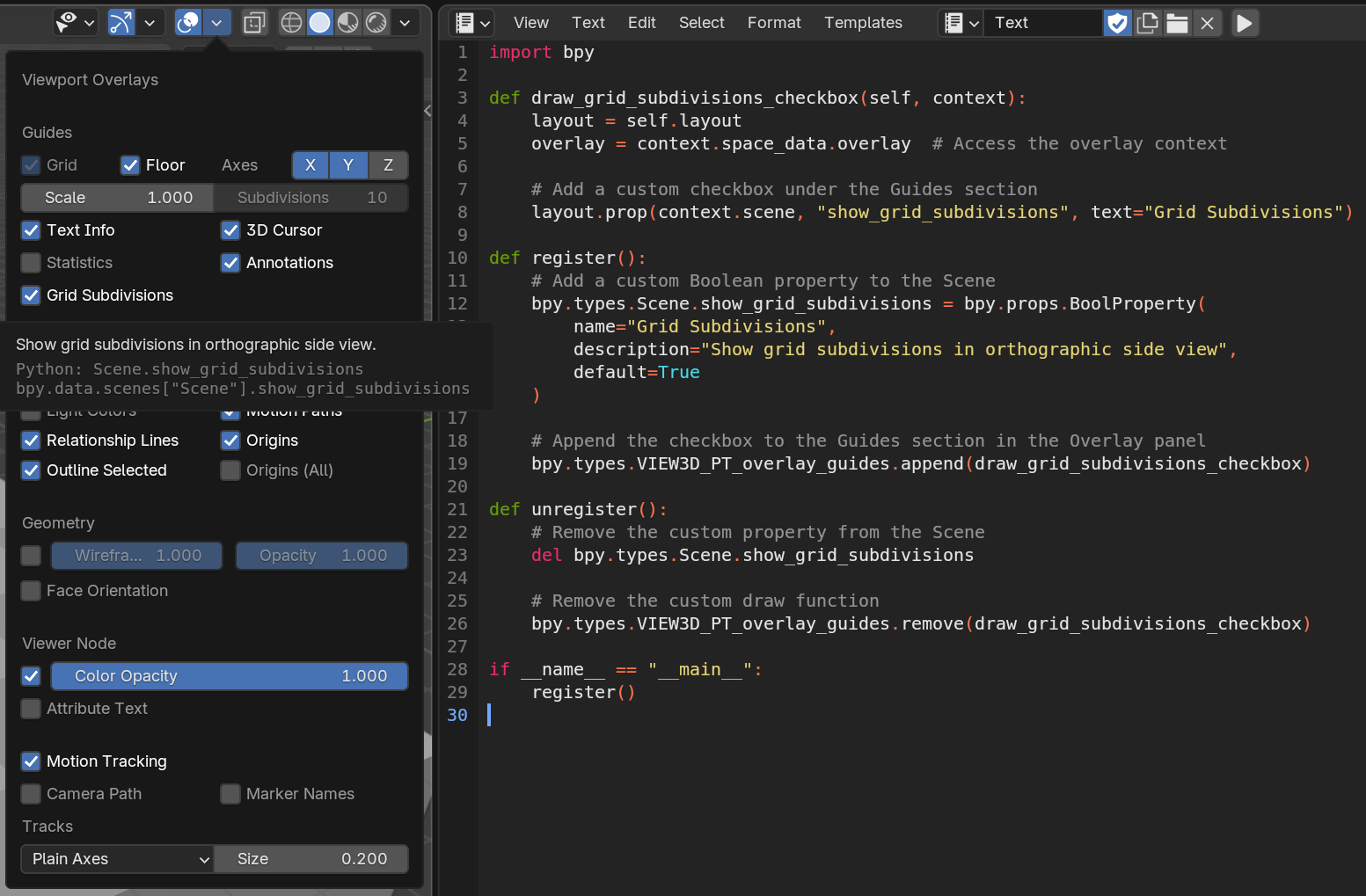
Theme Customization - APPROVED - Edited 2026-08-28
- Added support in the "Theme Editor" for users to customize the color and alpha transparency of grid subdivision lines.
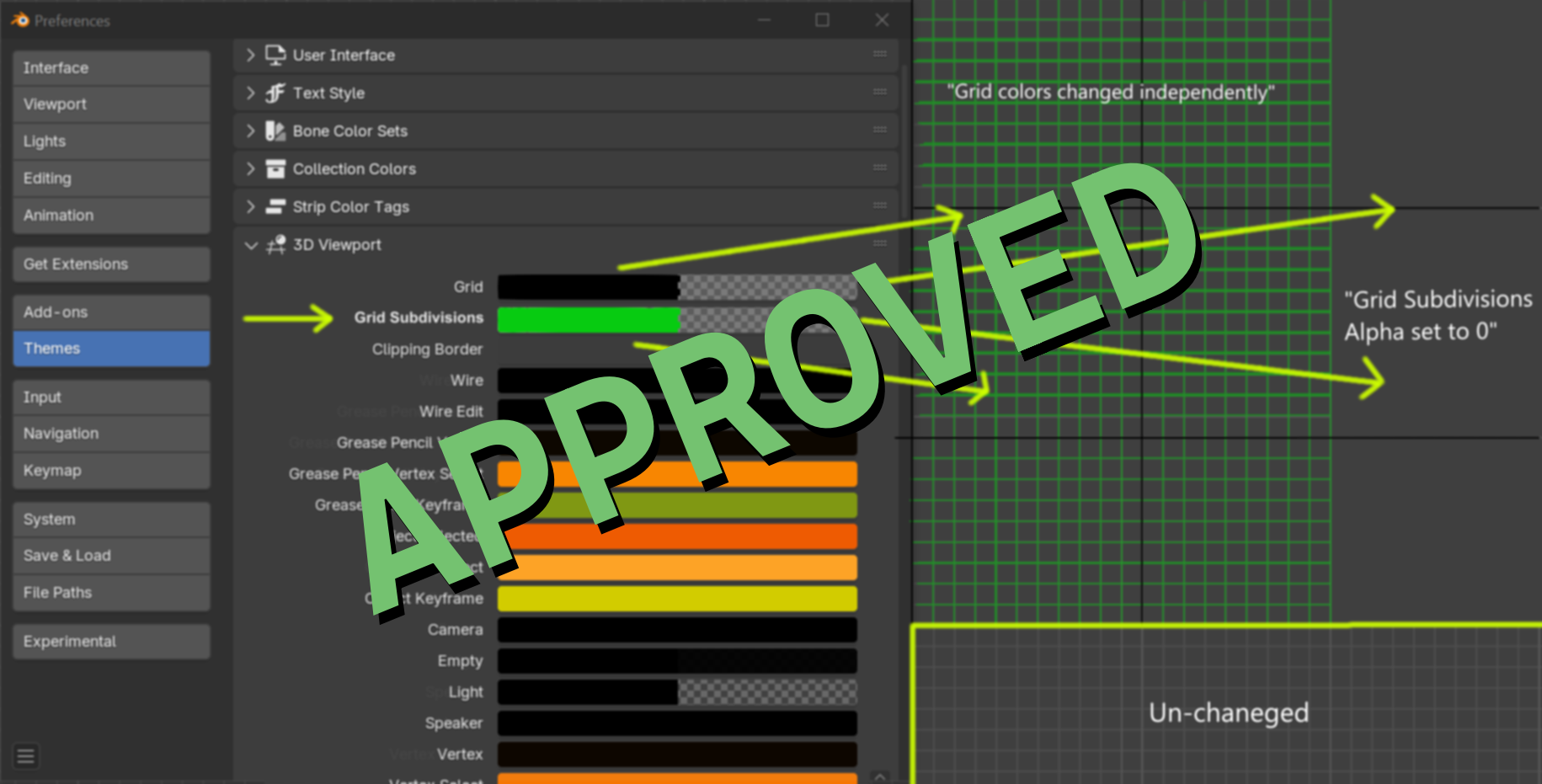
- Suported from 5.1
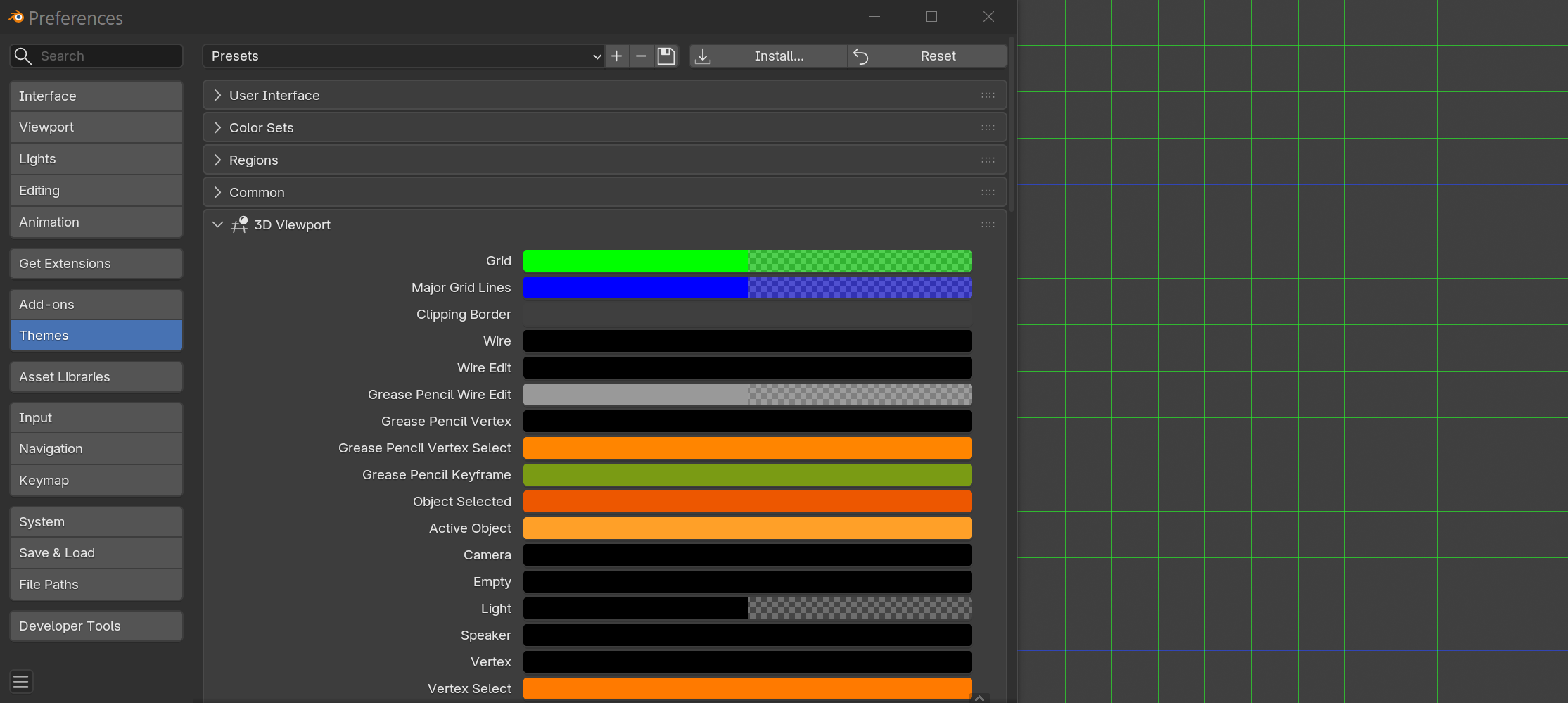
Zoom Override
- Provide an option to disable zoom-dependent grid subdivisions, allowing users to maintain a consistent grid appearance.
Use Cases - Art Style Consistency -
- Maintaining a consistent art style is critical in creative workflows, especially for projects requiring precise control over visual elements like architectural renders, technical drawings, or stylized 3D environments.
- Grid subdivisions can sometimes disrupt the visual consistency of the scene in orthographic views, particularly when working with clean, minimalistic designs.
- By allowing users to disable grid subdivisions or adjust their transparency, Blender ensures the workspace remains visually cohesive, aligning with the intended art style of the project.
- This feature is especially useful for artists creating professional content, presentations, or tutorials where maintaining a specific aesthetic is essential.
Architectural Design - Users working on precise models may prefer a clean grid without subdivisions, while retaining Metric units for accurate measurements.
Educational Material - Tutorials and presentations often require a simplified interface, where removing grid clutter can improve clarity.
Conclusion - Implementing these changes would significantly improve the usability of the Metric unit system in Blender, making it more flexible and accessible for a variety of workflows. These enhancements would align with Blender’s commitment to providing a highly customizable and user-centric experience.
Personal Experience
-
I have already invested 20+ hours into researching and exploring this issue. However, as I am currently engaged in a large personal project, I would prefer to seek assistance with the implementation. Addressing this problem requires a deeper understanding of Blender’s source code, which exceeds my current level of coding expertise. While I have made progress with guidance from tools such as ChatGPT and personal research, this issue would greatly benefit from the input of someone with more extensive experience in Blender’s codebase.
2 Comments
In the UV editor window, there is an option to change the Grid Type from Dynamic to Fixed, but not in the 3D viewport, unfortunately.
Please add this. It's been 10 months since this suggestion was added, and such an important feature has not yet been added, and it hasn't even gotten any likes, which is very sad.