
Show total number of frames and duration of Frame Range
There are many instances where, depending on the scene, our animation frame range doesn't start at Frame 1 (like the common way of starting at 1001), but we still need to know how many frames/seconds it lasts.
I think that independently from which frame number we start with, there should be a quick way of seeing the actual total number of frames, and the duration in seconds. This info could be displayed in the Output Properties under the Frame Start and End.
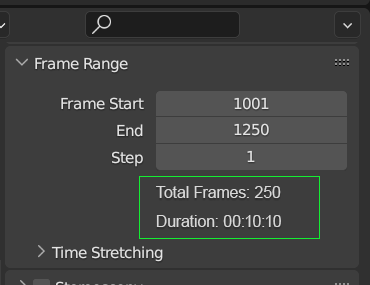
They could also be optionally shown in the Timeline Header.
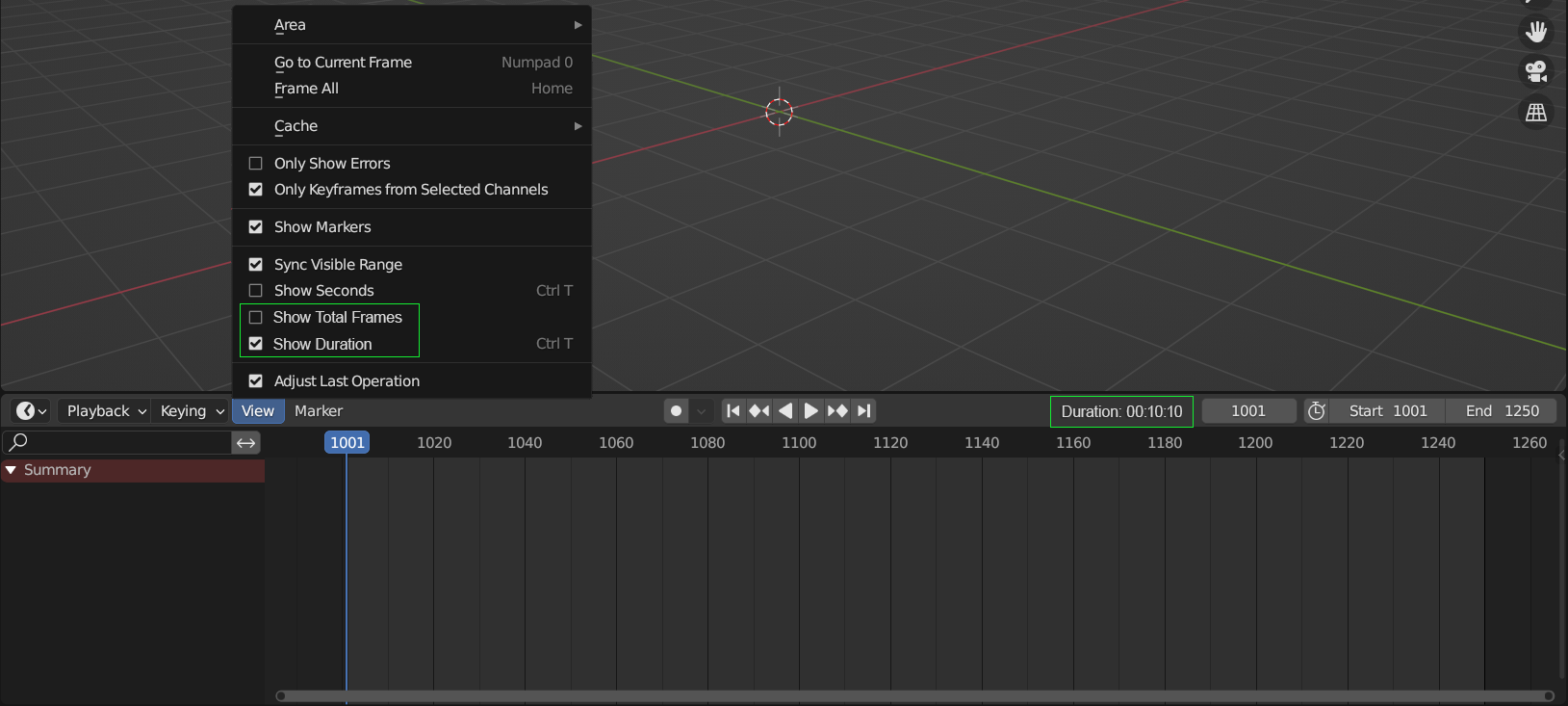
EDIT: Additional mockups after talking with dev. Christoph Lendenfeld
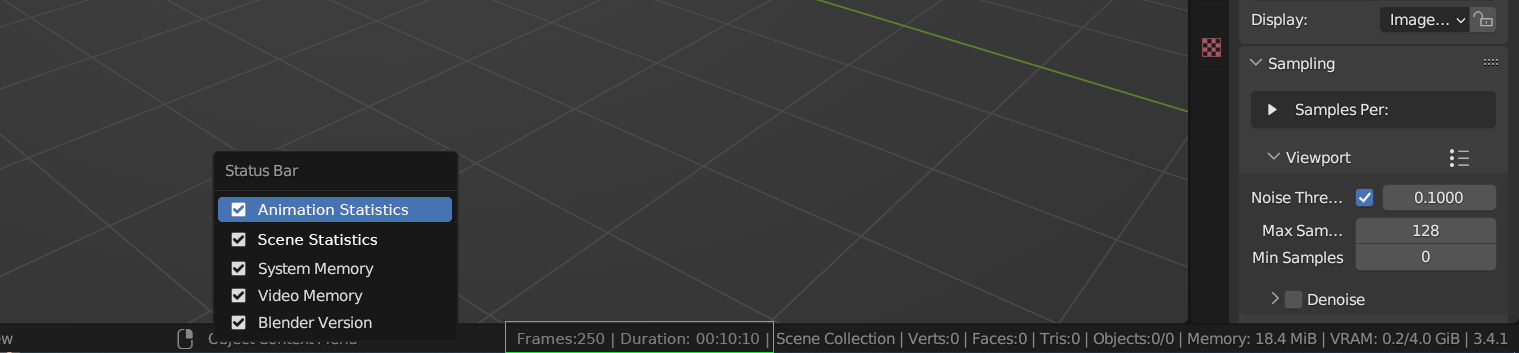
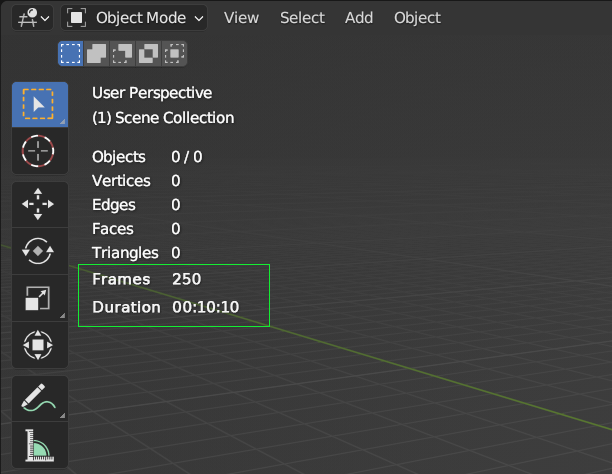
Alternatively, the infos could be displayed in the Status Bar and in the Viewport Overlays.
7 Comments
Yeah I can see this being useful. I assume when you have a preview range set, it would display the total frames and duration of the preview range (Only in the timeline though)
Yes, great idea!
You might need to think this proposal over. Currently Blender doesn't seem to display read only data in that panel. The only precedence for such a thing that I can think of is the overlays where you can see the vertex count etc.
That might even be a good alternative. Put the thing into the viewport overlay instead. What do you think
Hey Christoph, I know what you mean and I'm aware of the hesitation exactly for that reason. The problem I have with Viewport Overlays is that to me it's an info that doesn't belong to the 3D Viewport, which shows infos related to objects, but to the entire scene. That's why my first tought was to put it in the Output panel, where it felt less "rulebreaking" to have read-only data. Maybe the Scene Statistics in the Status Bar? I'll update the proposal with more mockups.
I'll eat my hat, there is precedence for it, e.g. the decimate modifier or the light baking info for EEVEE
I made a wip PR projects.blender.org/blender/blender/pulls/104882
the layout is pretty ugly but the functionality would be there
Wow Christoph! Wasn't expecting to make a request and see a patch for it in the same day! That's the power of Blender community and its wonderful developers!
Well, I hope it's a leather hat, not a felt or plastic one. Better for your teeth. Thanks for the PR!