
← All ideas
  • Published 7 Sep 2023

Tear-off menus

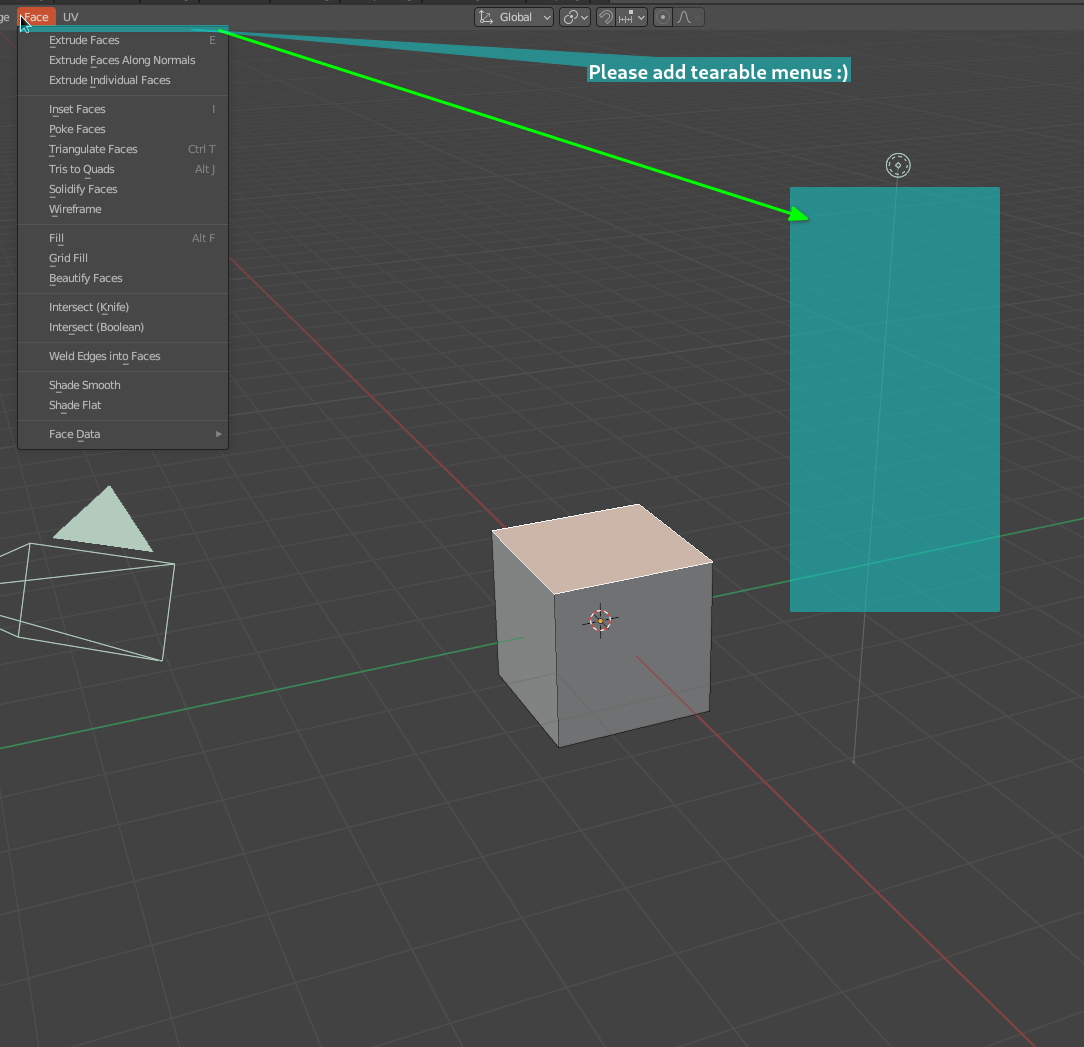
Being able to tear a menu from Blenders UI to keep it floating for temporary easy access without needing to constantly reopen the menu. ksnip_20230907-164500.png
100%

Development Status: Open

Upvote 19 Downvote 0
Lee-Henshall
7 Sep 2023

6 Comments

Nour-20

Anu update on this ? is this feature planed ?

mrajendra2150

yes it is also available in Rhino & 3ds max, so it should be standard.

blenderhacker

Make it looks like c4d A hahahah!

pablovazquez

It's an interesting feature but this proposal leaves many open questions:

  1. How would this work when the menu is no longer available? For example the Face menu in Object mode.
  2. Does it go away and you have to tear it again or does it stay in place and appears again at the same place?
  3. How many menus can you tear off?
  4. If you tear of the Face menu, does the button disappear from the header or is it still available?
  5. When you mouse over Face in the header, does the floating menu disappears or shows up twice?
nuhuyu
  1. Grey out the menu (disable for use)
  2. Pin button on teared menu
  3. ... What kind of menu you can tear off?
  4. From what I experienced in Tkinter (python GUI toolkit) the menu still available, maybe it can be toggled in the setting?
markus

It’s all solved in other software packages, like C4D.

  1. Grey it out. this would also be a great hint, that I’m currently in a different mode (something I to often experience in Blender)
  2. stays in Place until closing Blender or closing the menu. Since Blender also saves the UI with files, it probably should also be saved on a per file basis.
  3. As many as you like. This feature should empower users to temporarily customize the interface for the current task. It’s the users responsibility to clean up. This works amazing in Cinema 4D!
  4. No!!! It’s still there. Tear off as many instances as you like. Also: Even if you teared off something multiple times already, the original menu should always still be available in the expected place.
  5. Shows up twice (or even more often) as described above.