
Give encoding and decoding of video an overhaul to gain speedups
The encoding and decoding of video is very slow in Blender.
There has been talk about doing a proper profiling to locate what is causing the slowdown. A rumor has it that color management is one of the elements to blame.
Nvidia supports hardware accelerated encoding and decoding(faster playback) and in ffmpeg this can be enabled. Blender is using ffmpeg as a lib. As far as I know, no Blender dev has prioritized investigating og adding these speed enhancements, which are explained how-to here: devblogs.nvidia.com/nvidia-ffmpeg-transcoding-guide
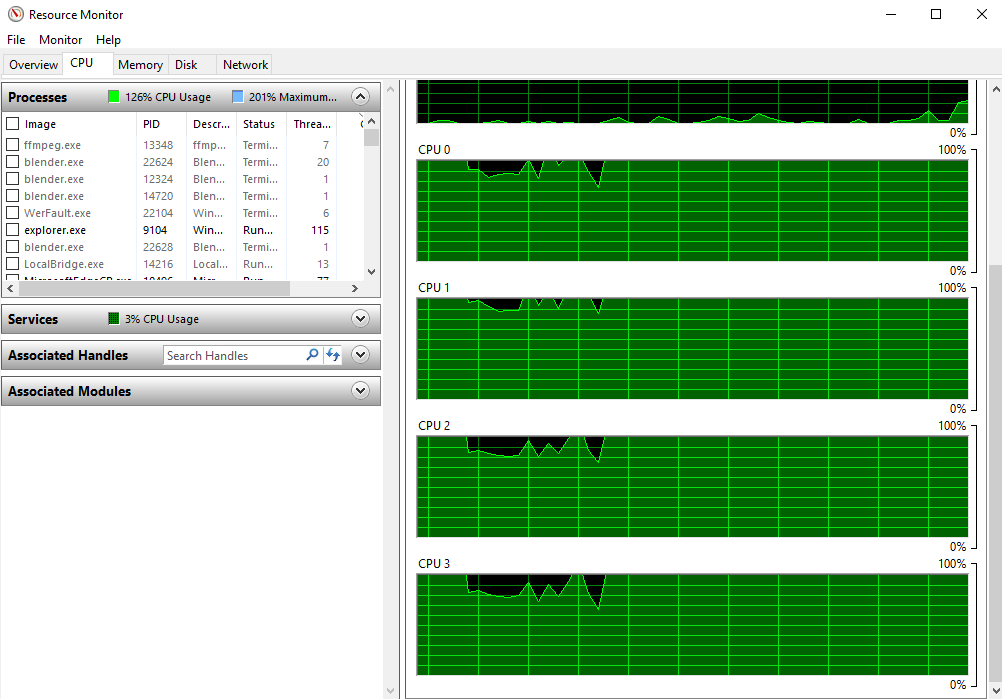
So currently the only way to get faster renders of video from Blender is by running an instance of Blender on each core and render a fragment on all of them and then when finished concatenate everything.
This add-on does this through the render panel: github.com/elmopl/ktba/blob/master/scripts/addons/parallel_render.py
Tutorial(images are the old ui): github.com/elmopl/ktba/wiki/Addons
(Getting speedups by using external “multi-threading”, suggests that some of the internal functions of the Blender render code aren’t multi-threaded)
AVI JPEG is the fastest export option, but no audio is included(ffmpeg seems very slow when starting up - which is one of the reasons for faster export with AVI JPEG). An audio mixdown can be rendered through the Render menu, and then afterwards muxed manually with the video by using ffmpeg.
Previous attempts:
Multi-threaded render: developer.blender.org/D4119
Render speedup AVI JPEG: developer.blender.org/rB9c3e41b4f66f663ab8cd27b4d2bf3aa297b478c5
14 Comments
This is much needed, and pretty much the only significant issues with using blender as a video editor for me: video playback and render time
VSE speed has been Blender's Achilles heel for decades. It's very important for creating rapid prototypes of your animation that this issue is addressed immediately. In production workflows where the whole team is waiting on decisions from temp renders time is of the essence
Until something is done about this, we can't really can Eevee a realtime engine. I mean, If it renders 1 frame per second, that is no way a realtime performance.
if there is gonna be storyboard and more tools added we need a tool that also works efficiently so upvote to this
I hope too faster decoding for H.264 in VSE. For simple 1080p (100mbit/s) footage I get 15fps/s rather than 25, for example. It's harsh that proxies are needed for simple files that in my dreams wouldn't need it. BTW, I would love to use Blender for simple video editing tasks, since most video editing softwares are subscription/license dependent or inflexible/hardcoded.
* @chumariesco * Depending on the settings H.264 can be a not very edit friendly codec.
Workarounds:
For quick proxy rendering grab this add-on: github.com/cgvirus/blender-vse-easy-proxy
And for quick export, grab this add-on: github.com/elmopl/ktba/blob/master/scripts/addons/parallel_render.py Tutorial: github.com/elmopl/ktba/wiki/Addons NB. Both needs a path to ffmpeg set up in Preferences.
Thanks for the answer. I tried the add-on, but unfortunately it is fixed to produce 50% proxies (I need 100%) and at least with my files the encoding is changing the original colours a bit. I'm using Intra 200mb/s 10bit format, recorded with a Panasonic GH5. Same happens with 100mb/s Long GOP 8bit videos.
Do you know if an improvement in this aspect is planned for future versions of Blender? Or any tip on what settings might work better to playback native H.264 files (without effects)?
* @chumariesco * The ffmpeg commands are exposed in the script, so you can adjust them to your needs(google them to learn).
If you got a SSD disk using Prefetch Frames(to cache) in the Preview sidebar, may be fast enough for you.
If your colors go wrong, it's properly the Colormanagement set to Filmic, it should be set to Standard.
For other solutions, search blender.stackexchange.com/
Thanks, I modified the script and corrected the colors issue. Much appreciated. This certainly makes things easier but still wish decoding would be fast enough for playback (multi-threaded, I guess). Also wish I could help more than just asking, maybe learning python a next challenge.
* @chumariesco * If you want to start with thinkering with existing VSE add-on code: Here's a list of all of them: blenderartists.org/t/video-sequence-editor-news-add-ons/1188770
And if you start coding in the built-in text editor, you can find enhancement add-ons here: blenderartists.org/t/essential-blender-text-editor-add-ons/1163857/
Finally, if you want to join the VSE development(discussions): blender.chat/channel/vse
Follow the current development here: developer.blender.org/project/view/28/
Ray Molenkamp (LazyDodo) has written a profiling walkthrough and finds a way to do an impressive 30% speedup on color management in rendering from 3d view to video: developer.blender.org/D8126
* @ tintwotin * It has been abandoned...
Ideally, the file output UI could be remade. Note that hardware accelerated encoding, unlike hardware accelerated rendering, doesn't give the same result. I.e. NVENC h264 (Nvidia's h264 encoder using gpu) is indeed insanely faster than a regular h264 cpu encoding, but the result is harsh, even when using higher quality settings. Hence its usage in scenarios where speed is much more appreciated, or when quality isn't a big deal. Typically for internet publication, like live streams or even youtube. But also preview renders.
TL;DR: Hardware accelerated encoding isn't just faster encoding, it's also sloppier. So it cat be used as a way to make Blender's encoding faster, that's not how it's used.
As for ffmpeg, IMHO there should be
color management needs also more love