
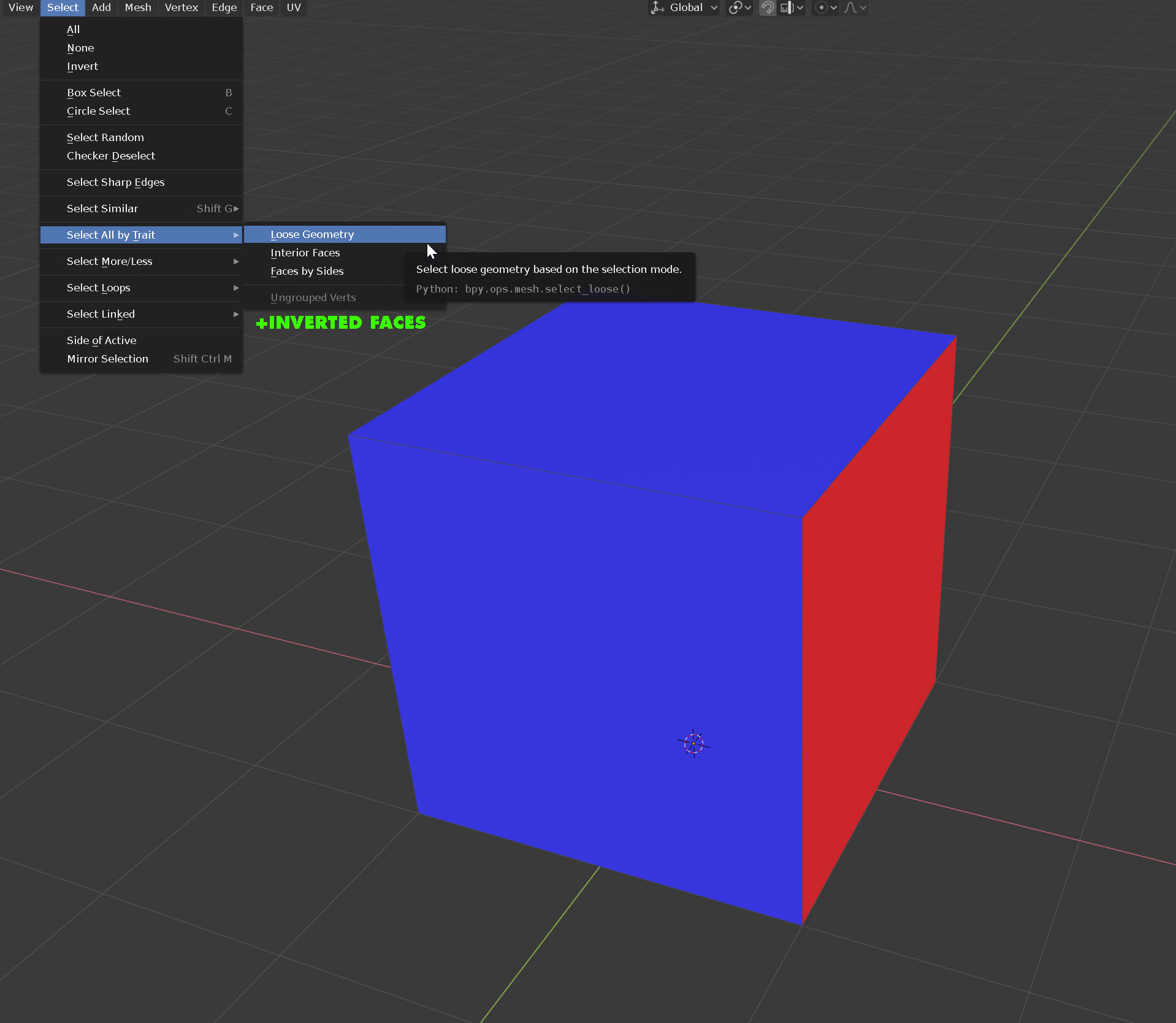
We can see face orientation, but can't select by face orientation.
Seems kind of strange. We turn on this visualization and see all of these bad normals that need to be reversed, but have no easy way of selecting the faces to do it. I'm working with CAD data that came in with all kinds of flipped normals- finding them is super easy because of the face orientation display, fixing them is a huge pain in the ass.
and YES I KNOW- in the cube example I've attached, 'make normals consistent' will fix it. I created the simplest example for demonstration. It doesn't work with gigantic scenes with tons of normal errors.
8 Comments
There's an addon called "MeshLint" that selects bad geometry for you. It would read flipped normals as non-manifold geometry. It might help, might not, depends on how the CAD software exports the models.
Good idea, but this is harder than you think.
I think what you are asking for is "select any face with a normal facing away from the view camera, that is not fully occluded" (i.e. any red faces showing in the camera)
Maybe it could be called "visible backfaces".
What your not realizing, is that blender doesn't have a list of those faces. It is painting ALL faces, with shader code that makes away-facing faces red. In your cube example, there are other red faces of the cube blender also drew that just happen to be completely occluded by blue faces.
To select that red face, blender would have to use gpu shaders to do a cryptomatte like rendering.. that is, all forward-facing faces would be painted as color zero, and all away-facing faces would be rendered with their color as their faceid. Then a full screen space pass would accumulate how many times each unique color occured, which would give you the list of visible red faces.
Not super difficult, but more shader code to be written and debugged.
* @David Jeske * didn't say it was easy, just said that from an end-user's perspective (me) it seems really odd to give us a tool to see something, but then not also select said thing. is RCS for making proposals or making excuses? :)
* @testure * it certainly is for proposals.. lets make sure its a clear implementable proposal.
Do you agree with my precise description of the feature?
"select any face with a normal facing away from the view camera, that is not fully occluded" (i.e. any red faces showing in the camera)
It's important to understand the limitations of such a feature. For example, if a mesh has a hole, you may see a red face on the other side through that hole.. so to get the behavior you want, all meshes should be closed.
* @David Jeske *
Seems like one could have the best of both worlds -- i.e. select faces/edges with normals pointing in a particular range. Though I'm not positive this exists already.
That is not what he is asking for, here. There is no reason to involve any view camera angle or occlusion, here.
Blue Faces have a normal pointing outside of mesh surface when surface is closed. Red Faces have a normal pointing inside mesh surface when surface is closed.
But when mesh surface is open ; Blender is still identifying mesh faces normals pointing from one side of surface and faces pointing from the other side.
If there is a way to color some faces with one color and other one in the other color or to display normals emerging from one side and other ones emerging on the other one : there is a way to distinct faces.
That is not a characteristic that is modified by camera angle or the fact to open or close mesh surfaces. It is a characteristic that has to be used by Flip Normals, Recalculate Normals Outside, Recalsulate Normals Inside operators.
What we are asking for, is just to : select faces that are identified as turned to the exterior of mesh surface or the ones turned to the interior of mesh surface.
Makes sense to me. There are even times when you WANT things to be reversed, so might as well have the ability to select them all. Good call.
If you're working with 3D files from SolidWorks, AutoCAD, CATIA, or Rhino, you’ve probably encountered non-manifold models and incorrectly oriented normals. Blender’s native “Recalculate Normals” often fails on these imports, and while the “Face Orientation” tool helps visualize the issue, it doesn’t allow you to select or fix the faces effectively.
To solve this common problem, I’ve developed a small addon: CAD Normals Fixer. 🔧 It automatically analyzes incorrect normals, lets you fine-tune the tolerance, and gives you the option to fix either a selected object or the entire scene.
✅ Simple, fast, and efficient — it saves you valuable time when dealing with complex CAD imports.
superhivemarket.com/products/cad-normals-fixer