
Tips and Hotkeys section in 2.8 Splash Screen
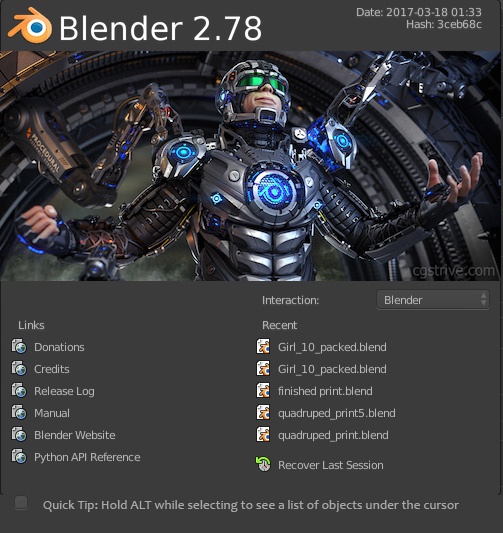
We should have a Tips and Hotkeys section on the 2.8 Splash Screen showing smart hotkeys and methods like:
- Quick Tip: Hold ALT while selecting to see a list of objects under the cursor -
- Quick Tip: To copy attribute values between different objects, right click the text box and choose "Copy to Selected" -
- Quick Tip: Use ALT+D to make an instanced copy of any object -
A couple of skilled users could quickly come up with a ton of life-saving hotkeys, and I would love to contribute with a few. Add a refresh/next button next to the text for people to read through all of them.
3 Comments
Hopefully someday, the former "Splash Startup Tips" add-on will be resurrected. 🤞
Sadly, it seems that it has been removed: developer.blender.org/rBACa78b21df97bcca764128a3969317a40972b8d0f7 )
I have read this old (2015) discussion: developer.blender.org/T43451 and I think that Blender should show tips (at least, on the splashscreen).
IMO, they can be really useful for new users (but also for more experienced users). I think the splashscreen is a good spot to quickly learn new hotkeys or read short informations about how to perform various modeling tasks.
I even think that (to have a visual demonstration of the tip) the two or three lines of tips could eventually contain a link leading to a short tutorial video (that could be hosted on the official Blender Youtube account).
I haven't used Blender 2.7x versions that much but I have been missing tips in 2.8x/2.9x.
Hey have a look at adaptivesamples.com/2015/12/15/cif-17-splash-screen-tips/
Wow, it is actually quite an old feature, wonder why it hasn't gotten past testing, thanks for sharing