
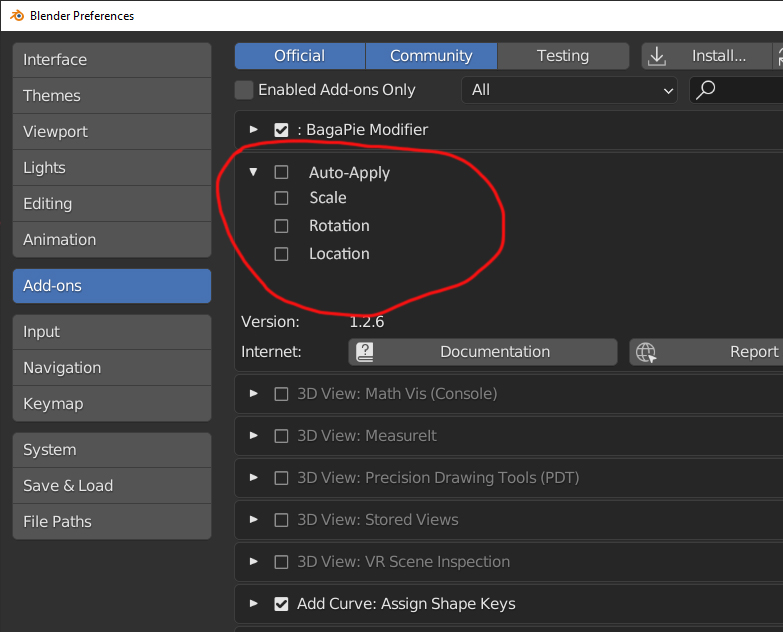
Under "Preferences" there should be a option "Auto Apply (scale etc.)
Under "Preferences" there should be a option "Auto Apply": Like this: Auto apply on:
- Scale
- rotation
- location
So you don't need to apply scale etc. everytime when you are modelling. Could be a timesaver.
2 Comments
I don't believe the user preference is a good location for it as it will not communicate to the user that the system has modified your model after an operation. If user want this it should perhaps be a workspace setting.
I am not favor of this functionality as you don't learn the user how to use a system correctly, which leads to more confusion afterwards.
Communication is key here as it is really hard to describe to users that after performing a scale on object level the scale isn't set to other new scale, but reset to 1. etc.
Also for instance the apply location would set each object location to its origin, making it harder make correct decisions and will reduce floating percisions in larger scenes.
What would it mean to apply rotation automatically when you are animation.
I would rather tell the user that an object has transforms on the object (which is already possible in the 3d viewport and properties panel. And give the user tools to correct that (perform the existing operations.
I don't understand this proposal. The preference is in the Add-ons section, between two add-ons? And what happens if I choose "Scale" but not "Auto-Apply"?