
Relations menu needs a 'Keep Transform' checkbox
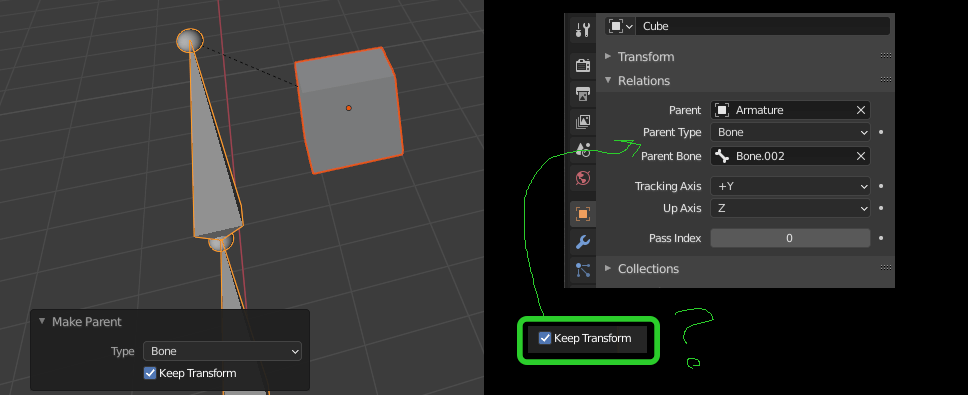
When using CTRL+P to attach an object to an Armature and choosing 'Bone', a dialog pops up that allows you to choose 'Keep Transform'. However, when you try to do the same function using the 'Relations' menu in the Properties panel, no such option exists. This forces the child object to move to a new position relative to the parent.
Somewhere within the 'Relations' sub-menu, a 'Keep Transform' option is needed. This is a slightly tricky UI design problem since that option is a temporary function, but I'll leave that to a smart Blender developer to figure out... :P
0 Comments