
Checker deselect: work with multiple selections
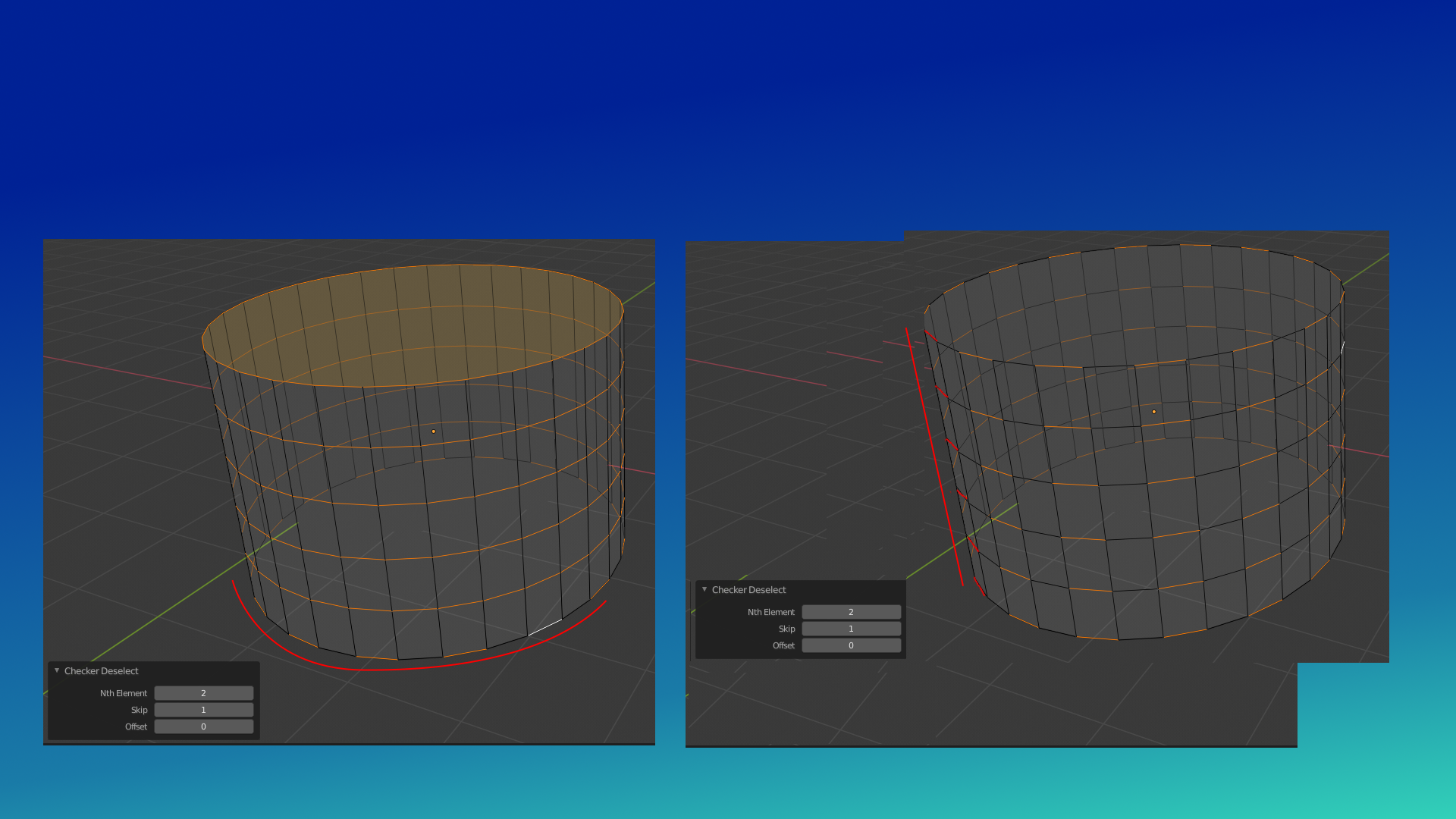
Checker deselect ignores all but the last selection (line or loop). This means that for example if you have a cylinder you need to do your checker-deselecting for both end cap loops independently because if you have more than one loop selected the tool ignores it. This makes the tool very slow or sometimes useless as every deselecting needs to be done individually one loop or line at a time.
Solution is to make checker deselect do its work on all selections. In the sample I have a simple comparison to highlight what is happening if you don't know the checker deselect tool.
I think this modification would also need some checking with the tool to make sure the offsets line up. In the image all the deselections line up as I did it manually but this is not the case with the tool in my experience as it sometimes deselects in different order.
3 Comments
Problem with such request is tat checker deselect need some start point to count what should be deselected. For last loop it is last element or active element. But how Blender should know which one is same for other loops? It need to store some additional data of last active elements for each one loop.
* @IIIFGIII * For sure the tool needs to have some logic so something as basic as loops around cylinders can be automatically detected. The tool doesn't need to be perfect and be able to solve every single situation just like bridge-edge-loops for example can not.
This is not the same, but I would like to have new selection modes such as grow loop and grow ring, or select next/previous loop or ring. A lot of times this is what you would do with cheker deselect, but maybe more intuitive.