
Pixel grid from camera view
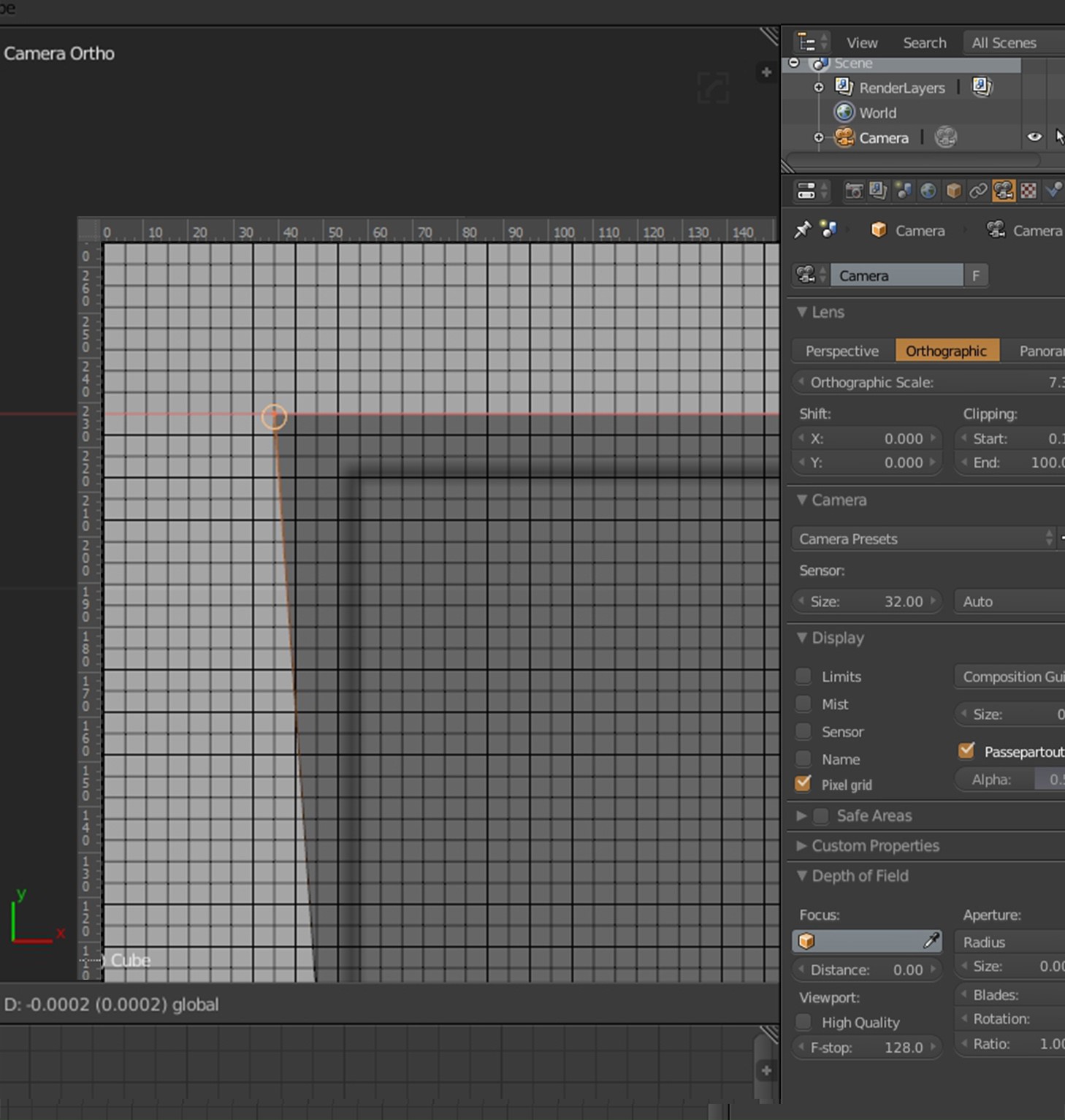
Hello there! We are 3d team from vogerdesign.com We have already created over then 150 audio UI. And Blender is our main instrument in work. And we have some proposes. The problem is while working with raster image from the camera view the images are blurry and it is impossible to position the objects precisely, as it was originally done in the 2D sketch. And all GUI designers must agree – its bring so many pain. The edges of the objects do not always fit the position of the pixels and after rendering the objects’ edges get blurry. Then we have to re-render the images a few times to achieve the needed result. We propose to create a pixel grid in the camera settings. After activating “camera pixel grid” you could snap vertex to the pixel. It will be similar to the ruler in Photoshop.
6 Comments
I thought this could be implemented as an addon quite well - so heres my take on it: github.com/BenjaminSauder/pixel_grid
I only tested it briefly - as I do not have a concrete usecase for it :)
@sauder.benjamin: Did you just make that? Amazing contribution man. After setting my camera to orthographic and turning on pixel grid I can't see anything. Do I have to do anything else?
@luisburdallo: The pixel grid only draws if a render pixel is min 4x4 Pixel in Screen size - it will fade in once you reach that point. Depending on your render resolution you might need to zoom in the camera view a bit. For testing you could also just set the resolution to 16x16 px.
If any problems occur feel free to raise an issue on GitHub.
@sauder.benjamin: Ah yeah I was too far to see the grid. After snapping some 1-pixel width bars to the grid and rendering it doesn't look pixel perfect. Not entirely sure why it measured perfectly. Maybe it wouldn't work for such small detail. I was hoping it would.
@sauder.benjamin: Hi) Great job, man!
Hey, guys, I think this is a good idea and its something that has bothered me sometimes when cutting elements that are too close together.. Upvoted.