
Window Transparency Slider (from ZBrush)
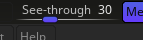
In ZBrush there is a slider which reduces the transparency of the entire ZBrush widow. This allows to have ref below. It is both useful for people with 1 screen that don't have space for a concept art screen but even more so useful for anyone for things like proportion reference matching.
When the cursor hovers over a menu item, the transparency immediately vanishes and as soon as the cursor is above a 3d viewport the transparency kicks back in. This allows the user to change settings without the distraction of windows behind blender.
4 Comments
Maybe this feature could be not to make blender transparent but rather bring images into blender that can hover above the viewport with an adjustable transparency.
If it's just for being able to overlay reference pictures, is there anything you miss with the current tools available for that purpose?
Background images can be overlaid in front or behind your objects, they have an opacity slider, and they have the added benefit of never occluding your UI, being in the 3D space with all the position/rotation/scale possibilities and can be filtered out depending on your viewport axis or perspective.
Yes of course there is the manual setup, but the point is to have options to choose some and something quick. Importing an image, scaling , rotating it is not quick and even clutters the blender sense with unnecessary stuff.
And then when one rotates the sense view the ref image doesn't move along. One can either setup all the settings so that stops or one has to constantly rotate the image, NOT FUN.
You can set up your images to follow your view, just put them on a camera, enter that camera's view and enable Lock Camera to View .
As for the need to set up: whether in Blender or somewhere else, you still have to spend time setting up your references at some point.
You also have addons that make it even easier, like BlendRef or EasyRef.
Developing new features isn't a small task, it's an investment of time, money and manpower. So to convince the BF, or an independant dev or even an addon developper passing by, you need to clearly show that there's a need for a feature and how Blender could be modified to do it.
And, in my experience on this website, most of the time people realise that their feature either already exists or is "almost there" with just a few tweaks on the current toolset.
So IMHO you should spend time on:
If it is impossible to do 3, then propose an entire feature using the research results of the previous steps and propose how to include that into Blender.