
change the "influence" behavior in object constraints
the reason I submit this because I can't change the influence to more than 1, if change it by typing 2, the influence return to max value just 1. just remove the limit please.
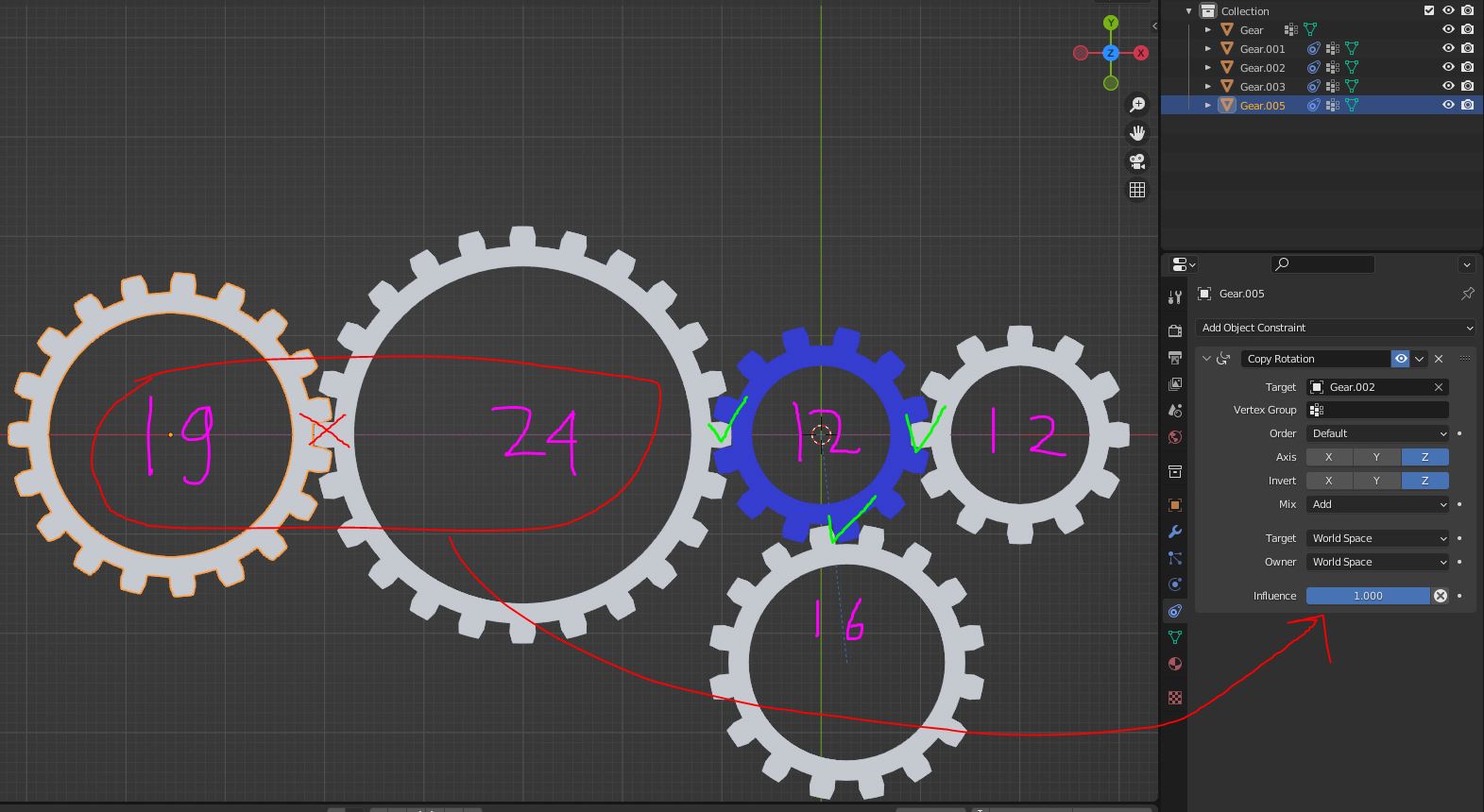
for example :
12T gear + 12T gear is 1 influence
12T gear + 16T gear is 0.75 influence
12T gear + 24T gear is 0.5 influence
24T gear + 19T gear is 1.263 influence
3 Comments
Just use a Transformation constraint
actually we can work around this.
assign the 19T gear with 12T gear using rotation constraints, and the influence is 0.631
or assign to any gear that have lower teeth count
also if we remove the limiter doesn't that mean unlock more possibilities and ease of use
Simply enter the number of teeth as the axle ratio in the Transformation constraint