
Search Menu wrap around
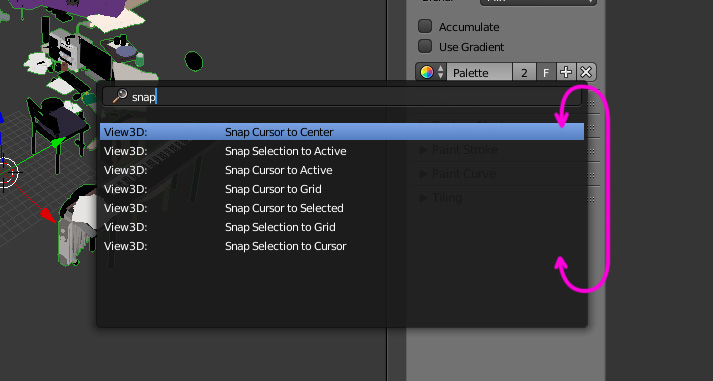
Don't know how easy or not this would be to implement, or if i'm missing something, but I've always wondered why when navigating the search operator's options with the arrow keys, they don't wrap around like they do in menus like Specials, Add, Edit mode submode etc.
An example behavior of what I'm describing : Type snap, hit up arrow, hit enter, blender snaps selection to cursor.
I think it would be a great workflow boost because
- Typing is usually done with both hands on keyboard, so reaching for the mouse and selecting takes time
- Many operations/tools have similar names, resulting in many options for most searches
- It's intuitive based on how the other menus work
- The universe has decided to always place what i search for at the bottom
(This also occurs in node editor's search)
1 Comment
Holy mother! How did I survived with out noticing this one! Thanks for pointing it out. +1 for this feature.