
Ability to tansform selected meshes using regular units in edit mode's tooltips and dimensions properties aside from 0-1 scaling
Hello guys. I would like to propose an optional feature that will include a transform widget when scaling inside the edit mode.
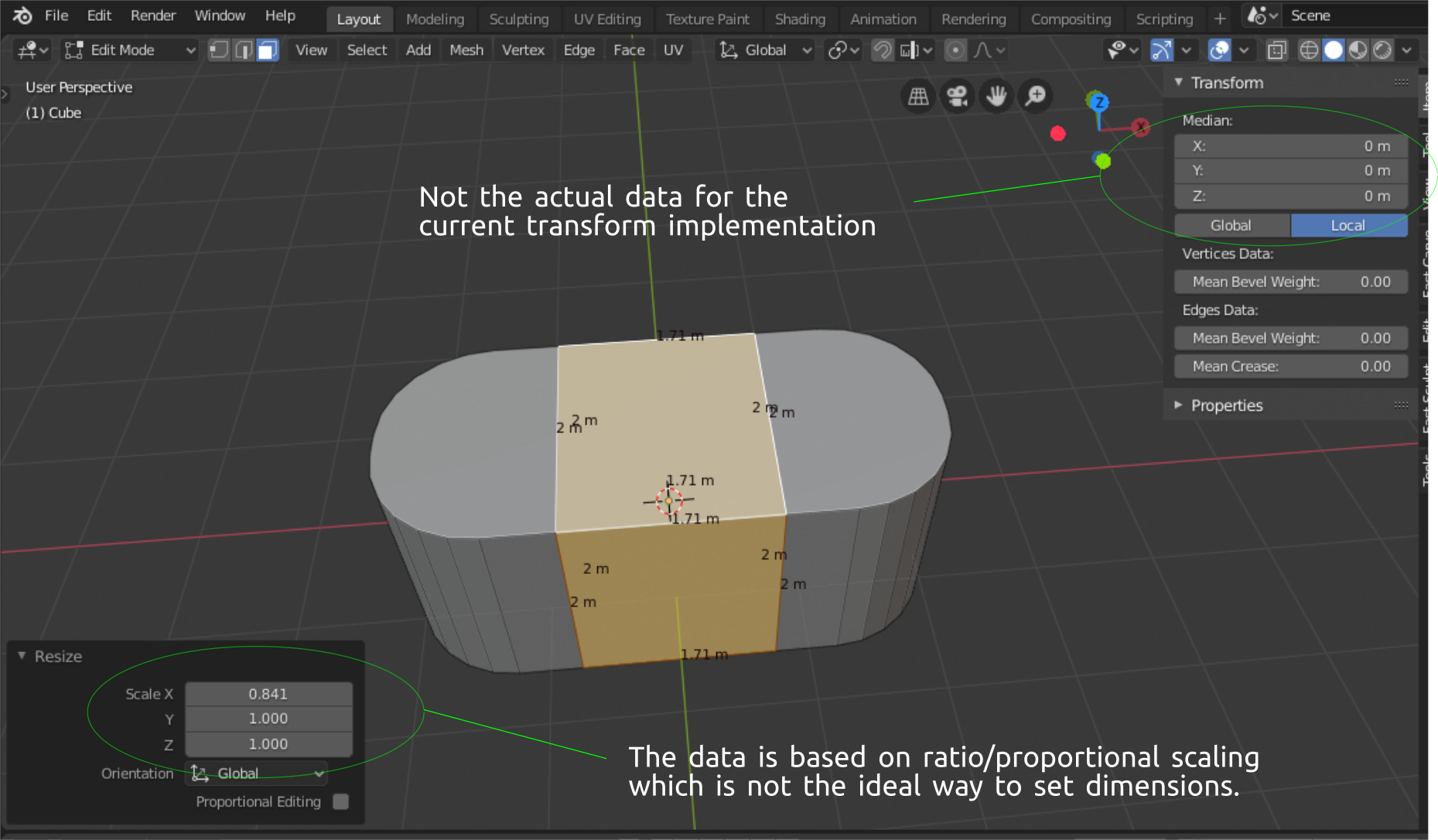
1.) I believe currently blender doesn't have a data information that includes the measurement of specifically selected meshes of an object's scale transformation in edit mode. I don't know how to elaborate it further but kind of scaling the specific faces/edges in edit mode and have a transform widget that will give you the exact measurement of the transformation that the user is currently applying or implementing.
\
Currently in blender:
 \
\
2.) In this example, the aim is to scale the selected faces along the x axis. When the scale function is enabled the widget will then show up similar to the regular widgets that blender has.
\
\
2.) In this example, the aim is to scale the selected faces along the x axis. When the scale function is enabled the widget will then show up similar to the regular widgets that blender has.
2 key features :
-
The only difference with this tool and the current one is that you can actually pin it to the viewport and at the same time you can also minimize it.
-
The Scaling system is based on the regular units not in ratios.
\
Mockup proposal:
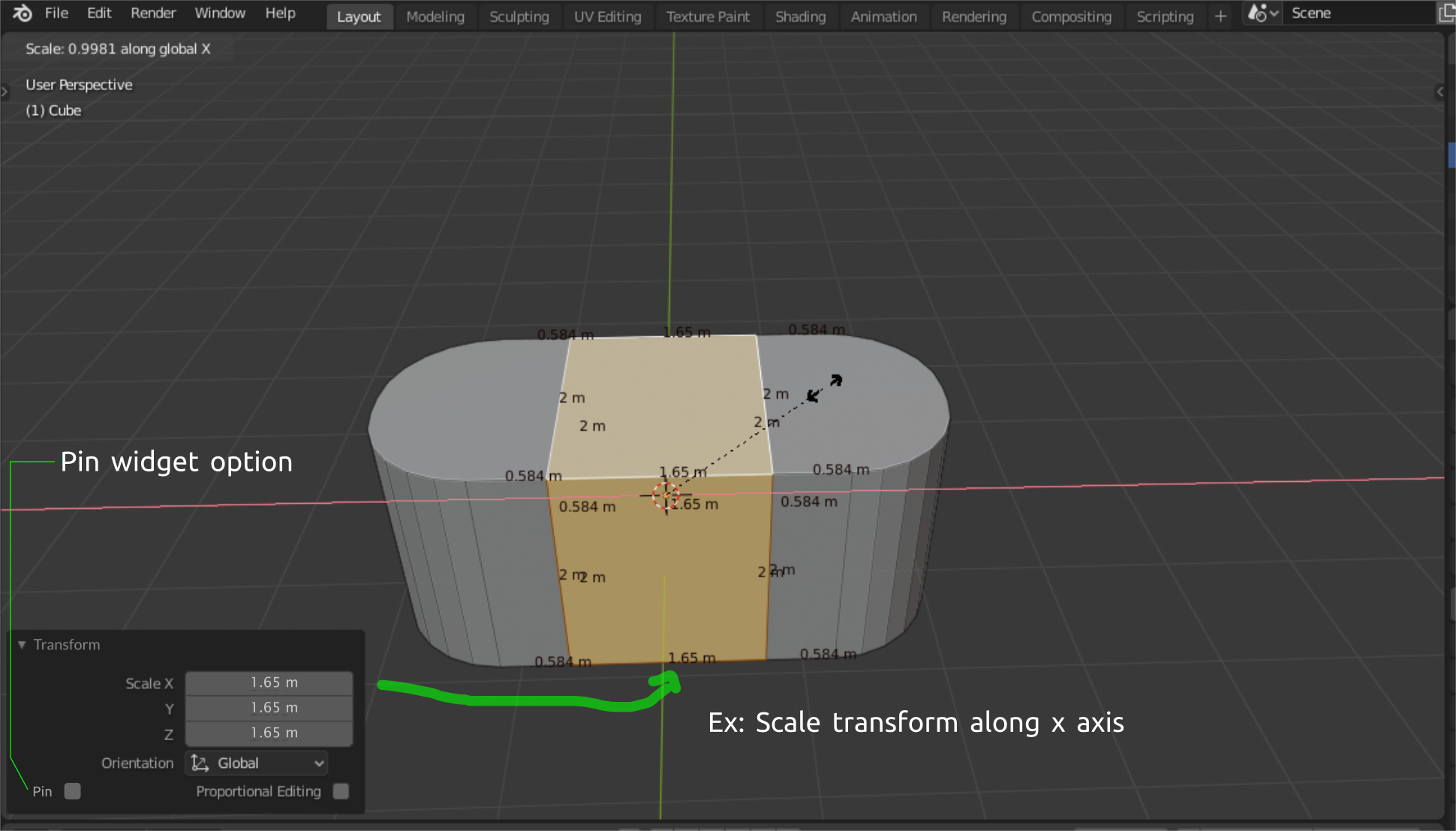
It would be nice to have some features that would provide this kind of functionalities. This can be very helpful when working with precision modelling.
Thanks.
3 Comments
One of the primary problems with Blender when it comes to measurements is this: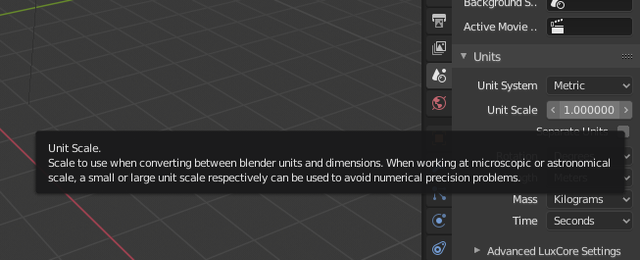
Not only it is missing a prompt on the bottom indicating what it does, but it also needs to be respected by the rest of the program on a global scale.
For example. Let's say you want to make something that's small enough to be measured using millimeters: Let's set the scaling to the proper size by typing 1/1000: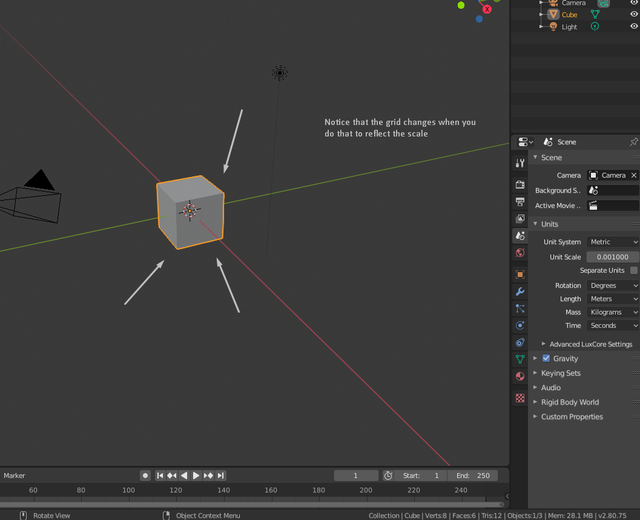
Now let's set to top view and add a plane after deleting the cube: Didn't we set the scaling to be in millimeters? Why did it create a 2 meter plane? Shouldn't it create a plane that's 2 Blender units in size, which would be 2 millimeters?
Let's fix it by typing
2mm, as just typing the number will result in meters again:And we have this monstrosity as a result:
Could this be responsible for the several issues you have when you try to model small objects in Blender, as it's constantly dealing with decimal numbers everywhere?
Based on what I've seen you have the following issues:
What could be done to improve this is abstract the units from any value and display properly. As in, if I set the Unit Scale as
0.001in the metric system then 1 BU (Blender Unit) is equal to the following in the metric system (a similar conversion could be made for the imperial system based on its own rules and common measurements):And no, changing the length option to millimeters doesn't do that:
Also, changing both to "Adaptive" not only doesn't solve that, but weird results come out, as setting Unit Scale to 1 will award you with a plane that's 2km in size:
And setting Unit Scale to
0.001results in a 2m plane, like before, which further reinforces that the default values for the primitives are hard coded in when they should be relative to what you have set up instead.* @bruno.souza.lino * From what I understand you support this proposal. I agree this is big task to handle especially for the developers but this will be good for blender as a whole in the long run. This will make blender's data system more consistent and practical resulting in to some great additional ideas in the near future. Edit mode is a very capable tool in blender and having this functions or options included, in my opinion can help this improve to its greater potential.
* @johnpdelacruz26 * Of course. This prevents Blender from being a viable option for CAD, as the current system is not consistent across the board and changes made to its configuration don't produce the expected results you'd expect in other packages with measurement systems like Rhino3D, for example.