
Raycast shader node needs "only external" checkbox
With Raycast shader we have an "only local" checkbox. This is great to ignore external geometry and only focus on the object itself. I want to do the opposite.
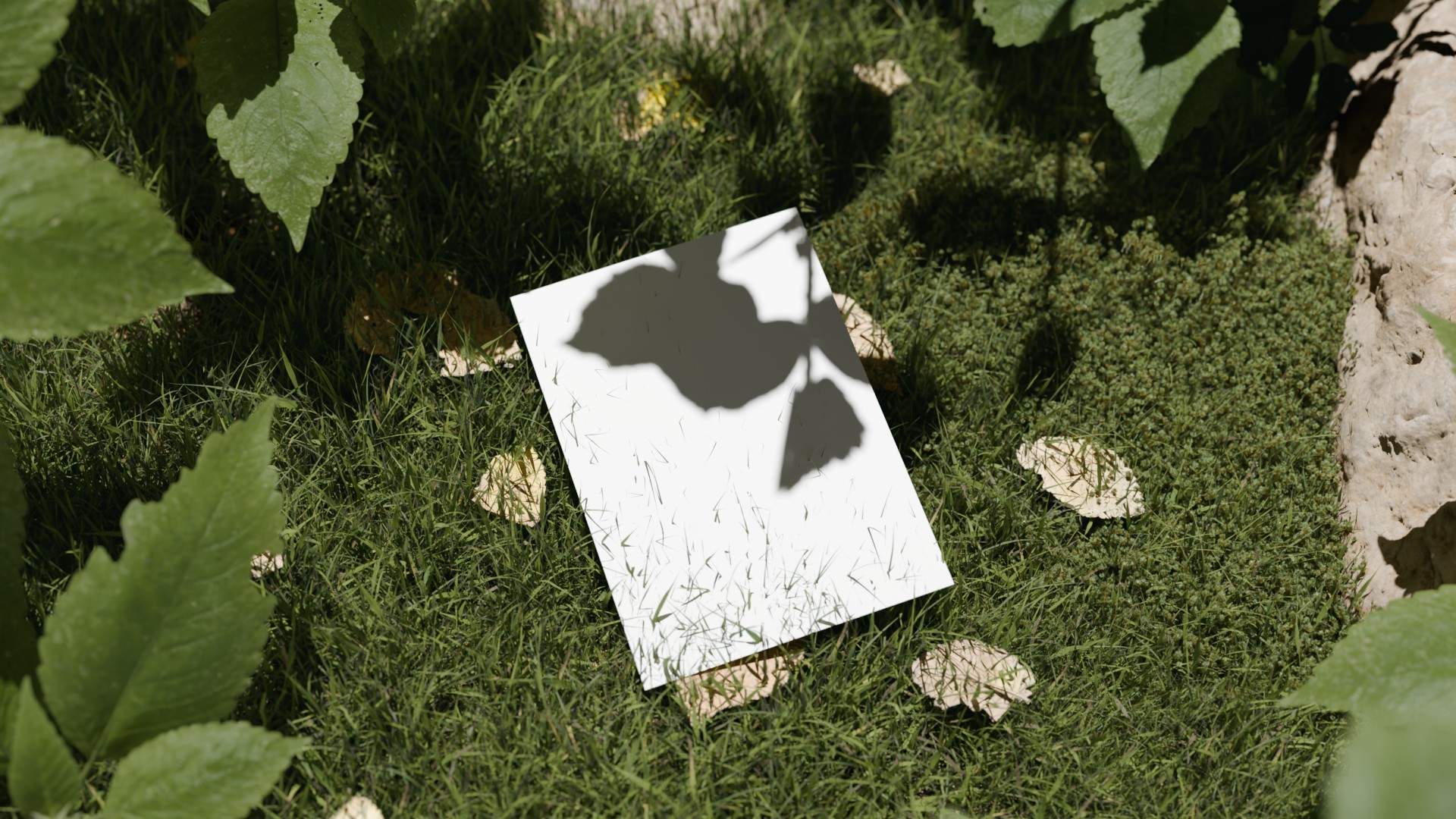
My use case is using "scatter on surface" to add grass to a surface. I'm adding a plane to the scene to look like it is resting on the grass, along with a texture of fallen leaves. Currently I have to hover the paper and leaves high above the grass or manually remove grass to stop it clipping through. This makes the scene look very patchy and is too manual to do any variations of layout.
My idea is to place a cube with transparent shader that is the size of the object I want on the grass, fire rays up from the grass, setting a mask if the rays hit the box and use that mask to apply transparent shader to the grass.
Currently the rays hit the grass itself and cause random transparency throughout the whole scene.
This is where an "only external" option would be very useful, so that the rays can ignore the hit surfaces in the geometry with the shader.
In the geometry nodes raycast we can set which geometry we are looking at with "target geometry," but to use this would require realising instances and it would be rather expensive and relys entirely on polygons.
1 Comment
This would also be extremely useful for NPR shadows.
The ability to detect shadowing from other objects, but use only normal-based shading for the object itself (ignoring shadows cast by the object onto itself) could be achieved using this technique.