
"Twist View" for 2D Grease Pencil animations
EDIT: fructdw just showed me the feature was already existing. I just missed it and if you intend to use that tool as Krita and to roll the view with your mouse, you just need to make a specific change the "Roll View" shortcut in the hotkeys of your Blender. That is all.
Sorry that I missed that tool... ^^'
---------------------------------------------Original message---------------------------------------------
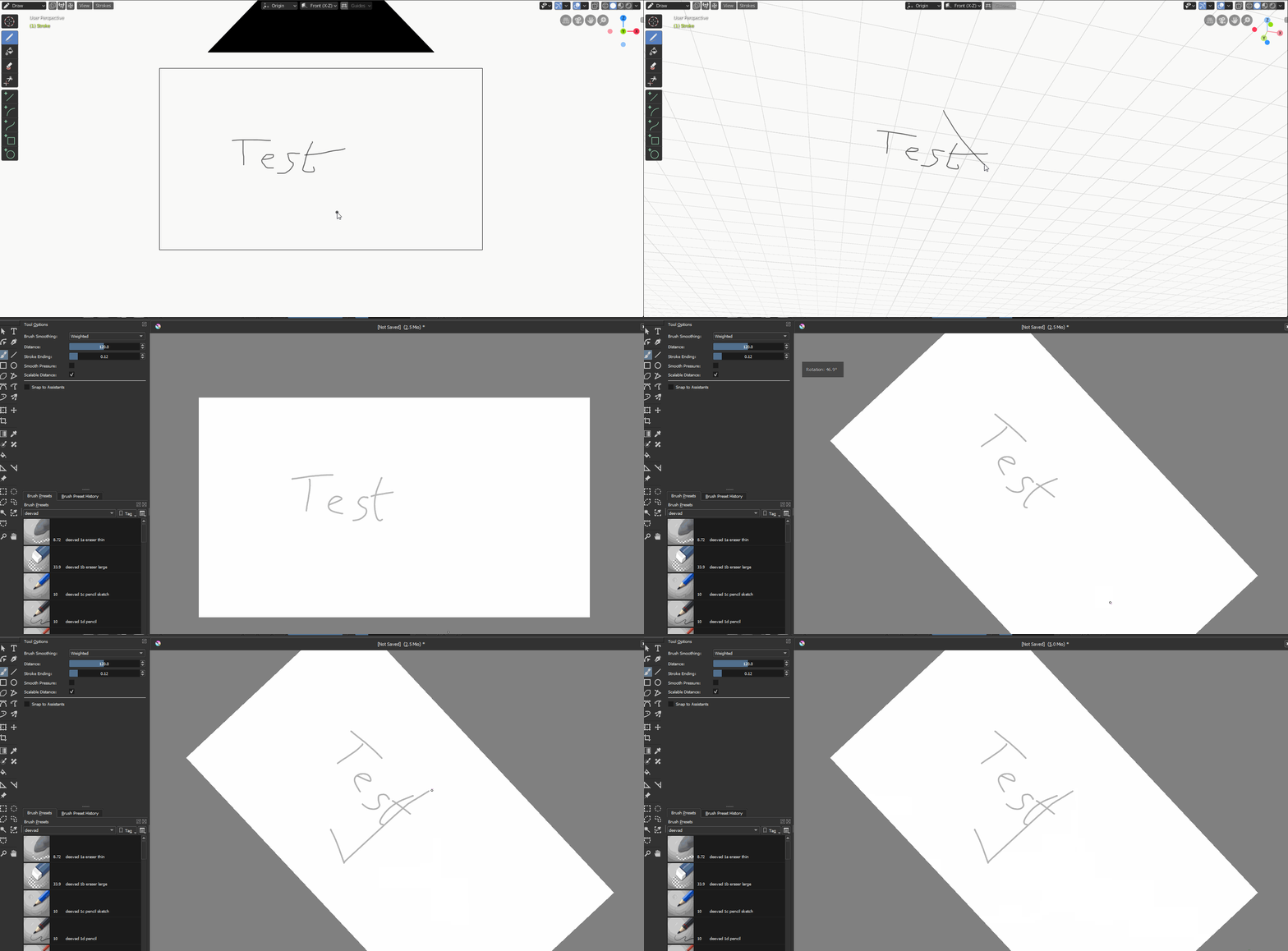
When I started 2D animations, it was with Flash Macromedia 8. And once I tryed Photoshop then Krita, there was one thing I was missing to work comfortably on Flash, and this was the ability to rotate the canvas.
In Blender, we can rotate the camera. But it doesn't rotate like it does with a canvas on a 2D software. It only rotates around the scene.
My suggestion would be to add a shortcut to "Twist the View" instead of rotating. Why not using Ctrl + Shift + MMC since actually, it is used just for zooming while Ctrl + MMC is already fitting this role?

8 Comments
Viewport roll hotkeys Ctrl+Shift+Mouse Wheel Up / Down were available in 2.79 and functionally is still here in 2.80, default keymap just doesn't have binds. Add these hotkeys to 3D View > 3D View (Global) part of keymap:
Edit: I forgot what Shift + Numpad 4 / 6 are same thing.
* @fructdw * OH! Thank you very much! I didn't notice that. I didn't think about the word "roll" for that feature. XD Well, now it works, thanks to you. Thank you very much! ... I guess I have to edit this subject as Archived then... since this feature exists but I just didn't manage to find it by myself...
* @Ak MC * AH. This got me all excited but It works in layout but not in grease pencil :-(
* @dave3 * Ah? Well, it all works for me with Grease Pencil. Well... it doesn't work though if you're in the camera view and doesn't have the "Lock Camera to View" feature activated. Did you try to get out of the Camera View or to activate the feature I talked about? One thing for sure is that I can assure you that it works. I can draw all I want and roll the view with the Grease Pencil for 2D animations.
* @Ak MC * It kind of works with lock vies to camera turned on but there seems to be no way of reverting the rotation. This is a feature I use a lot in all my other drawing /animation software so I would really like to see it adopted. Currently I have my monitor on and arm so I can rotate the whole thing a bit but not enough to be comfortable
GIFs are supported, it's just that for now you have to host them yourself on a service which gives you a direct link (with
filename.gifat the end) and then use the markdown code below:Which here could be:
* @-L0Lock- * Oh, alright. I didn't know. Thank's for the tip. ^^ (I edited my message)
* @Ak MC * This doesn't work for me in grease pencil but I think it is an excellent suggestion!