
MIPMAP control for textures
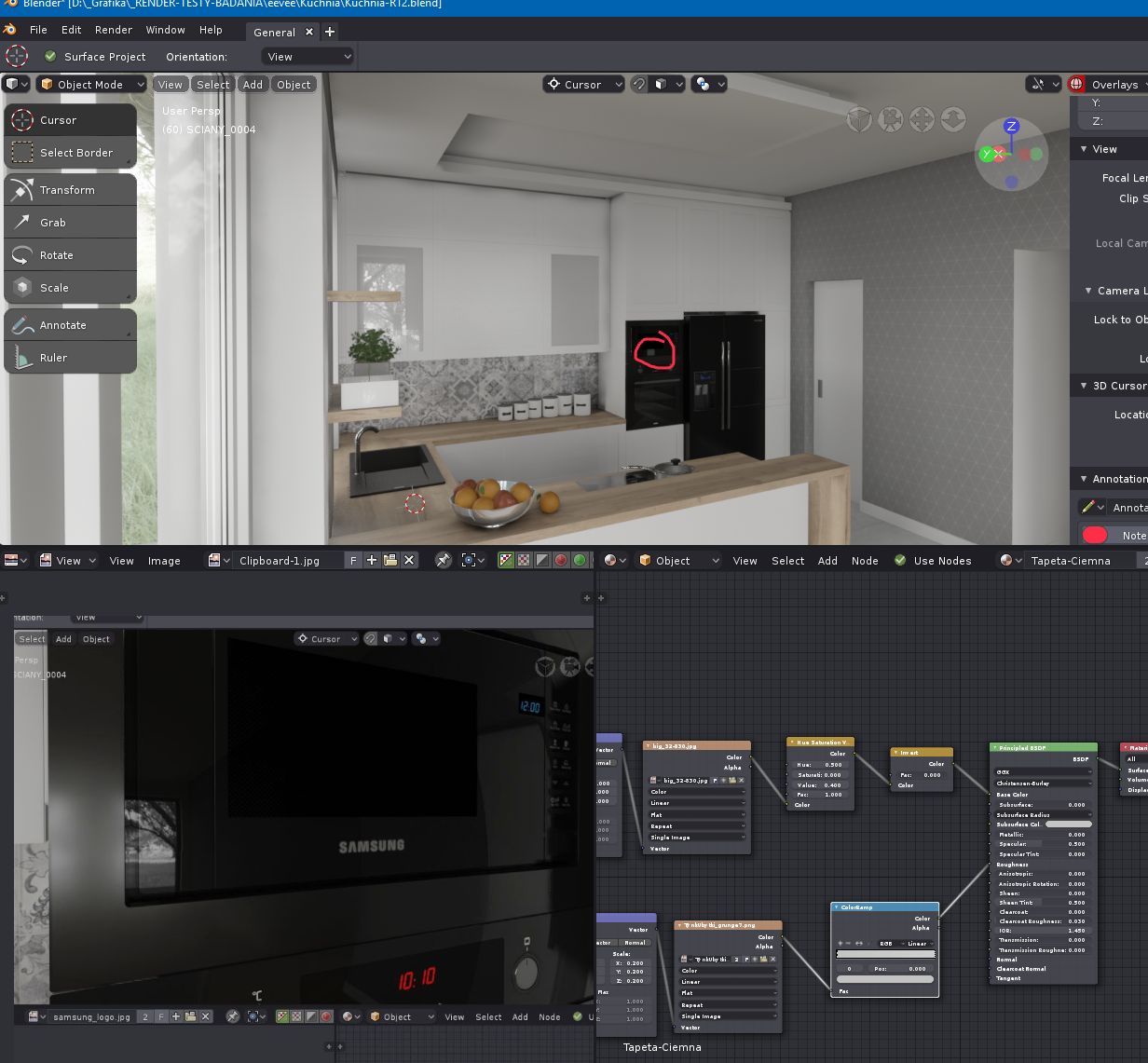
MIPMAP is an urgent element needed for textures. Current texture system w/o mipmap control works very badly in Eevee (interpolation issues).
Look at the Samsung logo. From the distance it is going to look like a grey rectangle.
4 Comments
I'm using .dds (DC3 DXT5) textures on a scene, with Mipmaps already built in the texture. Textures were converted to .dds using the Nvidia Texture Tools. My frustration is not being able to visualize if the Mipmaping is working at all... Visually looks just the same. How can I tell if it's working and were it switches from one to another!? Some kind of Statics or overlay would help.
upvoting this
ngl the texture node really needs a major overhaul
lots of commonly used features are either forced or just left out when it comes to blender.
by interpolation issues, do you mean need of Anisotropic filtering?
@Pawel Piotrowski: I mean that textures based on WorldPosition to the camera get mipmaps that looks ugly or make serious issues (esp. alpha channels textures or emblem/logo textures with small margin of empty space )