
Drag by playhead
It would be really nice if, in 2.8, it again could be possible to scrub in the timeline, by grabbing the playhead itself.
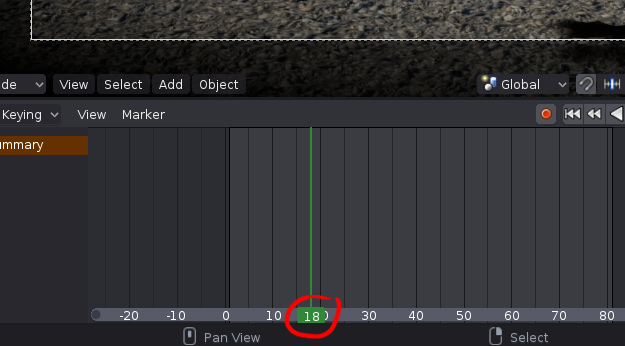
It would be really nice if, in 2.8, it again could be possible to scrub in the timeline, by grabbing the playhead itself.
7 Comments
Whats wrong with right-click for dragging? You can place your cursor over the playhead and drag if you feel it can be more precise.
@luisburdallo: That doesn't seem to work for me?
@tore.bahnson: How come? I am using 2.8 for Windows. Here is a gif I've made. Simply clicking with RMB on the playhead and dragging.
@luisburdallo: Nope, doesn't work for me. Just took down latest 2.8 (06 august 19) and even clicked Reset to factory default, but right mouse click does not move the playhead/play position for me. (Windows 10 64bit). And yes, the mouse, including the right button works perfectly well.
@tore.bahnson: You are right 2.8 doesn't have it mapped as I do. I brought my keymaps from 2.79 so I guess it brought that function too. Look for "Change Frame" in input key name and assign it to Action Mouse.
You actually can just click on the thin part of the cursor, not the bottom thick part.
@Buster Friendly: Yes I am aware of that but it is imo more natural to drag by grabbing the playhead itself - as it is working in the current version of Blender.