
Pixel Depth Offset and Layered Material Painting: Crazy useful Unreal features Blender needs!
Apologies, I originally posted this on DevTalk. The sticky in DevTalk does not make much sense for a new user, I had no idea that "Right-Click Select" meant a specific forum rather than an action one takes when posting.
To demonstrate both of the features I’d like to suggest for Blender, here’s Quixel’s Jack McKelvie creating a beautiful rendition of Halo’s Blood Gulch in Unreal Engine 4 using them:
Create Halo’s Blood Gulch in UE4
1) Pixel Depth Offset
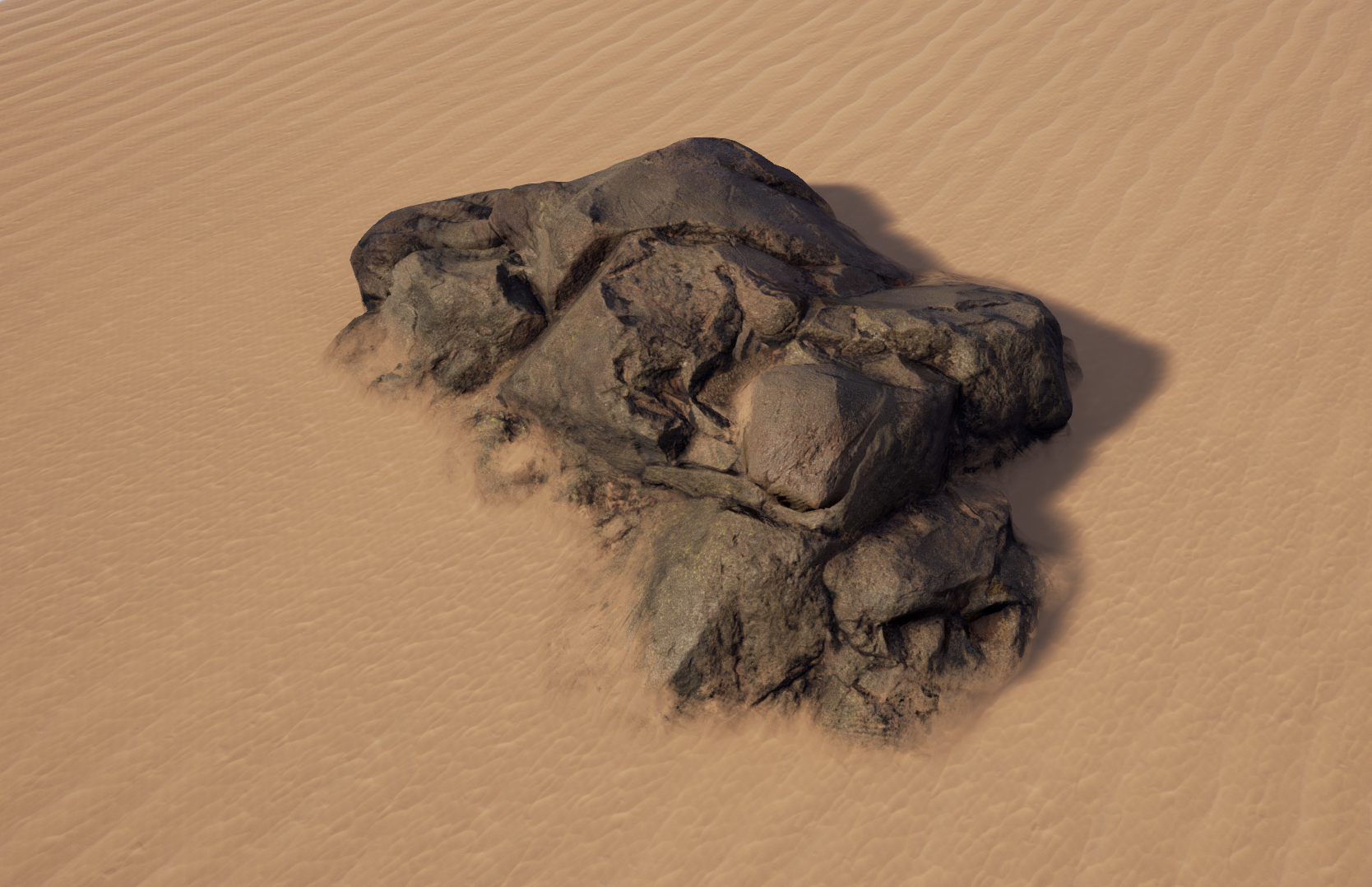
When two meshes intersect, adds dynamic material blending and normal smoothing for a natural transition. McKelvie uses it numerous times in the video, for grass and dirt intersecting the ground, the bunker intersecting the ground, the mountains intersecting the Halo ring, the cliffs intersecting each other, and more.
If this were implemented in Blender, it would make creating outdoor environments with natural weathering and accumulation simple, without obvious hard edges. We’d obviously also need knobs to adjust the blending amount for both materials and normals. It'd likely be implemented as a modifier; in a landscape + scene object scenario, you'd probably add the PDO modifier to the scene object with the landscape as the target. Wouldn't want a landscape mesh stacked with a hundred PDO modifiers.


I think this is critical for Eevee’s lasting success. Real-time homemade CG films could well be the future of independent moviemaking. Environments need to be believable for this vision to be realized.
2) Layered Material Painting
Simple enough concept. For a single mesh, the shader engine can layer materials (or layer the node groups within a single material), so that in texture painting mode you can arbitrarily paint those materials/groups across the surface of the mesh, such as for a landscape.
Right now, this is ridiculously difficult in Blender, requiring cascading two-input Mix Shaders each with their own maps as input to the Factor. In the following video, we see that Unreal allows shader groups to be compiled into a dynamically expanding layer node, which then exposes all of those layers for direct painting onto the surface, with blending techniques such as Height Lerp:
Texturing a Landscape in UE4 (Unreal Engine 4)

A layering node might have, as with Unreal, surface and displacement inputs for each layer, plus maybe a dropdown for the blend type. This would allow much, MUCH simpler handmade terrain creation.
These two features are, in my opinion, critical to Blender and Eevee competing with Unreal Engine in the real-time CG film space. Seeing that Blood Gulch rendition, I’m sure many Blender users would be happy to see more scenes like that, both as wallpapers and as potential environments in which characters can interact for film and TV.
P.S. – Weight painting vertices to place particle objects is nowhere as simple or performant as McKelvie painting the grass in that scene. Why can’t we have that?
14 Comments
well you can it's only different and takes some nodes knowledge ibb.co/XLsbtyj ibb.co/Qb1wS5W
* @kookitoome * That's a whole lot of work to not even have normal smoothing. Pixel Depth Offset is a feature that'd be used commonly enough to warrant its own modifier, instead of making a node layout like this a hundred times.
* @nervecenter7 * this feature is sure welcome to blender but if you really need it in your work you could always make this node setup, group it ctrl+g , delete the material and save start up file so every time you open blender it's there
Right Click Select is more of a popularity contest, where the best salesman wins.
blender.community/c/rightclickselect/t9bbbc/ old topic with lot of info.
From the looks of things, this is two proposals. You should really separate them and post them individually so folks can discuss them and vote upon them independently.
* @Jason van Gumster * I could do that, is it a requirement? Will anyone get mad if I will then have three posts floating around? I don't want to be misinterpreted as flooding this forum.
* @nervecenter7 * It's best to keep proposals atomic. Otherwise, discussion becomes unclear and votes are even less clear. As long as you're not posting a duplicate idea, you're not going to see any kind of backlash.
In regards to material blending: I'm not trying to give Blender a pass but everything I saw in that video was just as complicated to set up in Unreal as what would be in Blender. I think the key here is using vertex color as a mask. Add a separate vertex color channel for each material you want masked. What am I missing here?
* @Matthew Carter * Can you provide a link to the process you just described? I'm unsure what you're talking about.
* @Nerve * In blender, add two principled shaders to your object and add a mix shader to mix them together. Add a vertex color channel to your object and paint black and white vertex colors on the mesh to represent your material mask. In your material add an attribute node that is your object's vertex colors (under input, vertex colors at the top.) and plug that into the mix shader as the mix factor.
* @Matthew Carter * This...is specifically the wonky functionality this proposal is meant to simplify. Please reread my post.
With new ambient occlusion node we can obtain this results.
* @srikanth0126 * Which part? Pixel Depth Offset? What is this AO node and in what Blender version is it being implemented?