
Apply HDRI
It's easy to setup HDRI in blender to use in material preview mode from preferences
easy to pick with thumbnails
easy to control rotation, strength, opacity and blur.
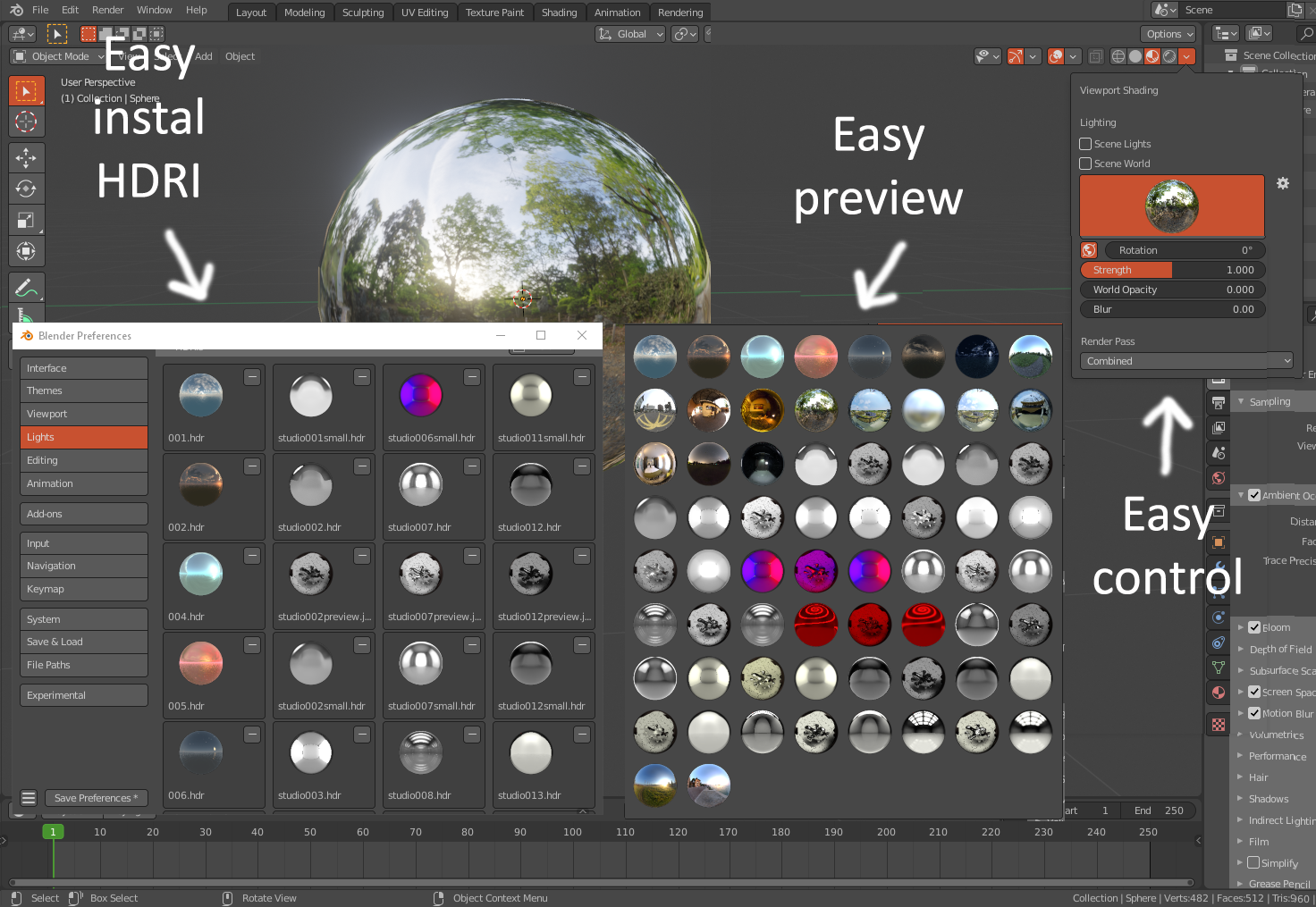 But when you switch to render preview mode its all gone :(
you need to do it manually to match rotation and everything you liked in material preview mode to show in the final render .
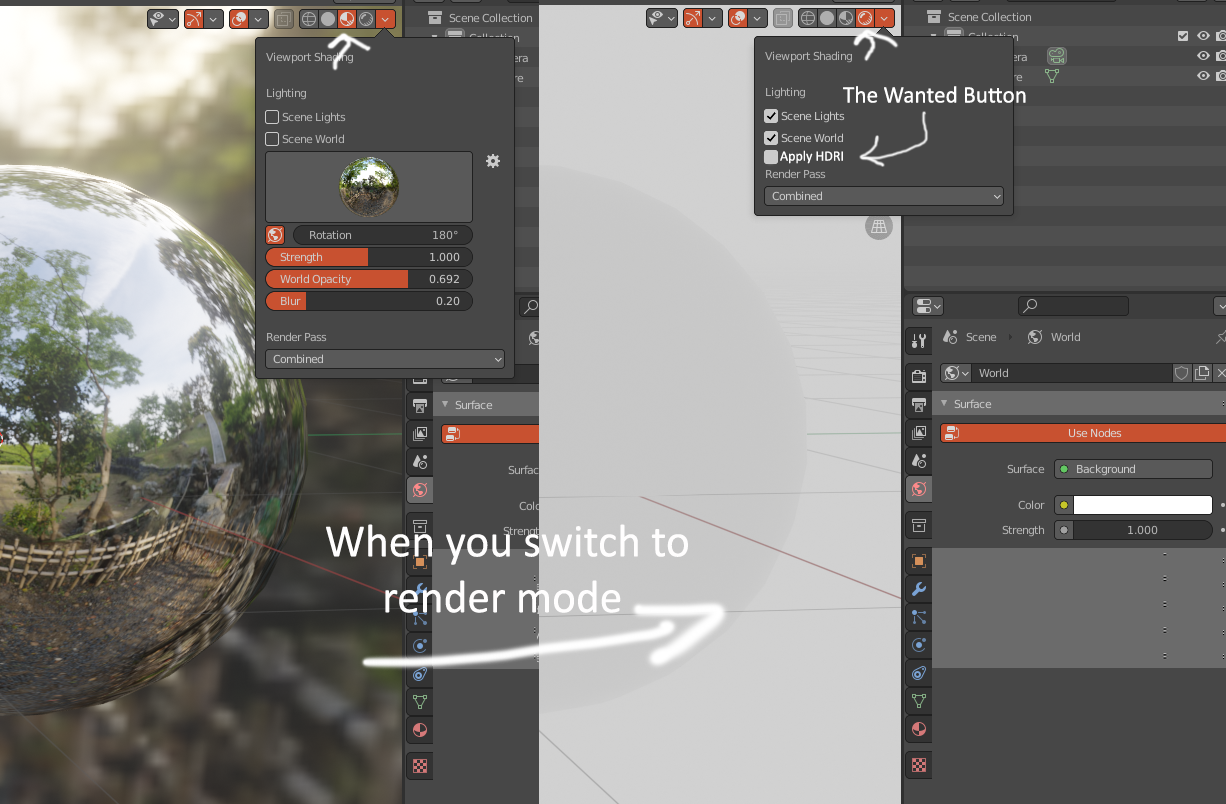 Apply HDRI is a button when you activate it automatically use the HDRI and all its settings you made in material review mode to the world with its nodes to be used in the final render.
it can be addon built-in blender like ex : bool tools .
6 Comments
The same way there's a "Scene World" checkbox in the material view's shading options to use the world's settings, there should be a "Material View" checkbox in the world's options to use the material view's settings. Simple. Efficient. Logical.
yah , whatever the button's name would be
I might write up a full proposal for my idea inspired by this post.
There should be both the current world mode and material mode but also "viewport world" mode in the shader editor.
All the controls in the viewport settings overlay should be drivers connected to actual shader nodes in the "viewport world" shader editor.
You can then just copy and paste the nodes from the "viewport world" to the "world", no need for new UI decision making by the devs, just more wiring setup behind the scenes.
great idea , it will make life easer
Just unselect the scene world to use HDRI?
its a new button