
Geometry Nodes: Lists
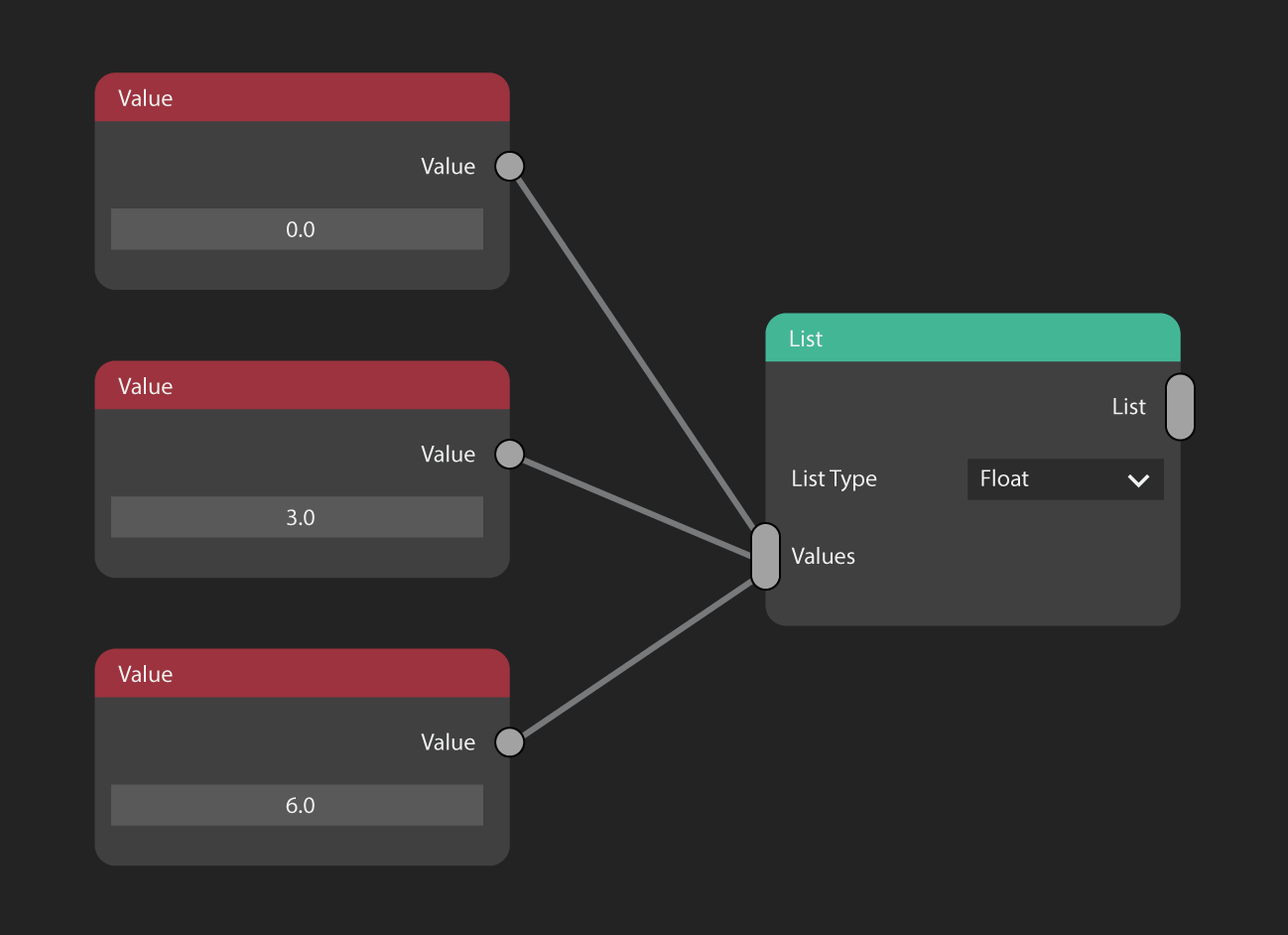
This proposal is for a new concept: 'Lists' of values.
Lists can be created by plugging multiple values into a List node.
Lists have a type. Eg: Lists of strings, lists of floats, lists of vectors. Mixed types in a list is not permitted.
Lists inputs or outputs are represented by the multi-input 'vertically stretched' plug socket.
Example Use: Point Instance Input
The current point instance.
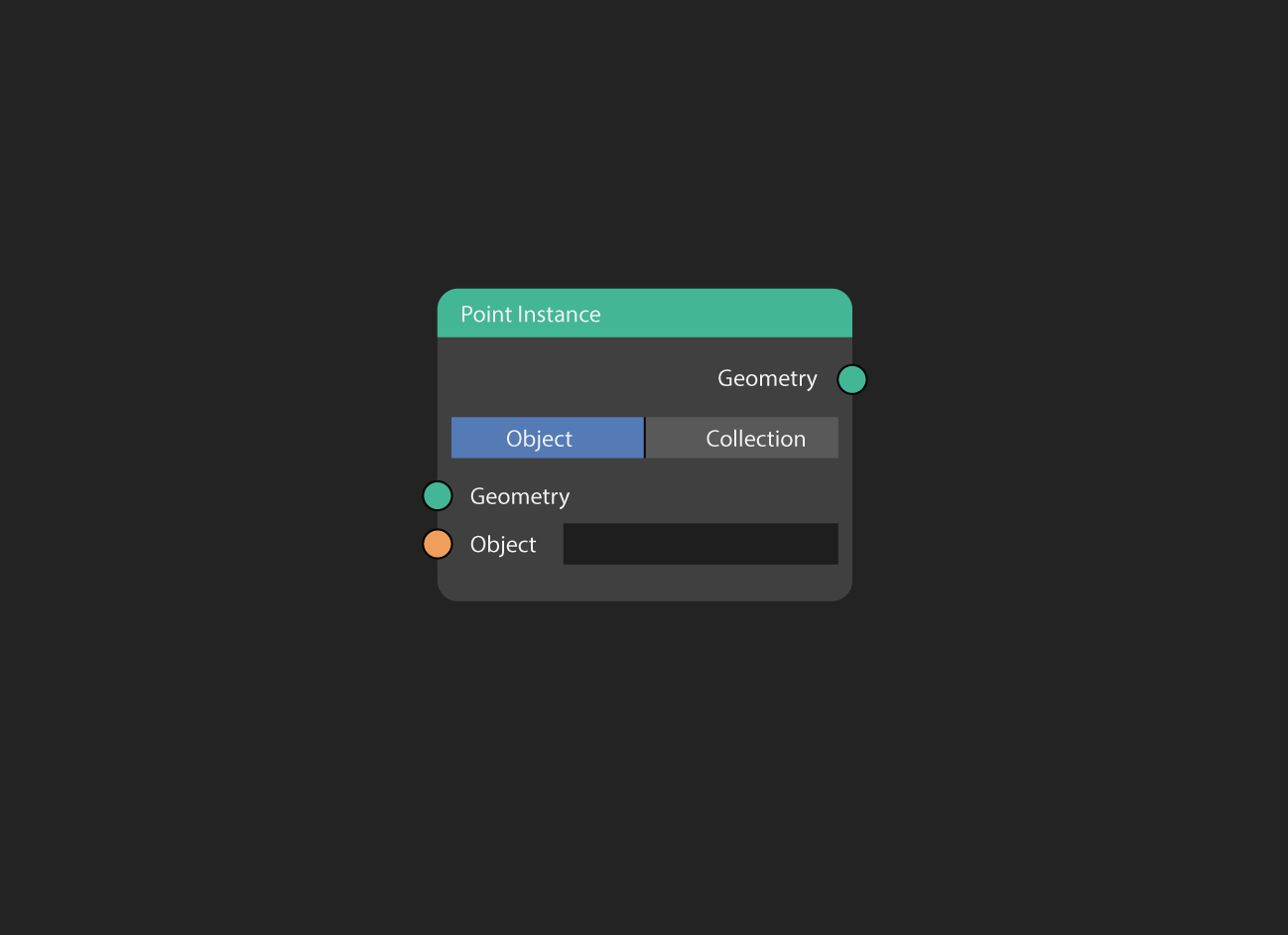
This current design for Point Instance has two major limitations:
- You can not use generated geometry as an input.
- You can not combine multiple sources of input together.
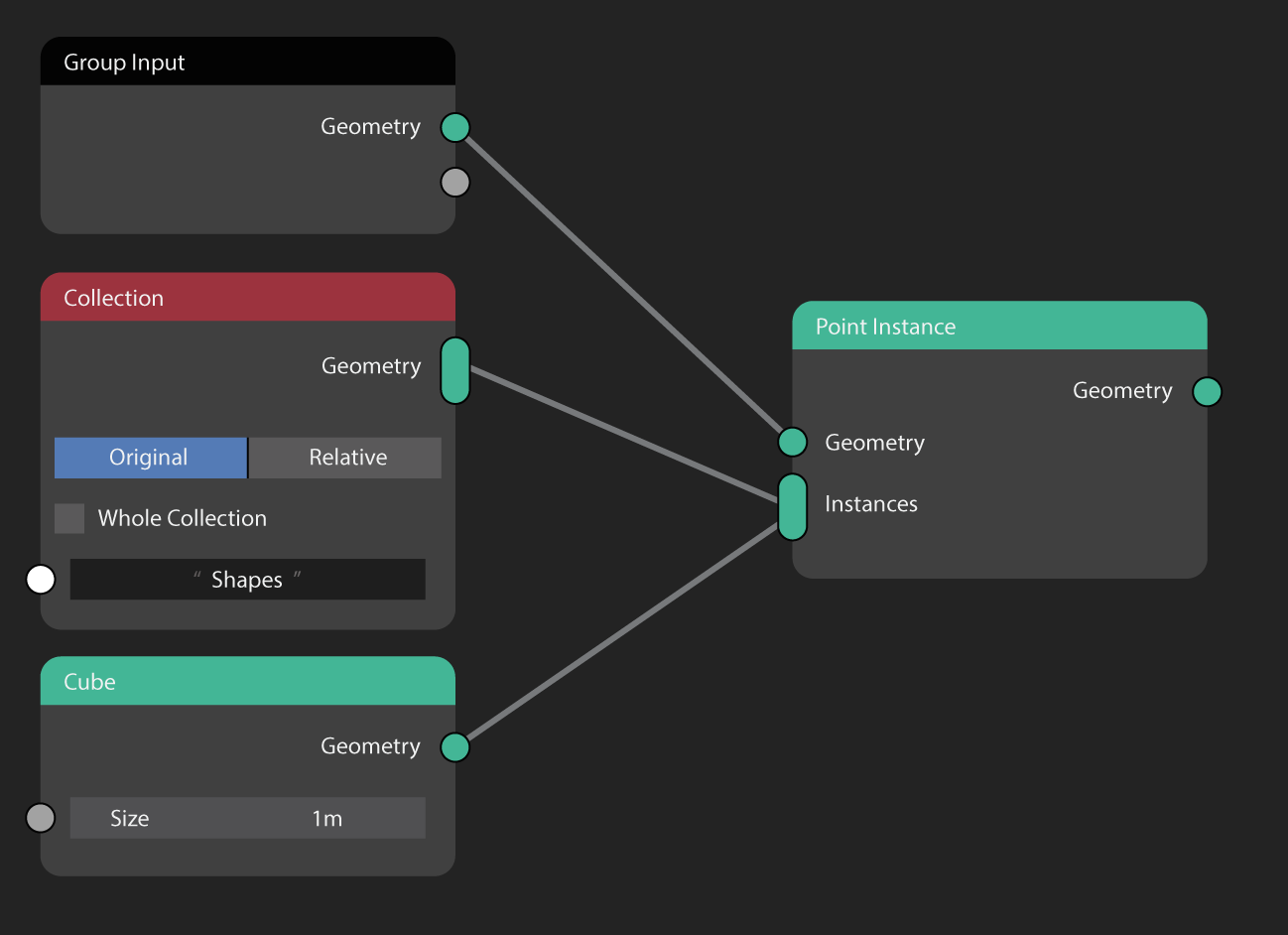
Here's what the Point Instance node could look like, re-imagined with Lists :
Modifying Lists
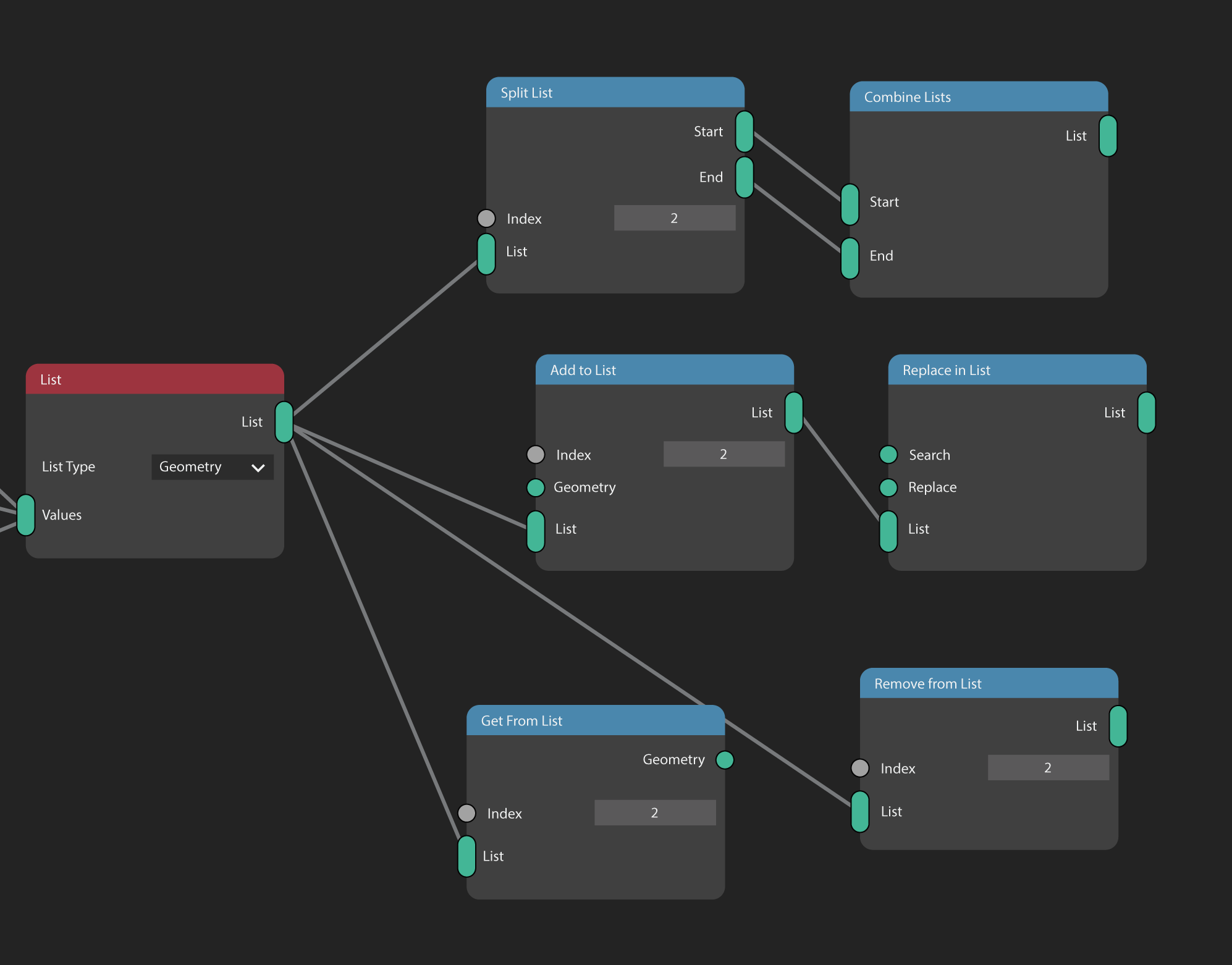
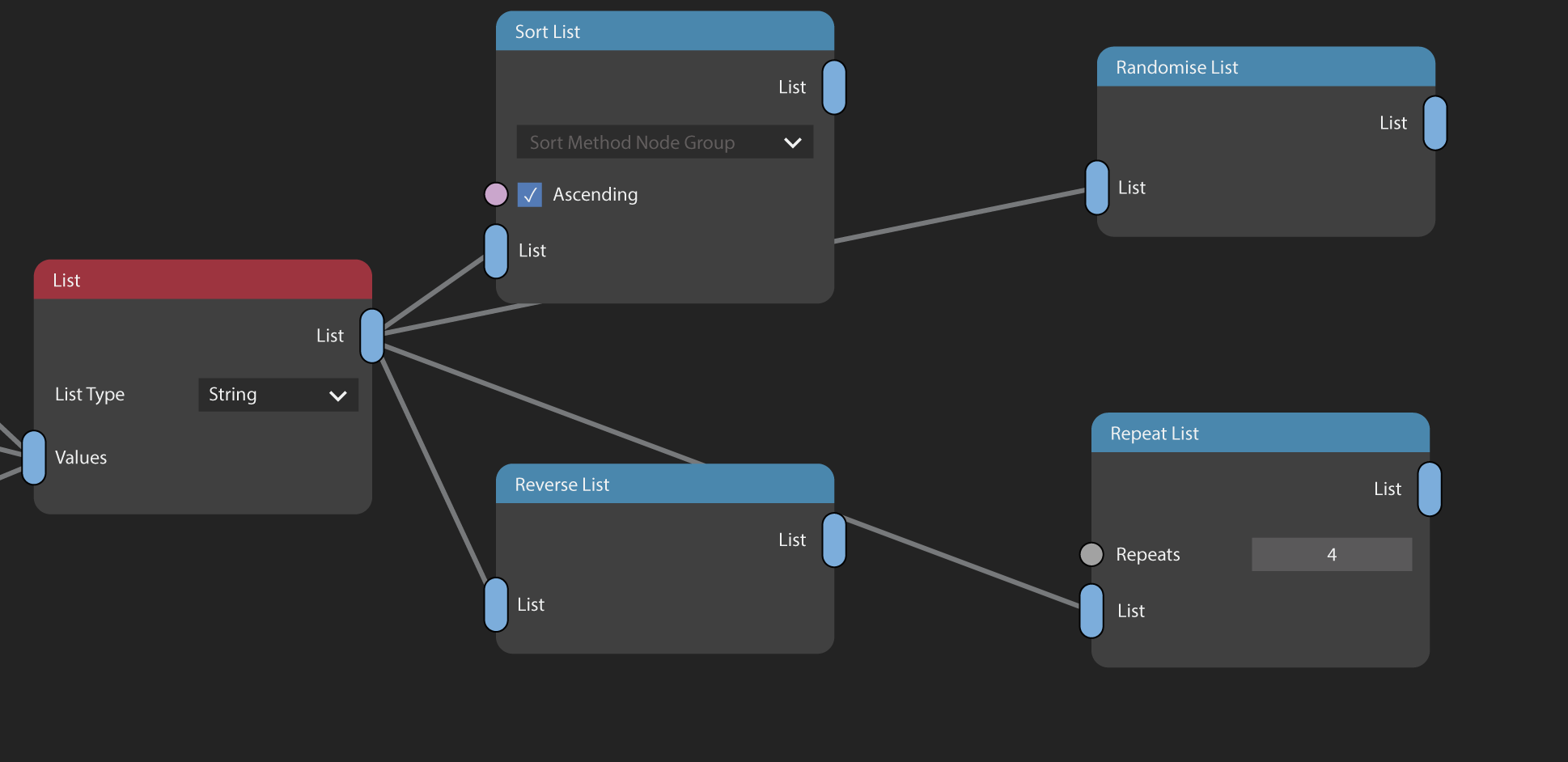
Lists can be modified after they're created.
Lists can be:
- Split
- Sorted
- Randomised
- Reversed
- Repeated
- Combined
You can also:
- Fetch a value from an index
- Add new values anywhere in the list
- Remove a value from a list
- Find and replace values
- Count the length of a list
- Find the index of a value
Example Use: String manipulation
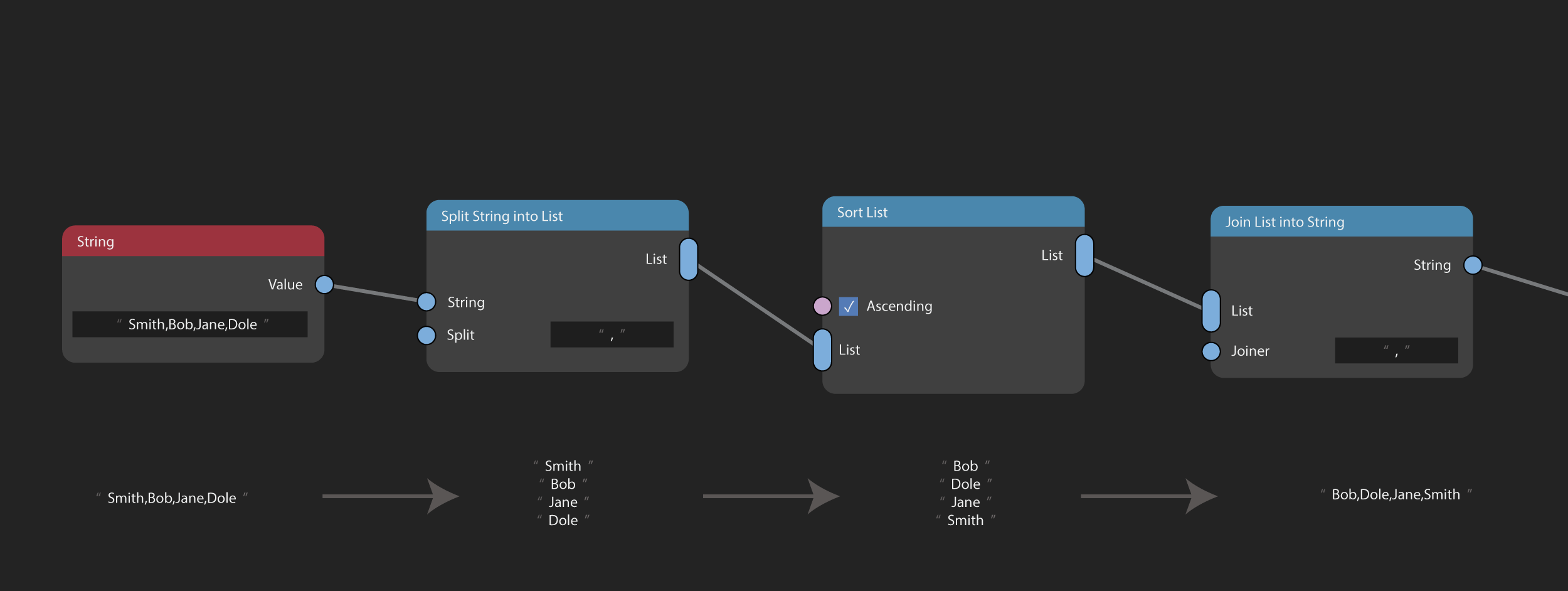
In this example a string value which contains a list of names separated by commas is processed. The operation is to sort the list of names alphabetically.
First the string is separated into a list of string values using the 'Split String into List' node. The list is then sorted using the Sort List node, then recombined into a string using the 'Join List into String' node.
This kind of operation would either require many specialist nodes or tedious node groups to perform without lists.
Looping With Lists - For Each
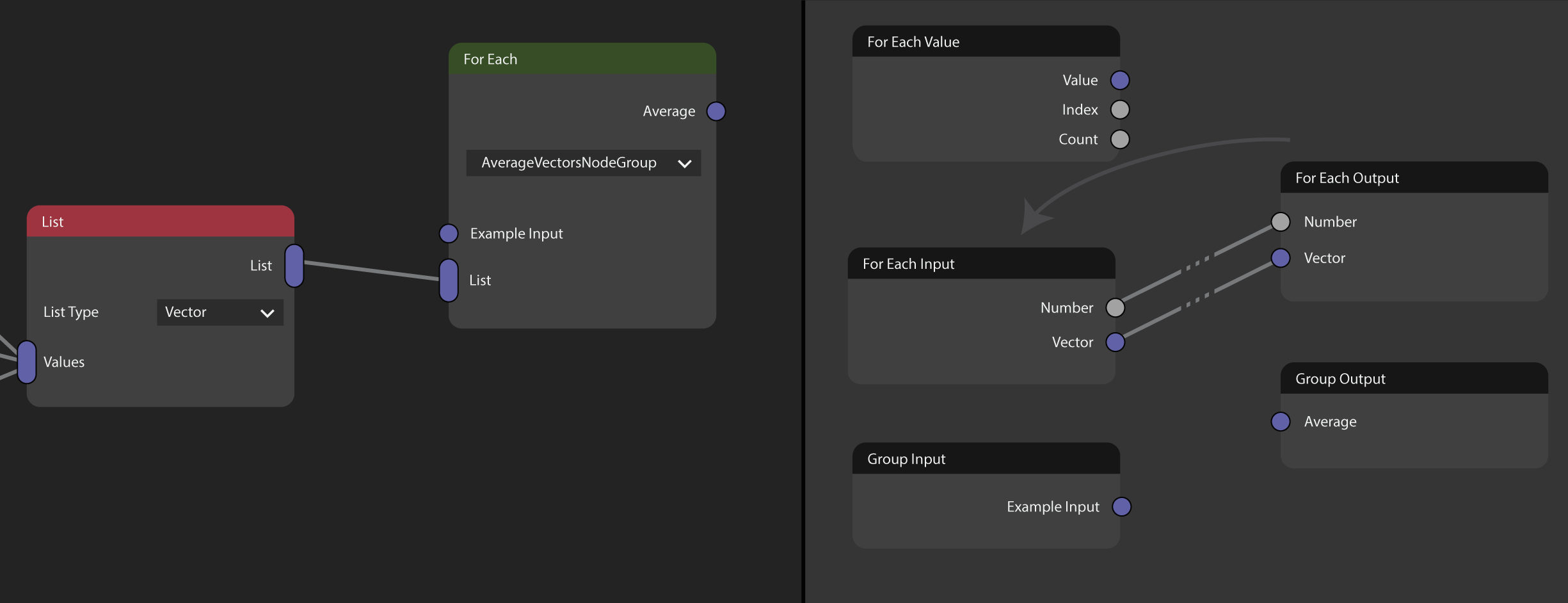
The For Each node is a special kind of Group node.
Visually and functionally almost identically to a Group node, with Group Inputs and Group Outputs.
The For Each node allows users to select a node group and apply the node group to every value within a list.
Hence, "For Each" , as in, "For each value, do this:" .
To use:
- Add a For Each node
- Create or select a node group
- Add For Each Value node to receive each value in the List for every execution of node group.
- (Optionally) Add For Each Input & For Each Output . These function like Group Input/Group Output. Plug a value into the For Each Output to make that value available to the next execution of the For Each via the For Each Input.
Example Use: Stacking Books

In this example a stack of books is created using a list of geometry (from a Collection) and For Each node.
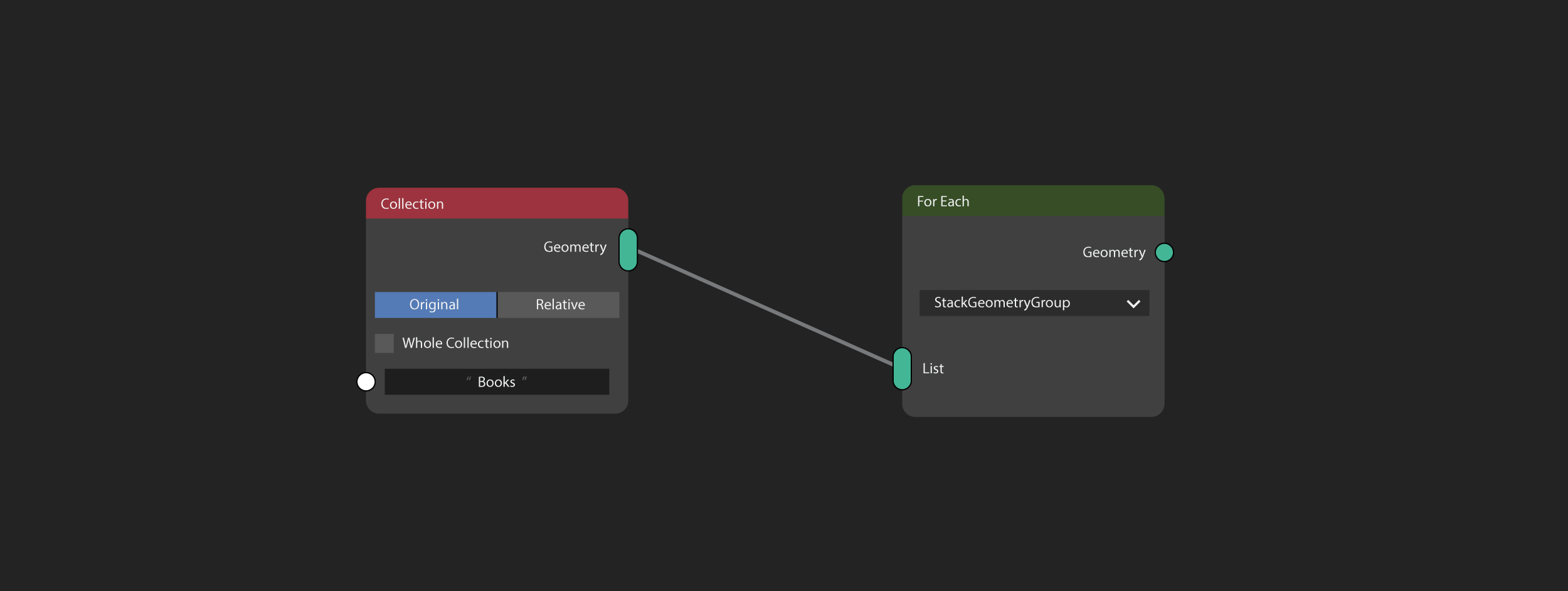
The For Each Input and For Each Output nodes are used to progressively combine geometry from the For Each Value. Each piece of geometry is combined by calculating the top height of the geometry, transforming the new book up to the top, then joining it to the growing stack.
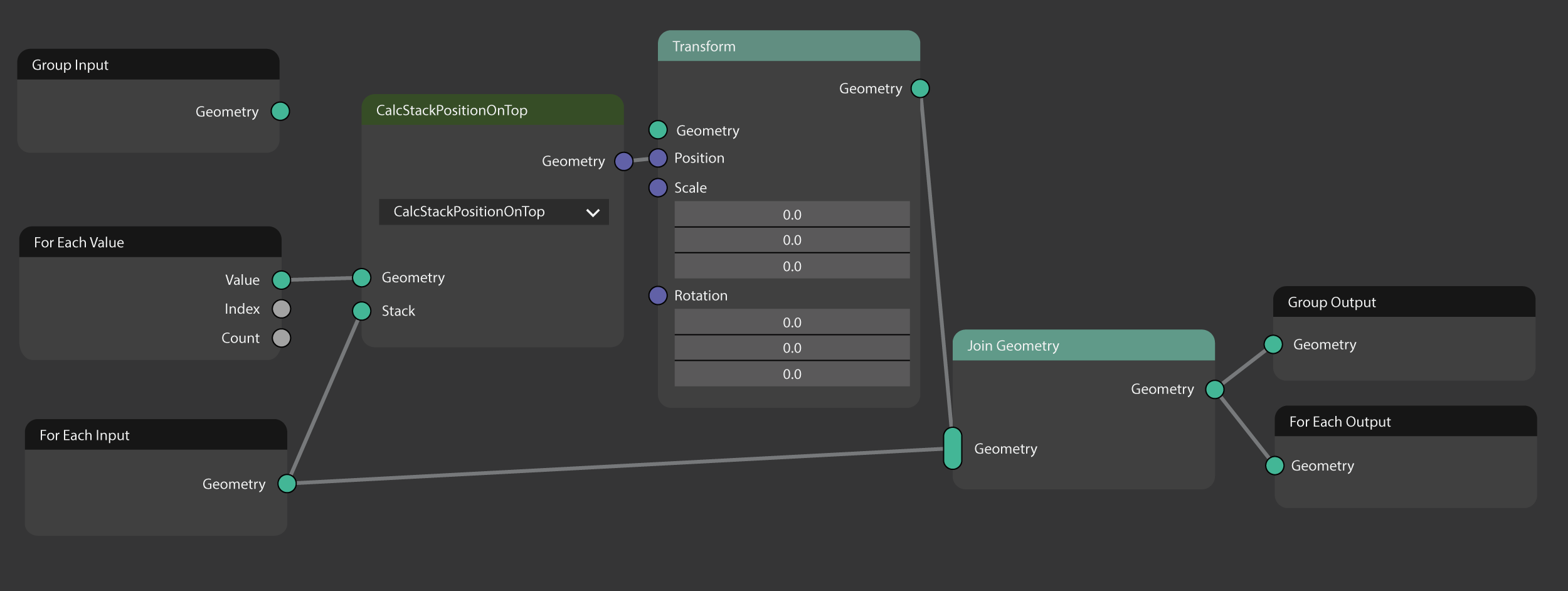
There are other interesting ways this could be used, such as first sorting the list of geometry by size to put the largest books at the bottom of the stack automatically, randomising the order, etc.
Bonus Example Use: Separating 3D Photoscan
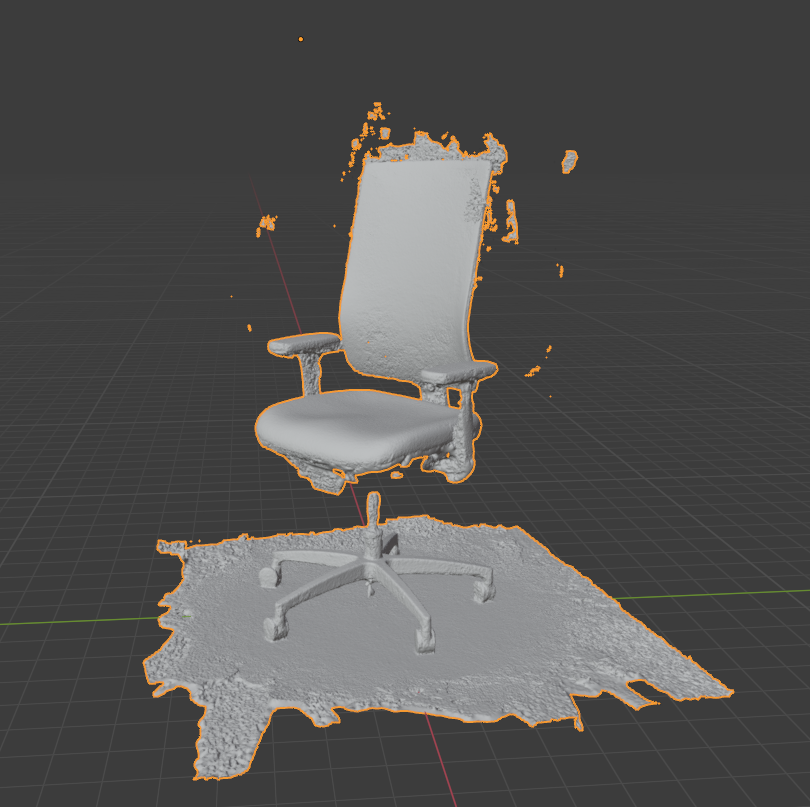
This node group separates a piece of geometry into a list of geometry parts, then keeps only the largest piece.
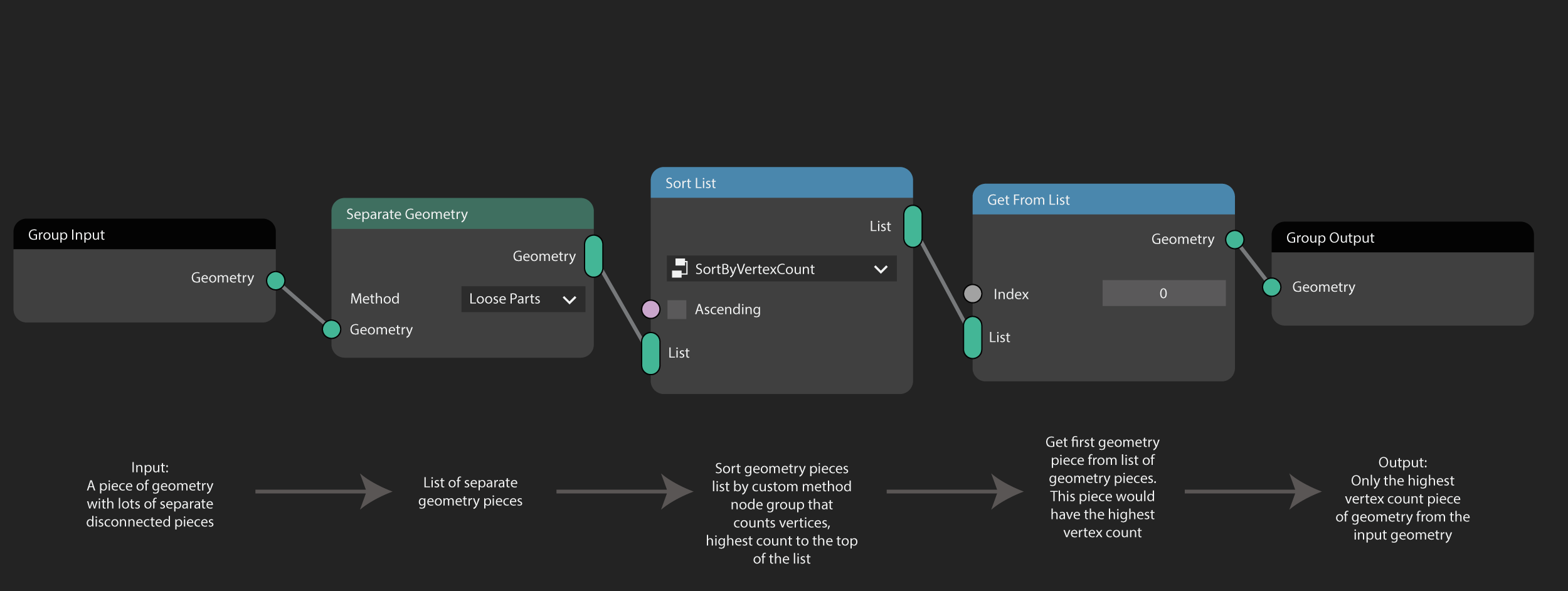
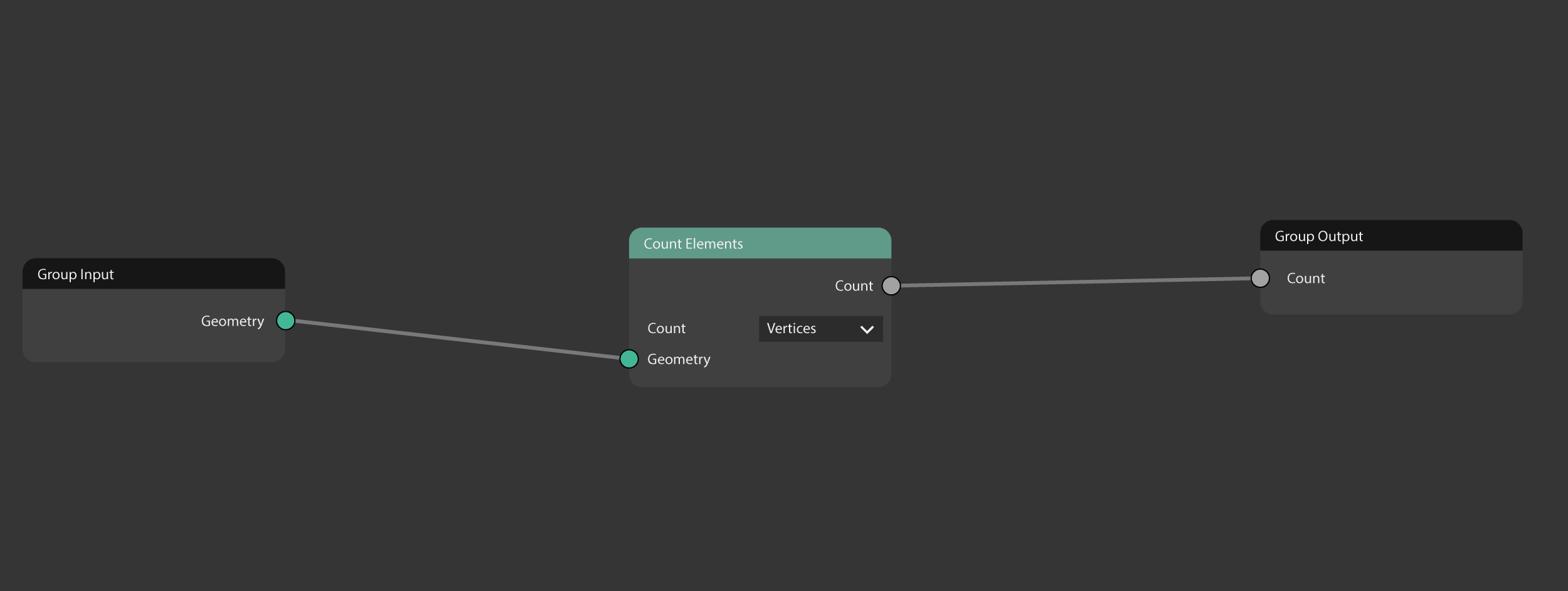
The custom sort method sorts geometry by it's vertex count.
8 Comments
I was just googling to see if Geonodes had this feature, and it doesn't, but it really should!
I could really use this for configuring geometry, a bit like the way L-systems are described. A string-to-value node would also help, but this is even more useful.
Please make this real! Is essential for the workflow logic! I was using Grasshopper and the List tools are the first thing that i looked for in Geometry Nodes but did not find
Hi! I think you did a great job explaining the possibilities of the Lists. It is often used in scripting and Nodes are, in the end, a kind of coding.
I was thinking to suggest the same but with a little difference.
In my proposal, I was trying to solve an issue when it is needed to transfer the parameters from a Group Input to a nested Group, or even though several nested groups, or instances of nested groups. When we have to manage each value as a wire, it is tedious. But with Lists, it is much easy. Also, as you suggested, we can modify the individual items of the list, so the possibilities are huge.
In this case, it is necessary that the list accept any kind of variable (I think you suggested using only one kind per list). Also, "List" should be a new type (as string, float, integer, etc).
Example
Another turn in the screw on this idea is to get the List directly from the "Group Input" node (as an option in the node to combine all the outputs of the node as a List). Then you only need to link this wire.
I made a drawing but I cannot see where to attach it to the comment.
Geometry Nodes: Attribute List Node #134760
I'm not very knowledgeable of geometry nodes. But the more I learn, the more I encounter limitations that making a list would solve. I didn't know it was possible until I just googled it and found this thread. Now I'm sad it's not real.
I have been thinking about a for each node as well. One problem that came up was dealing with dynamically created geometry where the count of objects is not fixed.
There probably would need to be a conversion node for splitting geometry into a list using various modes:
I just added an example similar to what you mention. A 'Separate Geometry' node that would separate geometry into a list of geometry using various methods, I gave the example of loose parts, but methods such as 'by Vertex' or 'by Face' or 'by Material' etc could exist too.