
Better Viewport Collection interaction (3 steps)
There are 3 steps to improve collection interaction (Especially important for big projects with complicated structure and PROs who wants to maximize viewport space)
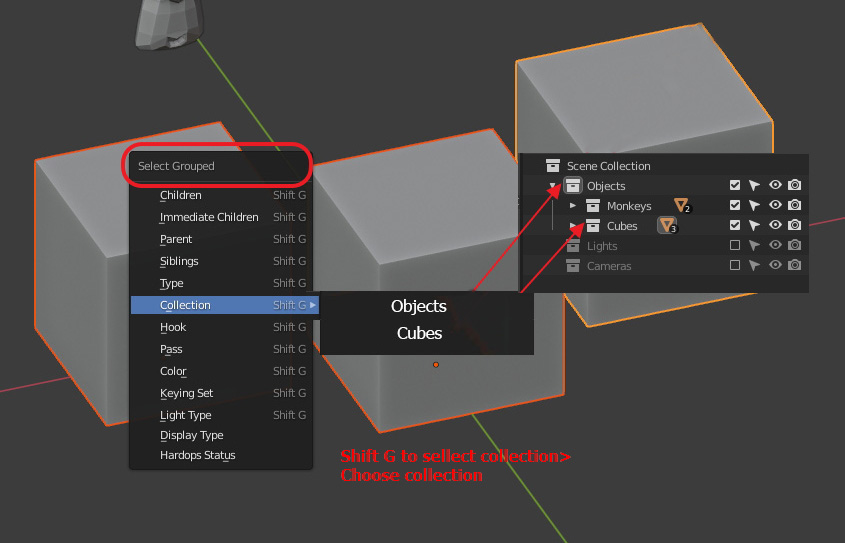
1. Select collection from the viewport (with option to select each step hierarchy)
Currently "Select Grouped" (Shift+G) option does not provide hierarchy selection
Solution:

Result:
Easy viewport selectability No need to go to outliner, find collection from whole structure and chose select objects from the menu
2. Correct new collection placement
New collection placement not optimal
Solution:

Result :
New collection is immediately created where needed No need to go to outliner and move newly created collection into sub collection
3. Enable collection/object from the viewport
For now there is no way to enable disabled selection from the viewport! Especially its a PAIN for big projects with complicate hierarchy
Solution:

Result:
Easy unlock selection from the viewport. No need to spend a lot of time to find necessary element in outliner
4 Comments
Please remove the spaces between your ] and ( so the Markdown code can be read and your pictures displayed correctly.
* @-L0Lock- * I spent almost 40 mins fighting with this issue, but if I remove the space, Image does not appear at all (Looks like missing image on site) (for now at least I have a link) Probably you can explain to me how to do that in a proper way.
* @stebenyevoleg * because you are not using the correct link. Your link are only GitHub's page showing up a picture, while you need the picture's direct links. You should use these ones:
Which are basically the same links, excepet you remove the /blob part and replace "github" by "raw.githubusercontent".
Example:
Besides, if you only show static pictures, you can also drag and drop them from your computer to RCS's text input, it will download them on RCS and write the code to insert them in your post. Doesn't work on animated GIFs though.
* @-L0Lock- * Cool! Many thanks. Now it works as needed.