
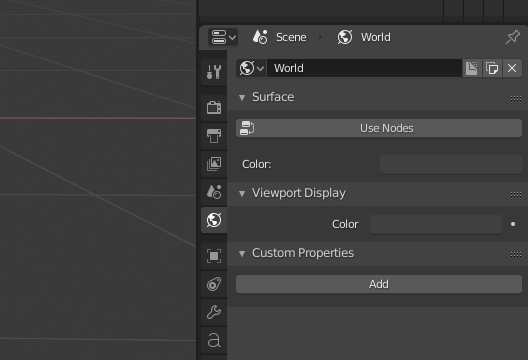
Hide the "Custom Properties" under "Developer Options" or similiar?
They
- may be confusing for beginners
- make the menus look more clustered than they are
- are rarely used?
So maybe make them toggle-able in the Preferences and disable them by default?
They
So maybe make them toggle-able in the Preferences and disable them by default?
2 Comments
It's not only for developers. Custom properties are essential when rigging for example. If they are hidden they could be hiding important info.
Perhaps a way would be hide them by default, to show them if there are any Custom Properties set, and a setting to always show them for advanced rigging/drivers setup.
@Pablo Vazquez: If they're hidden by default, then how would a user make them visible to set Custom Properties in the first place? Also, how would Blender know if there's an advanced rigging/drivers set up?