
Keymap filter — match a key by its modifiers (find "bare key, no modifiers")
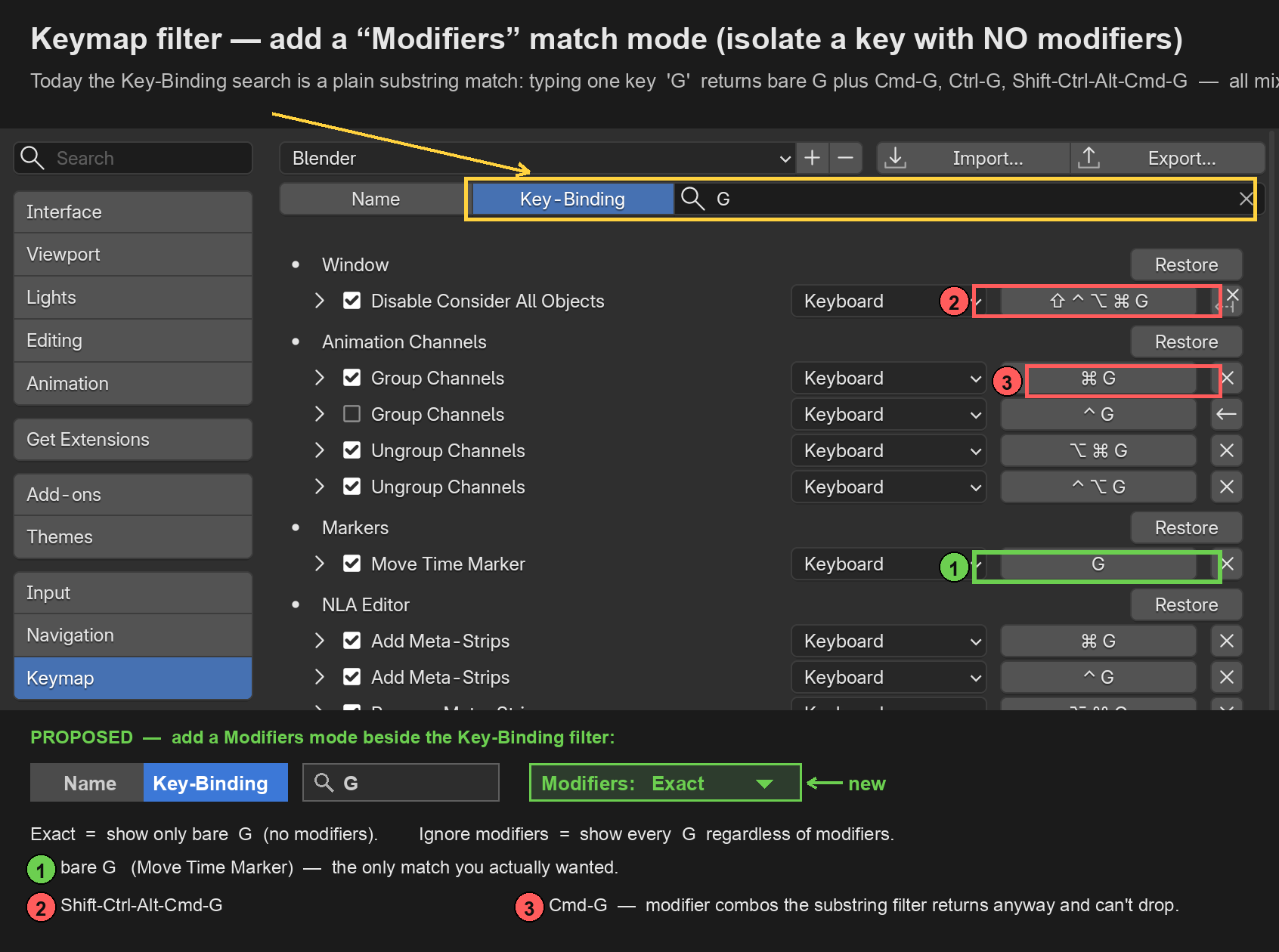
When you set the Keymap search to Filter Type: Key Binding and type a key, it does a plain text match — so typing G returns bare G plus Cmd-G , Ctrl-G , Alt-Cmd-G , Shift-Ctrl-Alt-Cmd-G … all jumbled together. There's no way to ask below questions:
- "What's bound to G on its own , with no modifiers ?" (e.g. to find a free key)
- "Show me every binding on G , whatever the modifiers." (to spot conflicts)
Proposed: add a small Modifiers mode next to the Key-Binding filter:
- Exact — match only the modifier combo entered. Type a bare key → see only modifier-free bindings.
- Ignore modifiers — match the key regardless of modifiers.
Keep today's text-search as the default so nothing changes for existing users. Bonus: let the field capture a real keypress instead of typed text.
Why it's small: every shortcut already stores its key + Ctrl/Shift/Alt/Cmd separately — this is just exposing that in the filter, not new data.
Use cases: finding a free key before rebinding · auditing what one physical key does · hunting bare-key conflicts · tablet / one-handed / accessibility users who avoid modifier chords.
Mockup is shown below:
1 Comment
This simple feature update would improve the usability of the keymap editor hugely. It's so annoying to use the search, as sometimes you get dozens, if not hundreds, of results that you can't actually narrow down in any meaningful way. It's quite useless.
Another good quality of life option would be to limit the search only in the chosen context. Like you could search key mappings only from Node Editor > Global or 3D View > Mesh > Mesh (Global), for example.