
Multi link connection for node sockets
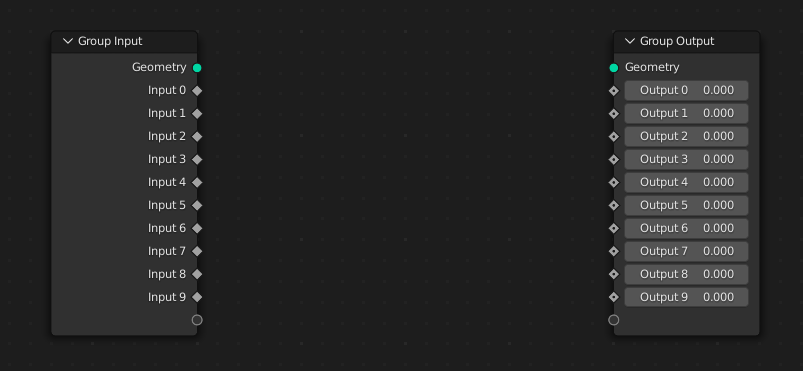
If you ever had to connect more than few parallel node connections you know how tedious this process is.
While there is a way to speed this up in base Blender (select both nodes, shift click on one of input sockets, press F, shift click on next socket, press F, repeat):
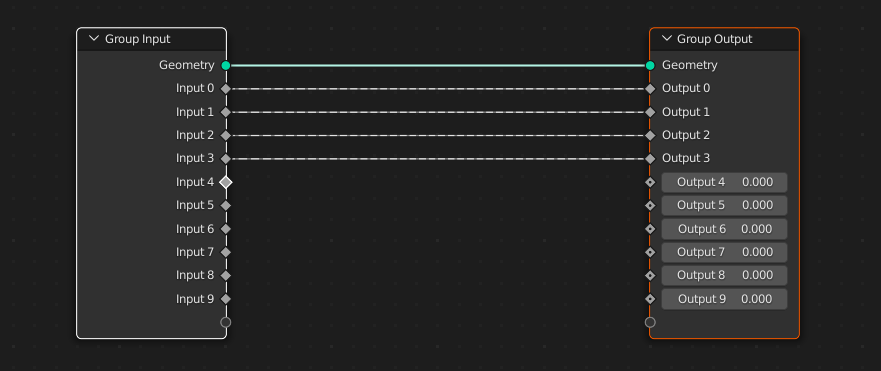
It's still tedious and involves a lot of mouse clicking and keypress and arguably harder to discover than my upcoming suggestion.
My idea is inspired by click drag multi select for sliders, so it works very similarly:
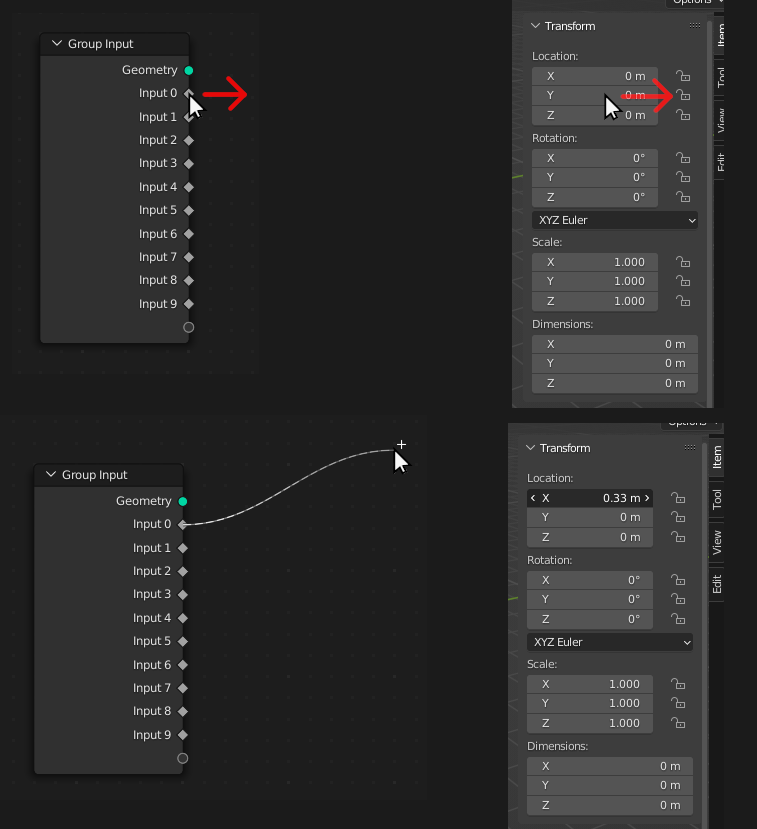
Simple clicking dragging to the left or right will produce old single link connection, just like on sliders it modifies only single slider.
However if you click drag down or up you will start multi selecting sockets:
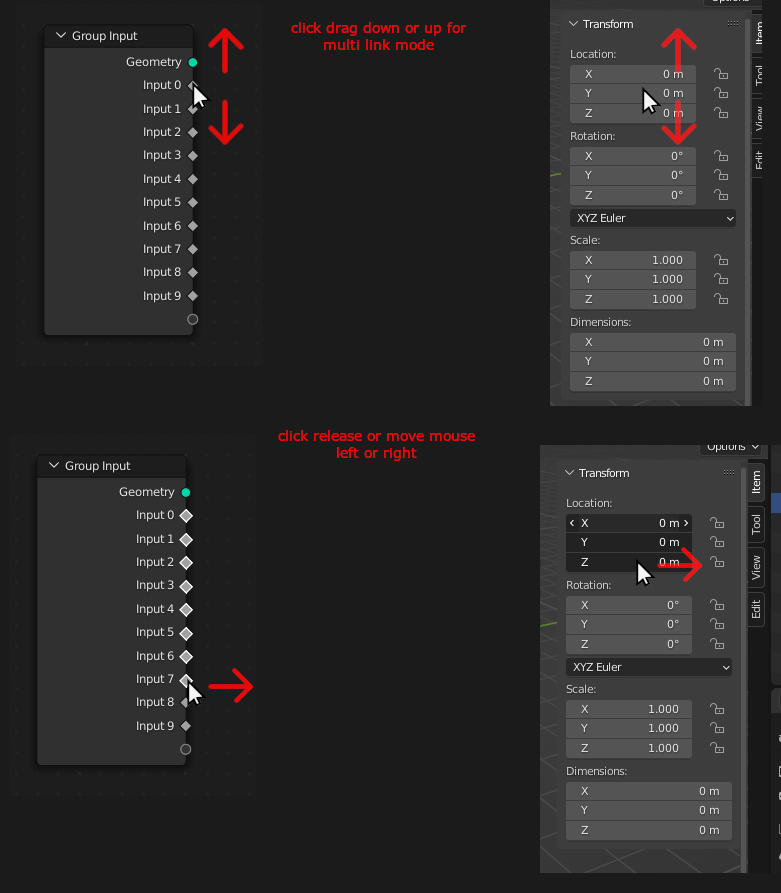
Moving mouse to left / right or releasing left click before that will make you enter multi link mode - top or bottom node will be attached to your cursor while all other links below or up will move together with it:
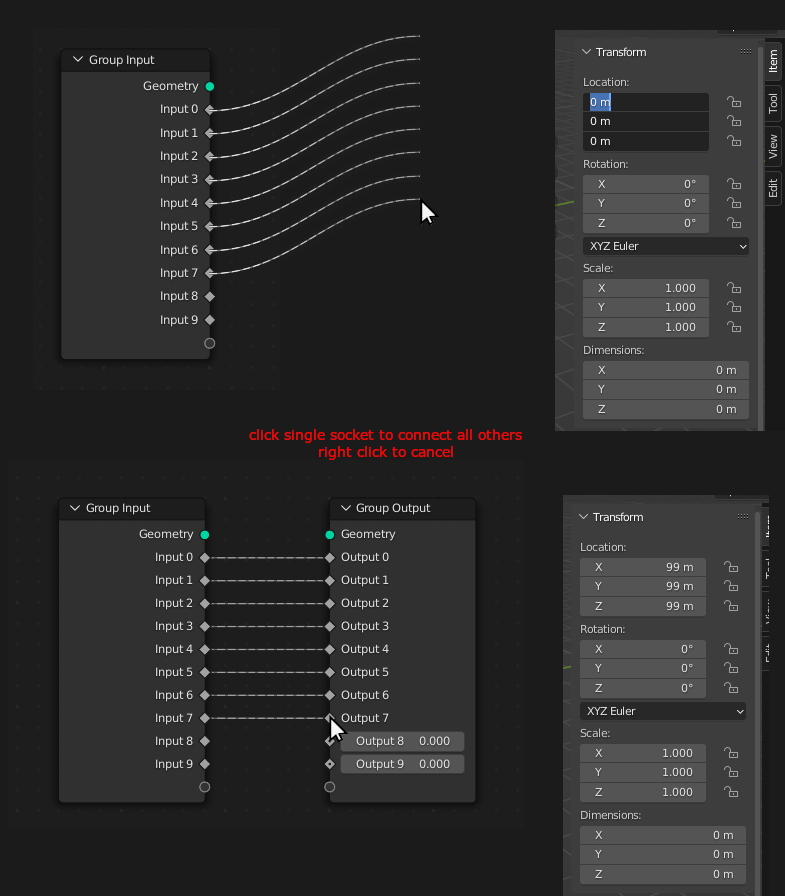
All you need to do now is to click on one of recipient sockets to connect others. Right clicking will cancel multi connect.
Pros of this method:
Builds on already existing behaviour and is intuitive once you know about it
Cons:
Hard to discover (just like click drag for multi sliders)
0 Comments