
Stagger (Sequence, Offset) selected animation keyframes
Hola, community. Although I believe that the Blender 3d is fun, staggering keyframes here is definitely not.
It's a common task for animation artists to offset animated keyframes, and if you have a lot of objects, this is a really tedious task that thankfully can be easily automated.
The logic is very simple: you select the keyframes you want to position, enter the number of frames you want to add to each object, and hit enter.
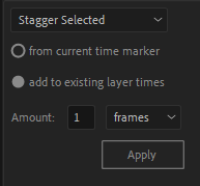
Of course, I am speaking figuratively. Execution can be anything from a button on a panel to an interactive tool.
The result
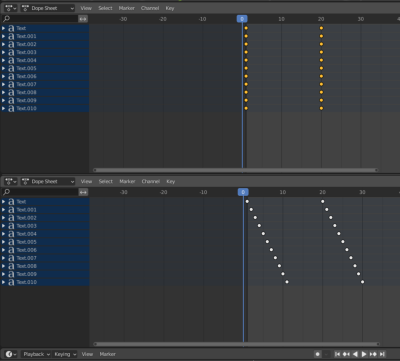
These were the basics, but in addition, we can go further. Blender has an excellent proportional editing system that is used with some limitations in the Dopesheet and Graph editors.
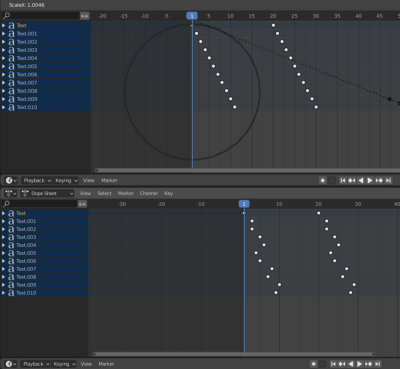
For now, this only affects the keyframes of the objects to which they belong. But if all visible keyframes will be affected, it could bring interesting results. And this behavior will be similar to other modes (for example Edit mode).
For example, imagine that we can use "Random" fallof for all visible keyframes.
Thank you for your time!
2 Comments
In the meantime, this snippet of code might tide you over until this is implemented:
blenderartists.org/t/how-to-offset-keyframes-for-many-objects/609752/7
In Blender, select your objects and run this from a text editor. Adjust "offset" and "noise" parameters in the code and run again.
We need this! It's so important for motion design