
Including active scene in the sequencer
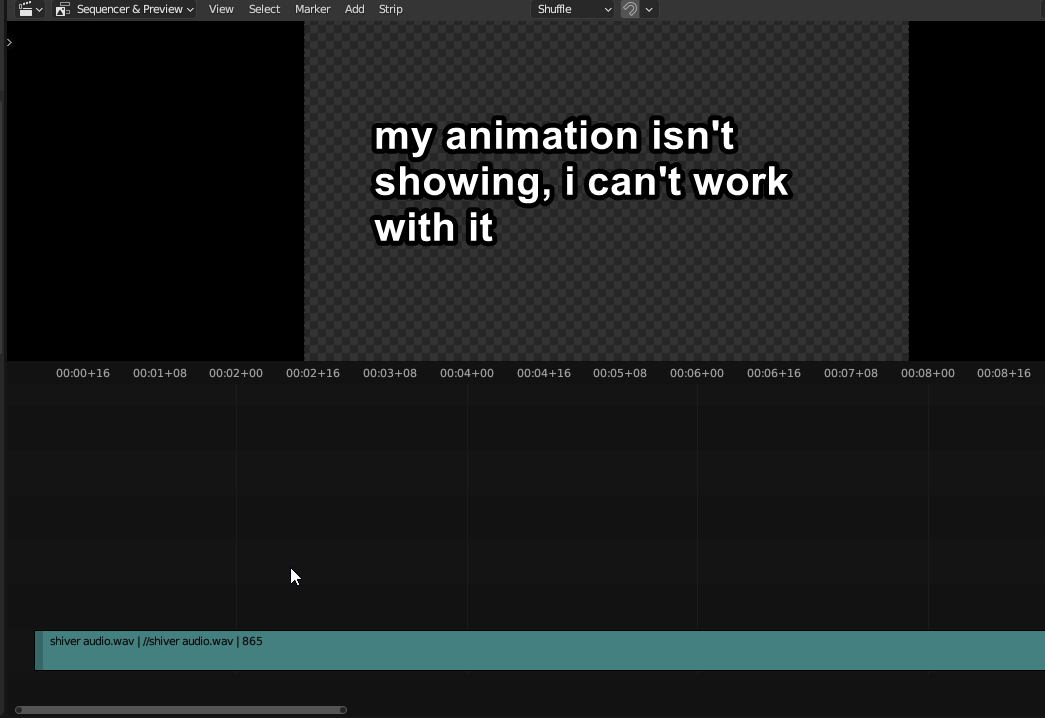 The sequencer is great for adding sound effects, or extra images/borders/effects and so on. But it's not very useful if the current scene isn't showing up in there.
Currently the only way to work with it in an animation. Is to render out all of your animation, then create a new scene just dedicated to the sequencer and then you import the video/image-sequencer into to add your extra effects.
If you wanna make any changes to the animation throughout you'll have to re-render it again before you can work with it.
Proposals:
-
Add a scene preview strip. It should remain the same length as the actual scene, but as a strip so you can add effects, or scale/rotate or put other images behind it if needed. (it should be able to be toggled on/off)
-
Add a render and import button. To render a portion of the active scene and then paste it into the sequencer like a regular imported image sequence. This workflow might be good if you wanna work with the final rendered look in the sequencer as well.
7 Comments
Upvoted! What I want is to put my webcam and voice-over in front of the 3D world. From the voice-over I adjust the animations. It is not very comfortable to switch between scenes to do that. It would be nice be able to put the current scene as strip in the Sequencer.
This add-on can be used to workaround this: github.com/tin2tin/Scene_Strip_Tools
If you need to batch render (scene) strips this add-on can be used: github.com/tin2tin/Add_Rendered_Strips
You do see your scene in simple solid view if you use a Scene strip. Create a new scene for video editing, hit Shift A >
Scene> select the scene you want to add as a strip:This is true, but exactly this that you have to make a scene dedicated for video editing, with its 3d view just being completely useless, seems a bit counter intuitive.
If you could work with the active scene directly. Then making new scenes and adding in others would still be useful, kinda like making pre-compositions in after effects
I agree! Blender, being a procedural tool, should treat sequences as so too. These add-ons shown in the comments look like they solve the problem, but they should be part of Blender's native functionality.
??
You can see both the scene and the sequencer timeline at the same time. Load the 3D view into a window.
This is true. But my complaint is that you can't see whichever video editing changes you are making this way. If all you do with the sequencer is sound effects, then this isn't a big problem. But regardless it should still show up by default i think