
Better transform gizmos
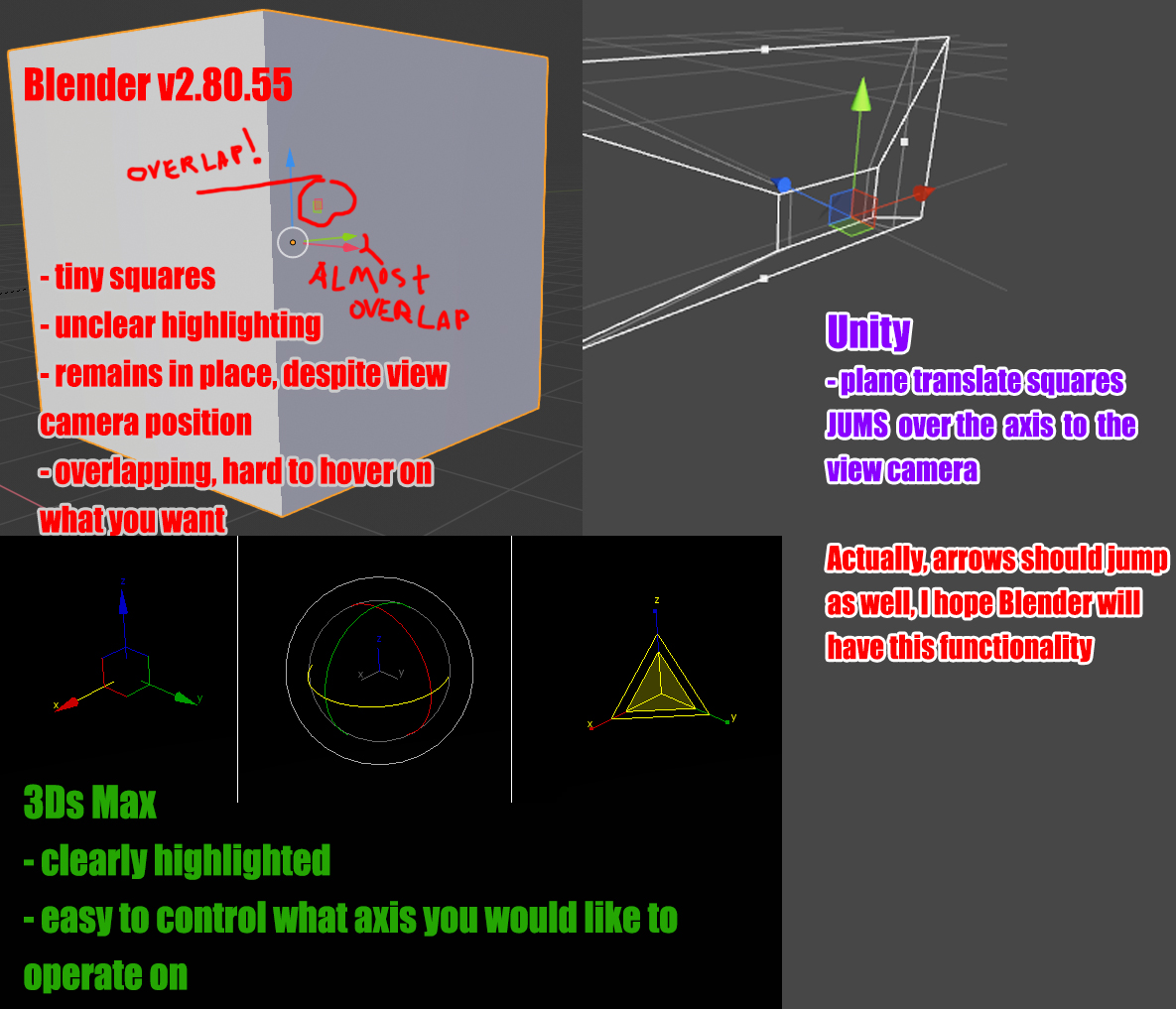
Currently Blender has a very unhandy gizmo view. I appreciate version 2.80 introduced those tiny squares to move object on a plane, but they really hard to hover on.
Here some suggestions to improve the "square" situation:
- they(squares) should start from the gizmo center
- I'd like to have an option to control their size
- they must react to hovering more clearly (not a tiny highlight, but changing color. Yellow would be just fine)
- and MOST IMPORTANTLY they should jump over the axises to be on the camera side (this will make them impossible to overlap on each other)
Actually, just implement what 3Ds Max or Unity have done long ago.
3 Comments
planes jumping the axis to face the camera are a smart idea, however moving the arrows is more problematic in my opinion. the arrows communicate axis directionality, which is especially important when in any non-global transform space.
* @stevemillerband * Fair enough. But what stops developers from adding a small letter describing an axis with optional negative '-' sign? They can make this jumping stuff optional, after all, and all users will be happy)
better transform gizmos would be nice fr.