
Sculpt Modifier
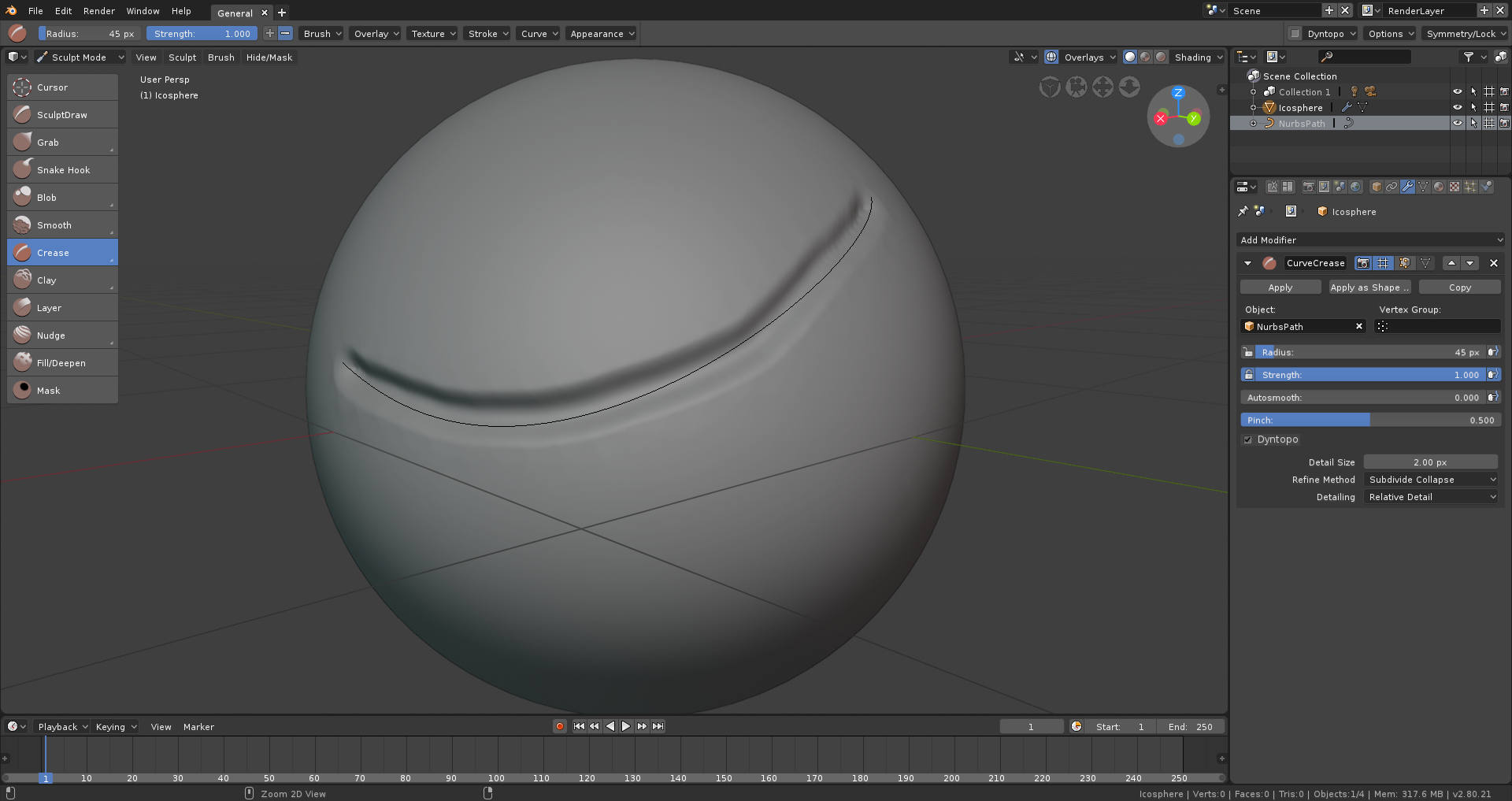
Posibility to use modifier for sculpting, for exemple to make hard egde with a crease for hard surface sculpting. Like this video youtu.be/3AVERcG9Qy8 , there use curve to define edge, but with modifier it's maybe possible to make the same with non destructive workflow with a Shrinkwrap on the curve to the mesh or the grease pencil to project the crease modifier.
With modifier it's possible to have live boolean without applying to view what I cut/add before apply to continue my sculpt, or make a editable mask from a curve/grease pencil, etc.
3 Comments
I already suggested something similar. My proposal was that the curve when drawn should be glued to the mesh even when the object was rotated, so that the curve rotates along with the object. That would be incredible, because in this way it would be possible to circumvent all kinds of objects. It would be amazing to draw details and ornaments accurately. Even if we think about the possibility of applying strokes in apha to the curve or path drawn, the possibilities of use would be amplified even more.
See: blender.community/c/rightclickselect/mBbbbc/
Another suggestion is to put an option to automatically enable and disable the CTRL + A (Object> Apply> Rotate & Scale object mode) command whenever the user enters the sculpture mode. This would avoid user headaches when he chooses to start sculpting using native geometry and other objects in the locking of his sculpture.
I believe that these two improvements are not complicated to implement in Blender 2.8
@Corelista: I didn't saw your proposal, thanks to share it :) it's a great idea, however, I had searched ^^ Combining my proposal with modifier, I think this can do make a really cool workflow to sculpt
Super good tool! ! ! !