
Improved Info Box - BCON UI Proposal
VIDEO PROPOSAL - Watch from 8:30-15:06
THE PROBLEM
Blender doesn't give enough feedback to the user about actions that have just occurred. Nor does it provide important contextual information to understand why something unusual is happening. For example, accidentally tapping (.) and enabling "Only Location". Then later, not being able to rotate or scale a single object, and not knowing why. THE PROPOSED SOLUTION
Improve the existing Info box to display contextual information like:
- Recent actions that just occurred, along with their keyboard shortcut eg. "Duplicated 1 Object (Shift+D)"
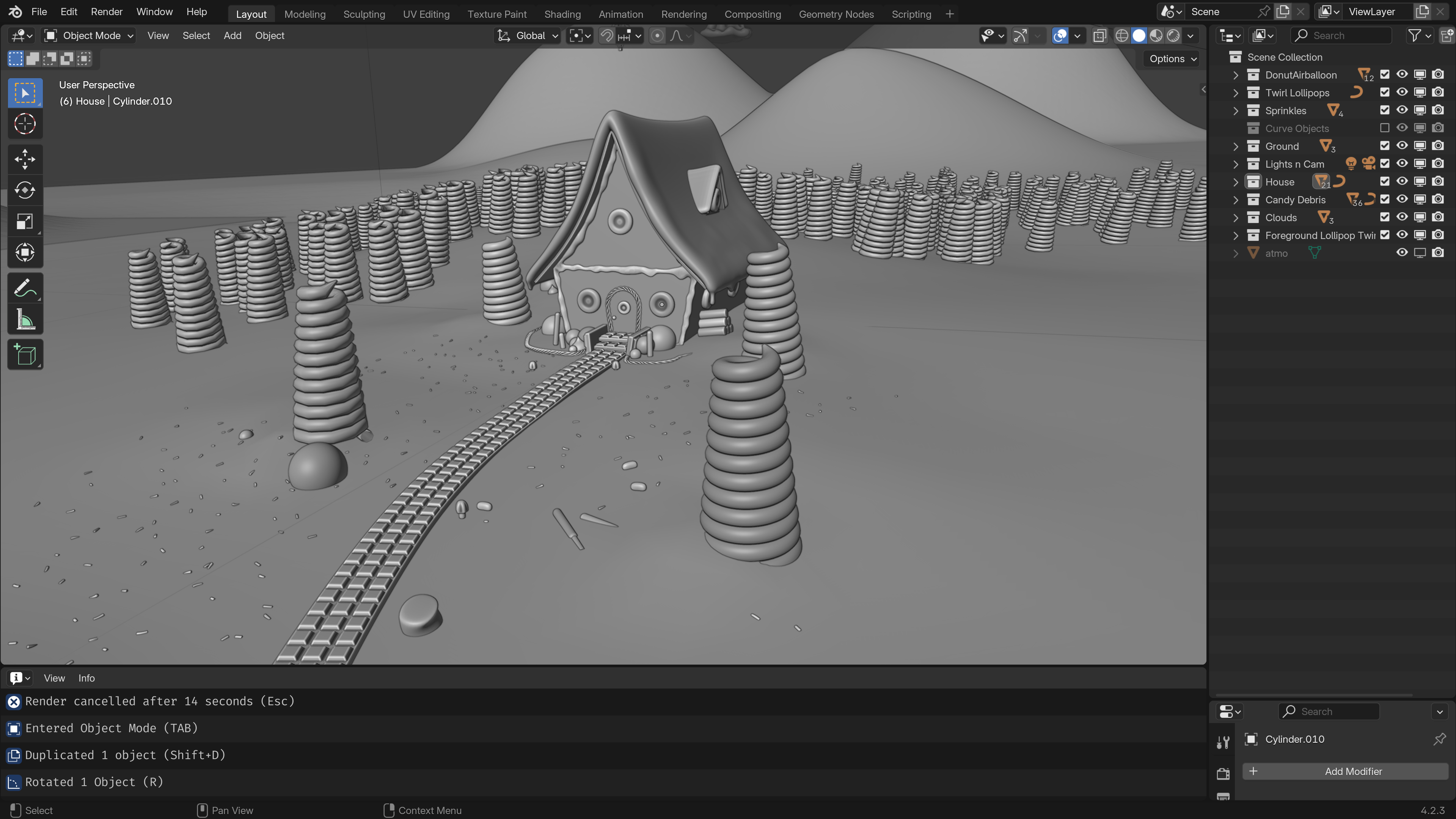
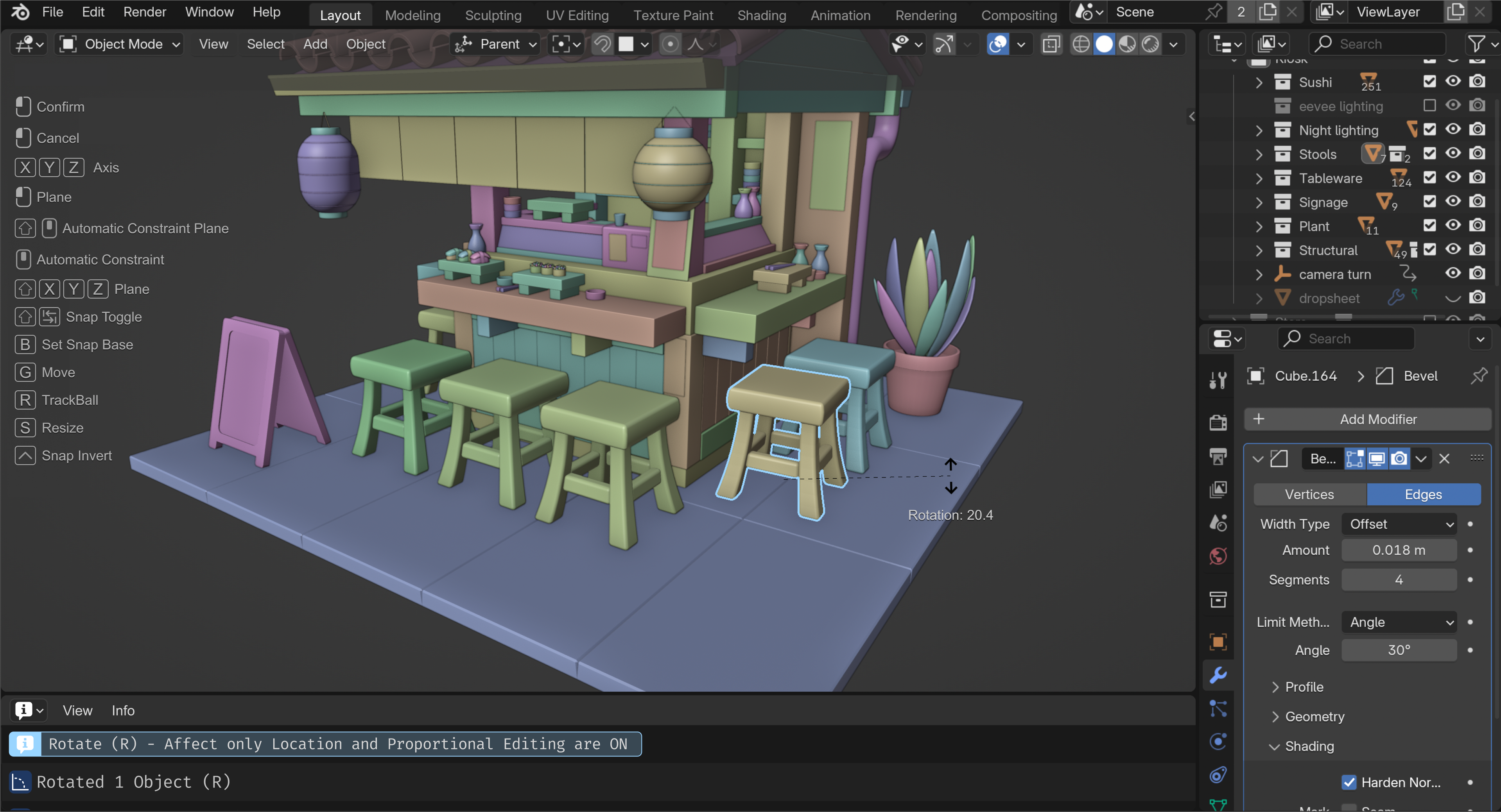
- Status flagging, when an action might be hindered by a non-default state. Eg. "Rotate (R) - Affect Only Location is ON" or "Scale (S) - Proportional Editing is ON". Non-breaking actions (FYI) could be light blue, but more action breaking statuses (eg. trying to move an object that is locked) could be Orange or Yellow.
Ideally a filter to the info box would be added so that it can display python operations to those that need it. But turn this off by default (like python tooltips)
OTHER IDEAS
- Ideally, actions should display in the info box the moment an action happens (not once the action is finished). Because the time you need to know a status flag is when you're in that state, not after.
- If an action is being influenced by a non-default state, changing the object outline color from white to match the color of the status flag in the object info box. eg. light blue for FYI flags.
- Pablo Vaquez suggested the actions in the info box could be clickable, taking you back to that action. Then it serves as both useful information, and an interactive history log.
- I moved the keyboard shortcuts footer (which is frequently missed along the bottom bar), to the top left of the window that is active. Pablo suggested this be moved to the bottom left.
- I moved the rotation operation from the top left (where it's frequently missed) to follow underneath the cursor (suggestion from Pablo).
- If the info box proves useful, make it the default view for the Layout view, replacing the timeline. Because not everyone is making an animation, but everyone in Layout needs to know what actions are happening.
5 Comments
I like the idea. But I think it would be even better to also have on-canvas feedback for this kind of issue. For example, if the rotation is locked and you try to rotate: imgur.com/a/0biTVjd
do have something news about this Improved Info Box - BCON UI Proposal ?
Love the ideas! Here are some of my thoughts:
I tried to write an addon that would alert the user to potentially problematic states, e.g. unapplied scale, but my coding skills were not up to the task.
I think that ideally, such a feature would do a few things:
To those "experts" who think Blender should not do any hand-holding, let's call this "realtime analysis" instead of "help."
I like all of these ideas. Would add, regarding shortcuts, that I think it would be helpful for all of the actions to be accessible without using shortcuts (as an option). For instance, if I know I want to unparent or link materials, etc, but I can't recall the shortcut, the UI should provide an alternative way to find the action in a menu or button ... and, as an added feature, provide a way for the UI to show you where the command is via search. (I used to use a CAD tool that did this to great effect.) Also, I completely sympathize with the accidental pie menu problem. The pie menu itself seems outdated and could use a redesign or replacement, IMO.