
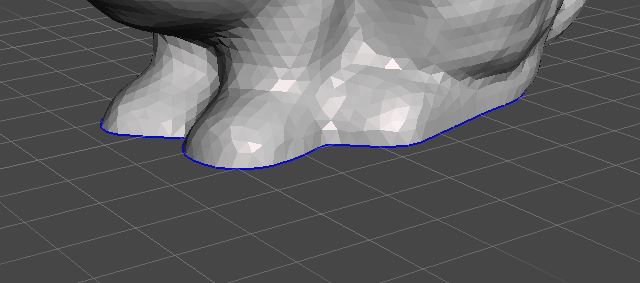
Visual indicator for border of the mesh
Hello, I would like to have a visual appearance of opened meshes in Blender. In Meshmixer it's a blue color, in Softimage its turquoise. It would be extremly helpful to discover doubled vertices, open meshes, wrong extrudes, or edges who got created by pressing 'F' instead of 'J'. It always helped me a lot in modeling.
As an extra it would be helpful if I could select the whole edge with one double click like in Meshmixer (even if Meshmixer only works with polys). Alt-Click doesn't always work and I just had a big 3D scan, which I cutted. I had to drive along the edge and CTRL+Click some times also worked. I still have the feeling that this could be a helpful feature with not too much programming involved if step 1 is already there.
4 Comments
I think the current wireframe overlay has dark orange lines for this,but this could definitely be an overlay.
In solid view mode, inside the shading-tab, there is a checkbox named "outline" with a color swatch. Do you mean something similar?
plus one
nice idea