
Allow hiding the skin modifier by hiding the edges in edit mode.
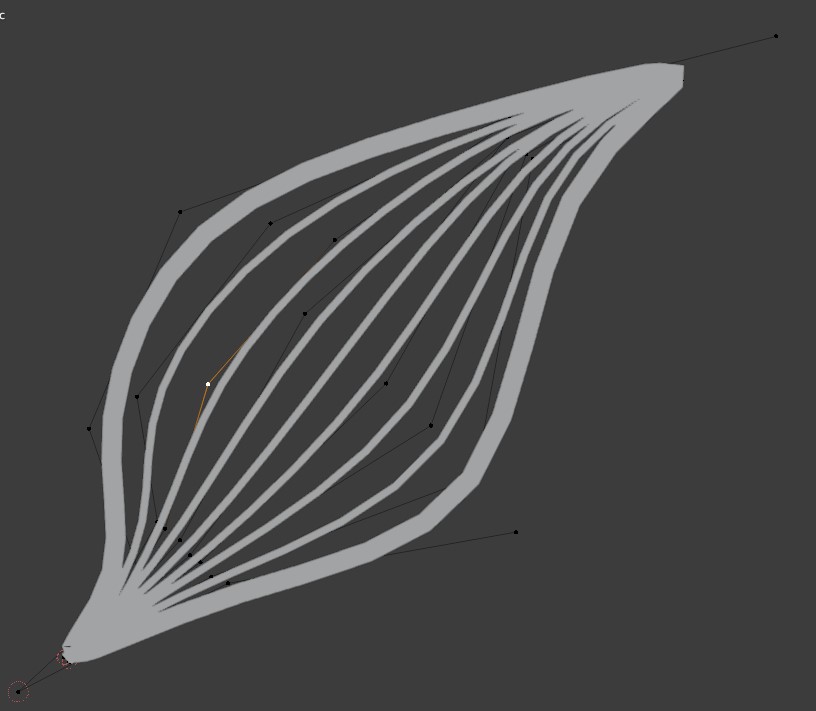
If I have multiple overlapping edges using the same skin modifier, I sometimes would like to be able to hide some edges to be able to work with the other ones and have the screen less messy. That would make working much more efficiently. Currently hiding the edges don't hide the skin modifier effect.
Having multiple objects with separate skin modifiers sadly is not a solution always
4 Comments
How and where to hide? Asking about GUI.
I think it should work by hiding the geometry in edit mode with H shortcut. It's located in "mesh -> show / hide"
Then who know.. maybe these verts, edges, faces should be listed? Coz how to unhide hiden? All?
In my workflow, hiding has always been a temporary solution. I hide things to be able to work with other things and then unhide them again with alt + H when I am ready with the object. However, if the modifier supported vertex groups, that maybe could give some additional possibilities to how we could use it.