
not needed problem fixed
voxel remesher for some reason has a beef with mouths ears and literally everything(including detail) it came dead last at the top 5 remeshers it destroys all detail you spent sculpting for hours please fix it here are some examples
before voxel remesh:
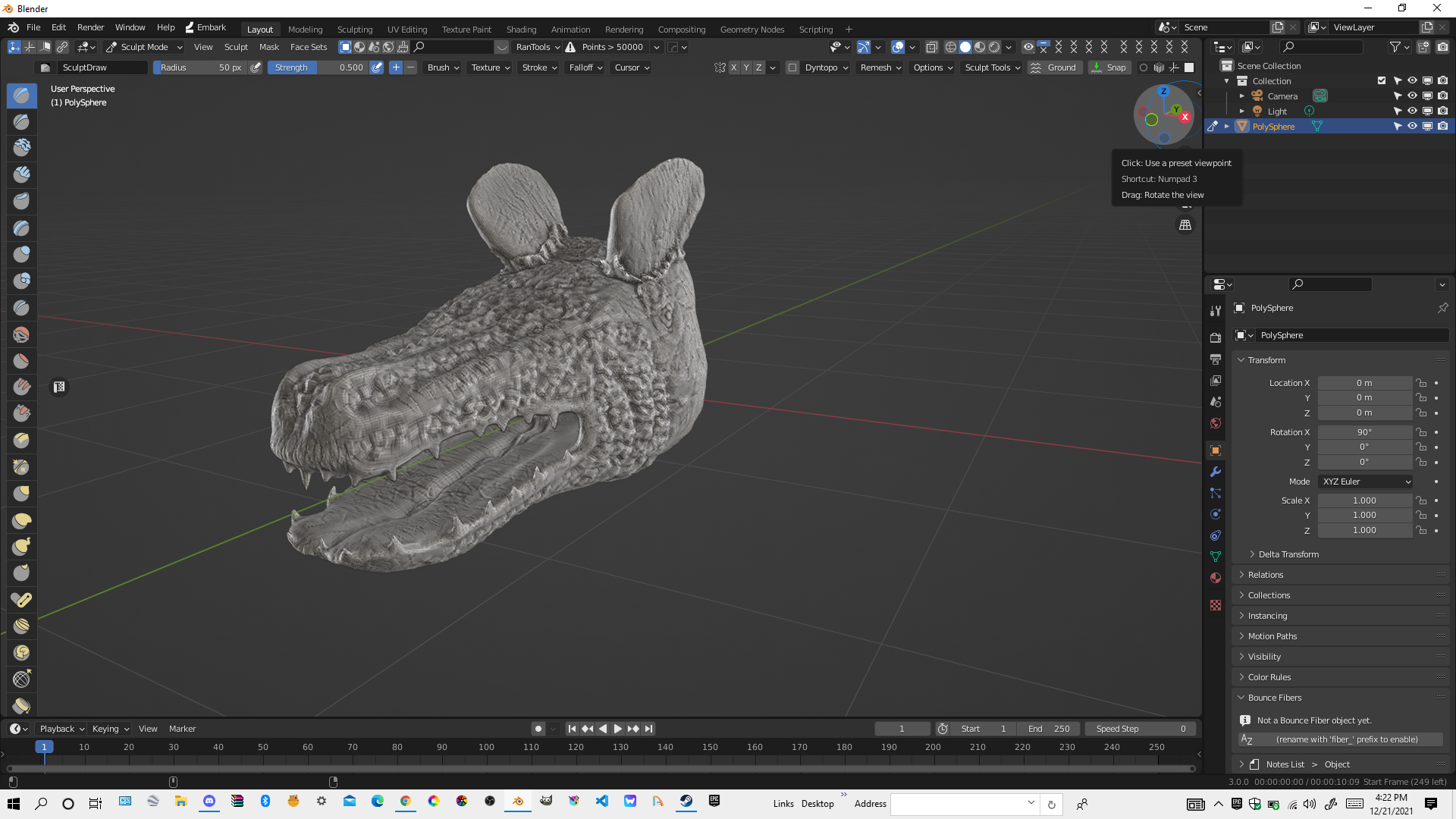
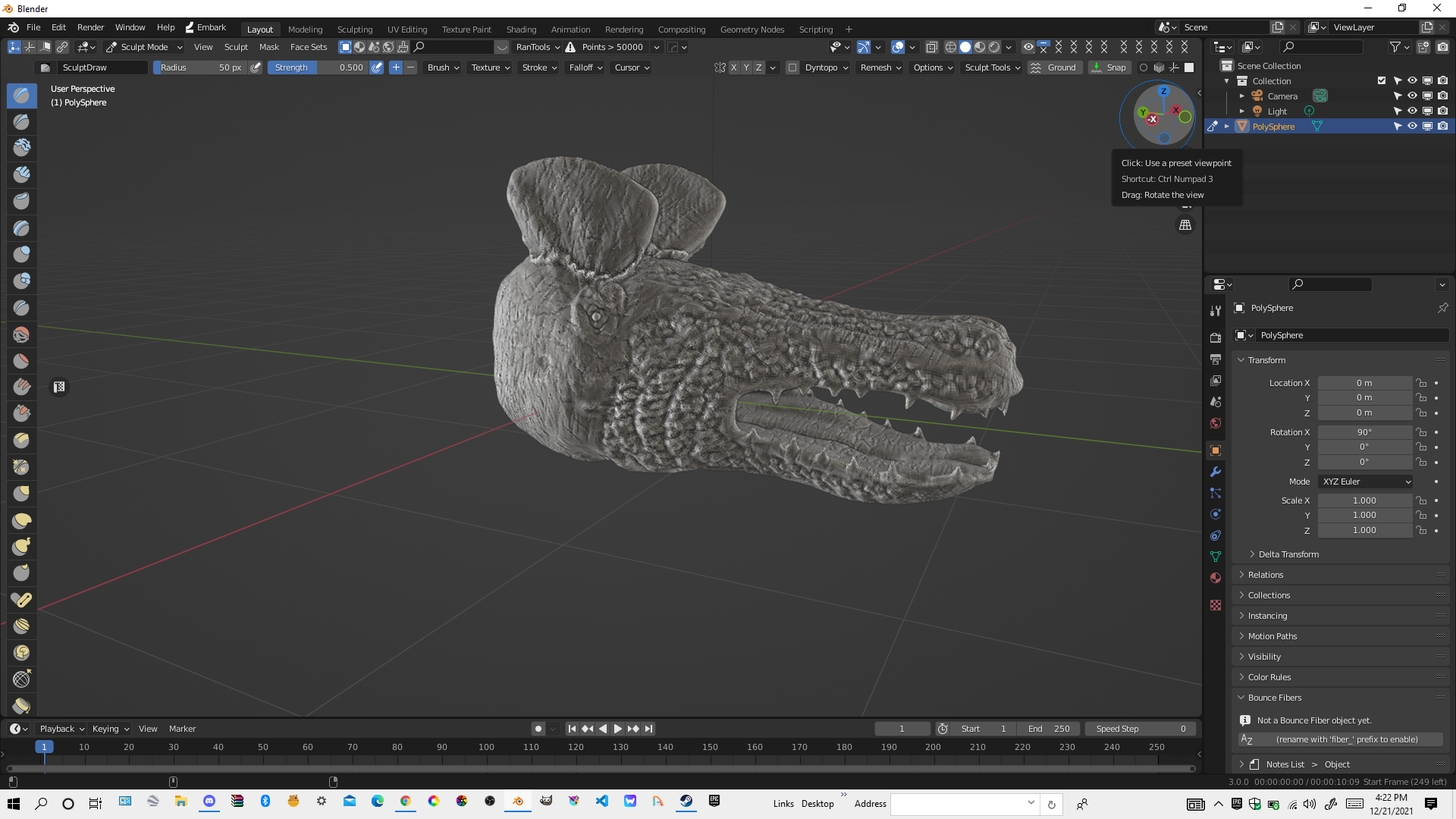 after voxel remesh
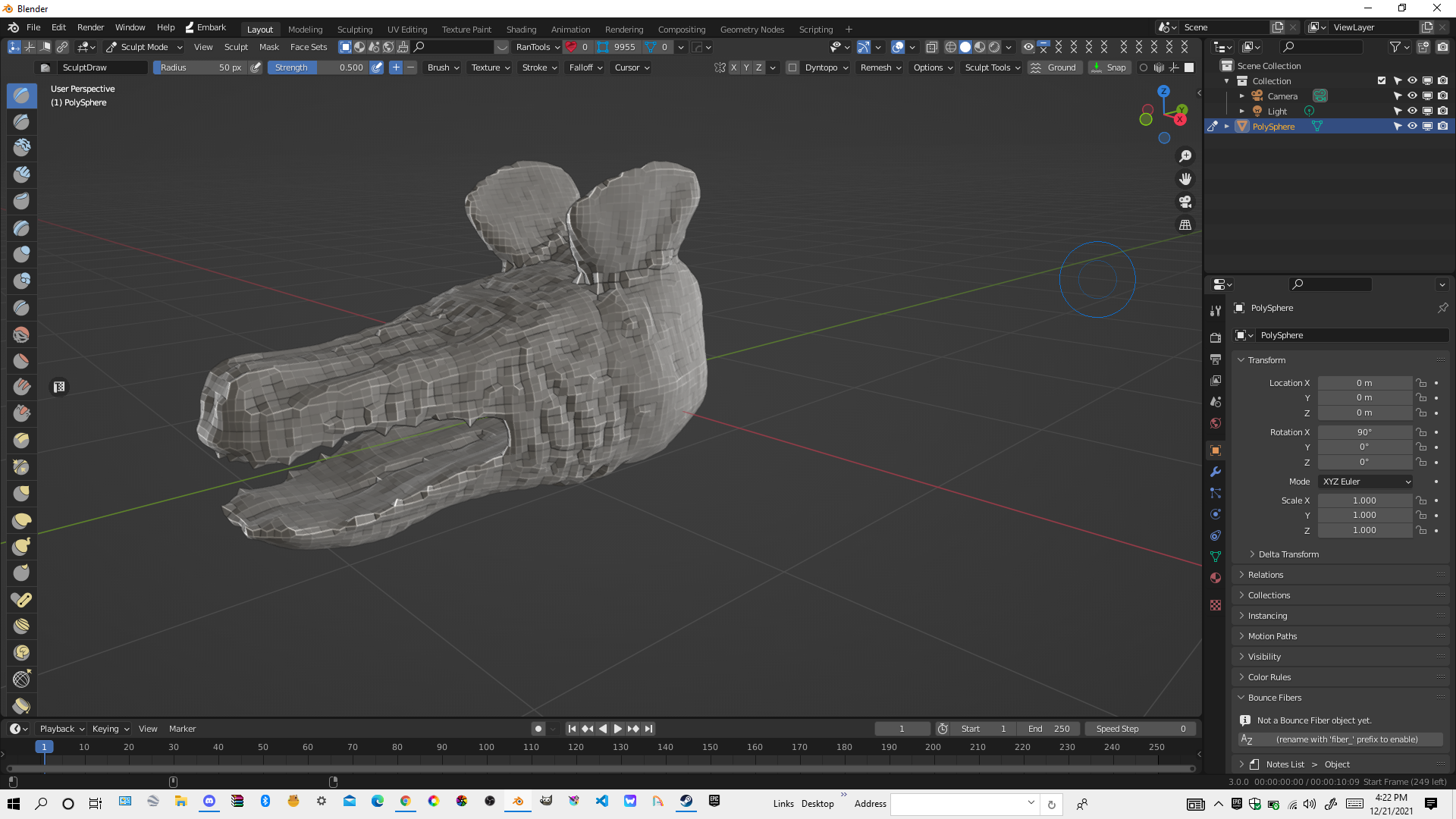 in mist cases it had issues with the teeth just joining the lower jaws teeth to the upper jaw bsed on distance and merging vertices without a reason i got lucky this time that it was able to at least preserve shape
9 Comments
The current Voxel remesh works basically by making a 3D grid of X cell size and make new topology where you mesh intersects that grid, with no regard to meshparts or mesh adaptation. If you want a closer or finer result, you need a smaller grid cell size. You can play with the Adaptativity setting, but AFAIK this only will merge resulting vertices, not change their placement.
I think (?) there was some work - or planned work - on this topic, but I can't find the right tickets on developer.blender.org
In the meantime, have you tried other remeshing methods ? The current is kind of a fast performance bulldoze, but there are other options via the decimate modifier that might get better results.
can you guys please fix this remesher let it preserve details and not mess up everything
Hello, you should take a look at how the voxel remesher works and what a voxel is before you ask for it to be changed.
It‘s not broken, it‘s working as intended. You need to increase the resolution of the Voxels to preserve smaller details.
You can think of the voxel remesher as something that turns your model into a lot of small cubes. It will then look something like this:
gamersnexus.net/images/media/2012/features/voxels-vs-vertexes.png
Then it makes a mesh around those cubes and thats your output. If your sculpture has a detail that is smaller than that cube, it can’t recreate that detail in the output mesh.
Please read more about the features you are talking about before you post to this forum, the way that you are writing and explaining your problems is not very helpful. It‘s also ok if english is your second language. I recommend using deepl.com , it offers high quality translation.
Best of luck!
ok thanks lemme see
so is there a way to preserve detail
Yes there is, just decrease the Voxel size in the settings of the operator. Here is a tutorial on how the voxel remesher works: youtu.be/k44PMyRp9CM
If you have any more problems, I would recommend blender.chat/home . There is a channel called “support” where your questions will be answered!
The righclickselect forum is for feature requests and you use it if you want your idea to get implemented into blender. It’s important to make your feature request very detailed and well thought out because if it isn’t, nobody will understand what you want and it will get downvoted. I would recommend trying to find solutions elsewhere before asking for a new feature for blender, because maybe there is a solution out there for you.
Cheers!
thanks man thank you so much so is there a way to take this idea down like delete
I’m not a forum moderator, so I don’t know whats best for this forum in terms of posts. Maybe these posts that are more like questions are considered spam and maybe these posts don't really make a difference and can be left up.
I would just leave the posts up and write in the title that its [SOLVED]. Maybe somebody else that’s experiencing the same frustration or problems will come across this and see a solution.
In the future, use the different forums like blenderartists.org/ and blender.chat/home or discord servers like Erindales amazing community: discord.gg/qEmdVC3 to ask for help. If they tell you that there is some functionality that is missing and should be added to blender, then you can consider using rightclickselect. You also have to make sure that somebody else didn’t already post the same idea.
If you need help, you can direct message me on blender.chat , my username is “Seby”.
Good luck on your Blender adventure!
ok thanks