
CAD-like snapping objects (by basepoint)
Edit : Currently in development see T66337
Edit 2 : Experimental brach with this feature can be downloaded from here
Edit 3 : There is a great addon by Stephen which adds this functionality to Blender - CAD Transform for blender . I really recommend it.
There is very long ongoing discussion on
developer.blender.org
task
about this idea.
Paul Kotelevets's gif illustrate whole issue quite well:

Of course this
is possible in Blender
. For example You can do this:

But this method is too tedious and many archviz users needs fast, two-click method to precisely translate objects.
I think we now have two possible solutions (in 2.8):
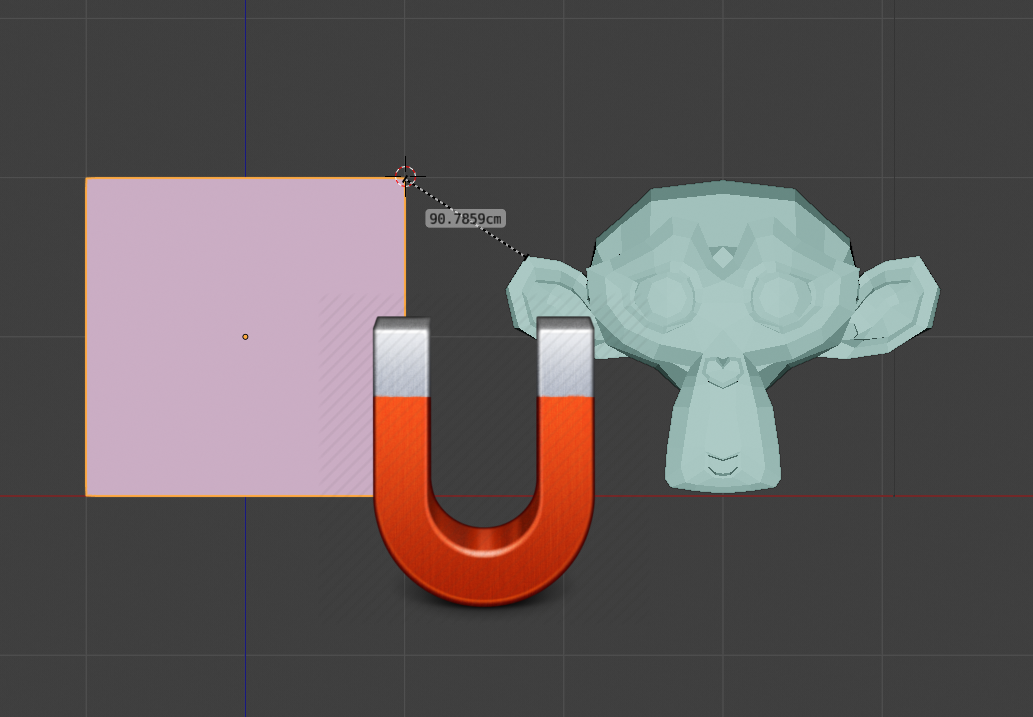
- Add snapping of 3DCursor to vertices and edges (while dragging). So if you have pivot point set to "3DCursor" and "Snap to vertices" along with "Snap center onto target" enabled grab (move) action will do the job.
- Adding special manipulator similar to this seen on other 3d softwares.
80 Comments
Blender definitely needs a better snapping system. Here is a simple Maya example:
@Oskar: Blender already does that, you just have to know how to do it ;) I'll be uploading a video explaining how to "properly" use snaps in blender. Don't miss it.
* @robersan148 * Have you posed the "properly" usable snap method? I am eagerly waiting to see it.
* @Oskar * I do agree with my little level at python I just did this one snap cursor to face center github.com/1C0D/Tool_snap_cursor_2_face_center-for-Blender but doing it I thought about so many other improvements. I can't imagine what a guy with a good programming level and common sense could do. for instance my tool could be improved adding vertices and middle edges detection under mouse moves...
so far this is the simplest solution, I read many suggestion with cursor,, but all we need just to be able to control the gizmo in (object and edit mode) and this will solve literally everything.
Why not do this? I agree Blender's snapping could be improved, but you can at least do what you want in Blender way easier than you're doing.
@realtoughguy: Because your method modifies the entire geometry of the object (origin point isn't translated).
@maciej.morgas: Ahh, that's true.
@realtoughguy: And it is not easier. Look at the first gif, the way other apps do it - that is what maciej is proposing - 'M' / click / click.
@realtoughguy: Also check how many clicks you made :)
@maciej.morgas: yep we also need an editable origin as a pivot point, it's so crucial.
* @realtoughguy * and then an origin to geometry
* @realtoughguy * instances mess youtube.com/watch
* @realtoughguy * This is not a good solution. Try this when working with multiple linked objects...
* @1conscience0dimension * But what if the origin of the object is not in the center but is previously translated to a convenient location? Then one has to readjust it.
* @fasi.eijaz * I will see this later maybe. because I did my first addon gizmo pie menu around this but now I understand a little better things around all this. I just did this one youtu.be/09F-h2YWM4w but I can't find back the subject there lol
* @realtoughguy * So, I've checked how many clicks one would have to make on both programs:
Maya:
Blender:
Conclusion: yall are silly billies comparing both programs, but I encourage people to find a more streamlined way of making this process faster.
* @Thomas Paul * This has nothing to do with object origins. This is about snapping from a start point to an end point. In other words, how snapping works in every program I've used except blender.
No, in Maya you hold DV and middle mouse click-drag right on the object. You don't need those last few steps with the left-clicking.
seems like the origin doesn't want to follow :)
why is this not already in blender ?
This is probably the biggest thing on my wish list. Blender badly needs source and destination snapping. This is a must for Viz work, but people entertainment fields will find it useful as well.
I want to add my vote for this feature. I'm a 3DS Max user for 13 years now but have started learning Blender 3D over the last year or so in preparation for 2.8. I would love to have 3D snapping as I'm used to in other software like 3DS Max, AutoCAD, Rhino, Sketchup, etc.
Rhino has some really powerful snapping tools. They also works for rotation and scaling. {attachment snappingpng} youtu.be/HjK6t92WzbQ
I cannot say anything about this proposal. But absolutely, Blender needs a better snapping system. Because the existing system is not convenient and does not always work adequately. Here are just two simple examples
drive.google.com/file/d/1S7Hz-VM-fIUnlYc-yVhEDzGWL32m8gNB/view
drive.google.com/file/d/1-qKnxq4QVZaOHZCK8AsKITe3_0xyrJ24/view
Good news, everyone! B.A.S.E. proposal about snap system enhancement is ready!
youtube.com/watch
This is a fundamental feature IMO. But it shouldn't be just for Translate! Scale and rotation require that too. I find Rhino's implementation of snapping options quite complete, you can have a look at their implementation. I was expecting to this to be a very simple operation since Blender has a Left Click to set the cursor, alas that is not the case...Disappointing...
NP Station : This people made already a great progress if you could implement this kind of workflow into shortcuts it would be perfect. As well as creating basic objects like planes, and cubes.
until it developed, try CAD transform addon, it has all functions including base point for your work.
Love it.
There should be a function like if i press G for grab and then press B then blender should ask for base point.
This should be marked "In Development" since mano-wii has been added to the Dev team because of a grant from the development fund. Announcement Here.
* @dpdpforlife * he is preparing code base, but list of features is not accepted yet
ok this is done see this video the link is into the description. you can like the video so more people will see it and of course this is free as Blender is. and in fact this is better again because I can do a rotation of the object using the second method I show in the second part of the video youtu.be/TzvrfE0tvx4
{attachment Blenderjpg}
This is single-handedly the feature I wish Blender had the most. It fixes a big gap of speed in the modeling workflow.
Yes, This is an absolute must have snapping method. This gives much more accurate and predictable snapping control while working. Almost all softwares on the planet does have similar snapping. Why blender can not adopt similar approach. At least it should be available as an option through Preferences if everyone is not liking it.
I'm incomplete agreement that Blender's snap tools need a lot of work - part of the problem for me is the sheer number of settings that affect how snapping works (certain pivot point settings make certain snap types behave weirdly).
However, I don't think we should be moving the 3d cursor around to snap, since it still requires setting the cursor pivot mode and moving the cursor somewhere we might not want to move it, but instead introduce another snap type, where the item under the mouse cursor become the snap origin. For instance, if there was a particular vertex you wanted to use as the origin for the snap, just move the mouse over it (it would hopefully be shown with a pre-selection highlight) and then hit g to start the move. The highlighted vertex would then be the point which snaps on to the snap target. This would work for edge midpoints, faces etc.
@Andrew Palmer: I like it.
@Andrew Palmer: I think it would be best to study how other software does snapping. For instance AutoCAD has great snapping tools. That other modeling software that was formerly distributed by Google was also great.
+1 for better/quicker snapping and precision modeling tools
look what i found
This is a great suggestion, to add to the list of how other software tackle this , in Softimage case was very simple by pressing a hotkey we could move the transformation axis "temporarily" and snap it to anything, then move the object while snapping enabled to another object. When deselecting the object the axis would go back to its original position.
Here is a capture showing the process {attachment 2021-02-27_14-25-53mp4}
* @Nuno Conceição * Oh man! Nostalgia!!! Softimage :(
Also a point click snap like in Maya which snaps and rotates the objects like this: m.imgur.com/a/xb9WAWg
Looks like they are collecting feedback: devtalk.blender.org/t/discussions-for-better-snapping-and-precision-modeling-to-come/5351/41
This is probably an old dream for all Blender users into architectural :p
Yes. But CAD like snapping should also mean CAD like aligning, just like this indispensible tool (which still lacks some options): en.blender.org/index.php/Extensions:2.6/Py/Scripts/3D_interaction/Precise_Align
that's a must!
Archviz standart, would love to have it in blender aswell.
We really need a snap like that. I'm surprised that Blender does not have it. It is not that we want to copy other programs, but that it is the most functional and practical. I think many people would be happy if that change were included ..... I would be among the first to celebrate! Excuse my English, it's not very good.
I'd give you two upvotes if I could - one because I like the idea and another one just because of the funny problem screencap! XD
As a CAD user, I would welcome any additional snapping possibility in Blender! Like Midpoint, Perpendicular or to intersection of edges. Not to mention centre of circle (though Blender's circle isn't actually a curve).
Ive just logged in here to request for this feature, seems like its been a hot topic for some time, ive also used 3ds max and it also has this feature, and i think blender needs to do this, it will make the alignment nightmares go away....
CAD snap and widgets api are the base that needed to new cutom transform widget, that will bring full 3D alignation ability. developer.blender.org/T45734
brilliant, first gif says it all, yes it would be lovely if we had snapping more like this
I would love that in Blender many interaction patterns of vectorial applications are copied, because they are very intuitive and fast. I prefer your second proposal, it is more intuitive and self-describing. In summary, this tool should allow you to grab an object (in object mode) from its one vertex, edge, face or origin (highlighting which is the source element) to align to the vertex, edge or face of another object. This is the default interaction pattern in vector applications. I think you could have a snap version of each manipulator, at least for grab and rotate.
This would be great feature
thanyou for this great
please mark it done........
Isn't this implemented in 4.0?
CAD Transform is the best add-on ever
CAD Transform is the biggest time saver and best add-on for blender <3
you are able to rotate the viewport during you execute the operation (rotate, translate or scale).
you have all those snap options, that's really great.
You can custom your default coordinate system by pressing jest one hotkey, "c".
You are so flexible. I worked with a lot of programs. Inventor, Plant 3D, Solid Edge, Catia v.5. The workflow using CT is way more convenient. I'm fast as light with it compared to default blender tools.
If we are speaking about precise modelling, CAD Transform is simply a "Big Deal" for blender!
Add a parametric add-on "CAD sketcher" and blender takes over as a program against all others. Hopefully some day CT will be a part of Blender :)
there is a addon called "QuickSnap" and its free. hope Blender makes it internal because its very good and simple to use.
we are still waiting for it. please implement it sooner.
I will make you happy by saying that there is an addon that will give you more than you thought github.com/JulienHeijmans/quicksnap
This request was posted 4y ago, 508 upvotes till today, status "In Development", pleeezzz! get it done, whats the problem?
blender.community/c/rightclickselect/082X/ Engineering 3D Modeling
For everyone waiting for the official implementation. There is a nice addon by Stephen - creator of ArchiPack - "CAD Transform for blender". blender-archipack.gumroad.com/l/nQVcS
CAD snap, please.
youtu.be/WRI_TdbaZps
if you do not yet know about it blenderartists.org/t/cad-like-transform/1226197/141
like this addon maybe youtube.com/watch
twitter.com/SzeleczkiBalazs/status/1245428829285474305
Experimental brach with this feature can be downloaded from here blender.community/c/graphicall/Skbbbc/
10 year max user here. This is a really crucial feature, please make this a reality !
I will do it in my addon I think
Hello, sorry for my rudeness, but i want to ask about my problem, i checked the whole internet and i couldnt find an answer. (When i press on cycles render, blender stop working instantly and crash immediatly??) If anyone have a fix for my glitch/bug please contact me.
This would be so great! The miniCad is too many clicks. You should be able to specify the base point and the target. Simple things like 'closest to closest' or 'active to active' would already be a win.
that the developers see this so they can implement it
I would add to this and say there should be multiple constraint based snapping. In most Parametric CAD Systems; you apply 2-3 different constraints to make parts locate and potentially move identical to their intended real world application. Setting up Multiple points and axis per part is often necessary to accomplish this.