
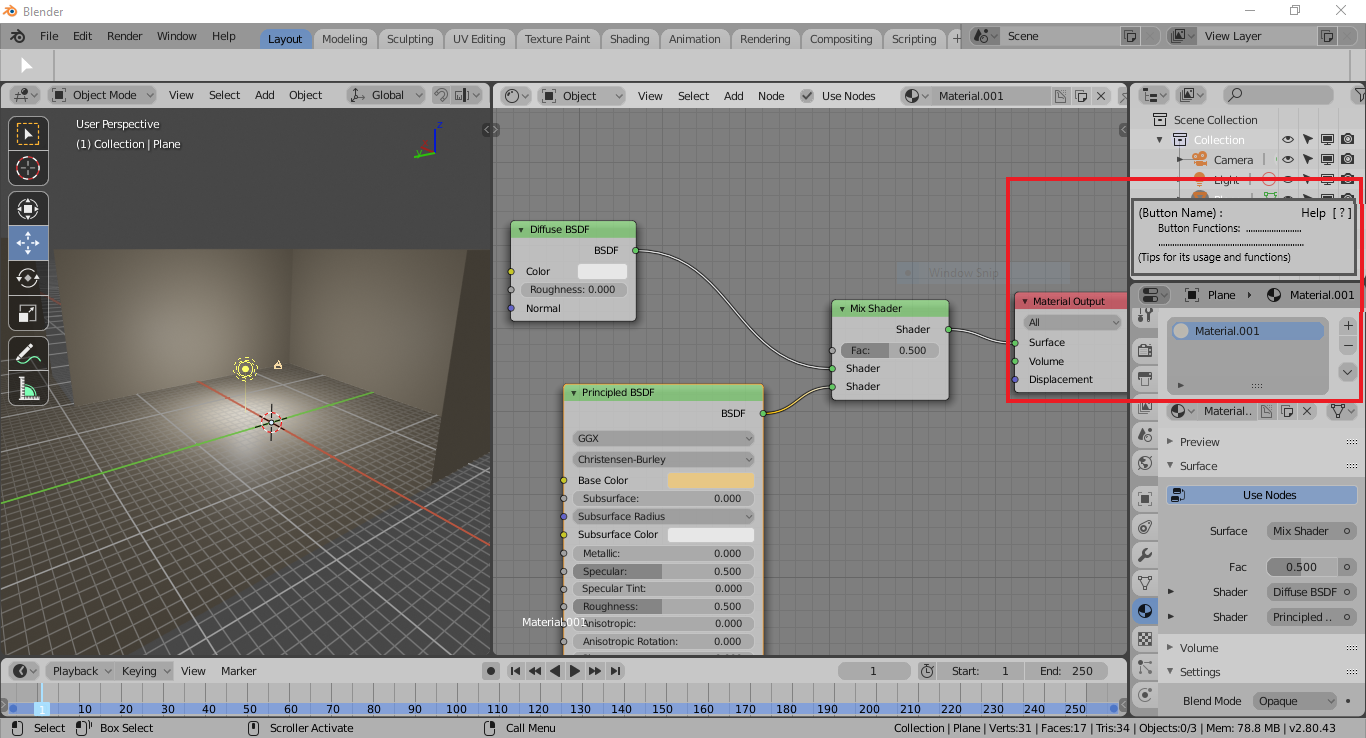
Help Window for Blender 2.8 (Hover Information to show functions)
Help Window for Blender 2.8 (Hover Information for all functions)
I have been using blender for about a month now, and the one that made it challenging for me to use it was the lack of UI functions knowledge. As I was learning the software what I discovered is that being familiar to the basic UI functions and including the advanced creates a strong foundation on your learning journey in blender.
That is why I would like to request a feature where there is a box or tab that displays the function the buttons that you are hovering.
(The Image I uploaded is the sample for no.1)
2 Comments
This is sort of there. If you go into Preferences -> Interface ->Display and enable Tooltips, you will get basic info of what something does. There have been talks about making these more informative (including links to videos, and even embedded screenshots), but nothing currently in the works that I'm aware of.
You can also enable Python tooltips that will show you the code being used, which can be helpful with making new hotkeys and troubleshooting.
* @mike.r.bermudez * Tjank you. I will be looking into it. What I am not sure is will it be available to most of the functions or buttons?