
Select Open Edge Loops with Shortcut
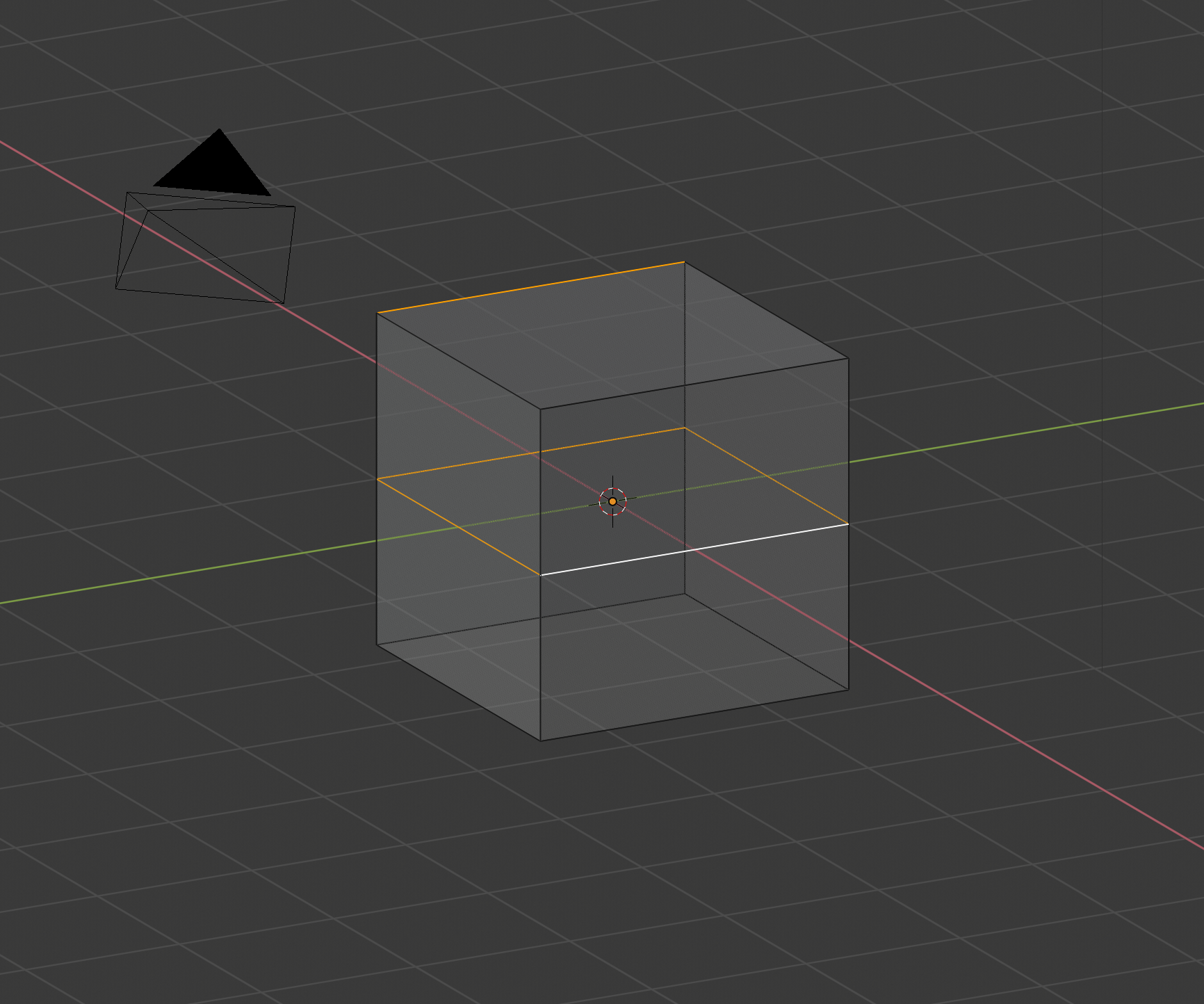
Right now we are not able to select edge loops by holding Alt when they are not in the middle. For instance: If you have a cube and want to select the whole top you need to click on all 4 edges, instead of clicking in one with Alt.
Now if you have an edge surrounding it in the middle you can select it with Alt. Why?
12 Comments
The explanation in your cube example is because that's not really an edge loop.
More to the point, you've described that it's time-consuming to select one face on a cube outside of face select mode. However, you haven't given a specific solution to the problem. What would that be?
* @Jason van Gumster * I know it isn't, but it could be recognised as the same. If you start with a cube and you need to extrude it when in vertice or edge select mode you have to A) Click 4 times or B) Change modes. We could easily select it with Alt if it worked the same way as loop select.
* @gahmoro * The problem is generalizing this programmatically. What would be the clear rules that would allow a user to select the faces of a cube like you want, but would prevent them from selecting an arbitrary quad on any mesh when they try to loop select?
* @Jason van Gumster * Edges that are connected in the direction of the one you select and have a minimum angle for the selection to work. This would work better on hard surface objects, since those edges are mostly easy to detect...
* @gahmoro * What angle? Will users be able to define that angle? Where?
* @Jason van Gumster * I think they could figure out the use cases for this and the angles. People could tell how they tried to use the shortcut and it didn't work... There aren't many different options in hard surface for this. But where there is, it would be very useful.
* @gahmoro * Let's not rely on others to figure this out for us. If it were as simple as you're describing, I'm pretty sure that it would be done already. Let's try and figure it out. This site is built for fleshing out proposals. We're asking developers to put in time and effort to implement the features we want. The least we can do is put in similar effort on our proposals.
* @Jason van Gumster * well I'm not a developer, that as far as I can go on problem resolution. If they think this is useful they'll probably know more than me on how to solve it. :-)
* @gahmoro * You don't have to be a developer to solve this, if it can be solved easily. For what it's worth, I don't think it is easily solved, but anyone should be able to understand how Blender can tell the difference between an arbitrary face and one that's at the end of a model. What makes that face different from others?
Because, if we can't describe the selection we want Blender to make in plain English, how are we going to describe this feature to other users?
because at the top each vertex is connected to more then 2 other vertices. and that's how alt left clic is scripted. this is the only way to tell this is a loop of vertices. but yes this is sometimes uncomfortable. you can press shift 3 to have edge and face select mode. select the face with shift. you can even press shift 3 again and cancel selection by face and you have edges selected and no face. or use the select box because it's easy to select the extremity with it, just turning a little bit your cube to see the 4 vertices or enabling xray pressing Z. not easy but with some practice it will come.
* @m.brockers * it is taking away modelling time for something that would help the workflow though. If there are 4 edges connected on top of an object why not recognise it the same way as an Edge Loop?
* @gahmoro * because if you alt click any edge on the top of the cube it could as well select the "loop" on the other face that isn't pointing top. Why the top face is special? How could you precisly define a top face?