
Highlight (but not select!) UV connections in UV Editor
I am constantly clicking into and out of the "shared vertices" mode in the UV editor becasue you can't see the connectivity without it on, but since it also adds the connection to the selection, you have to go back to "shared location" if you only want to move your single point or edge.
I would propose that there be an option in "Shared vertice" mode to only HIGHLIGHT the connected points/edges, and not actually select them, so that you can work with the originally selected point/edge without effecting the "shared" verts/edge.
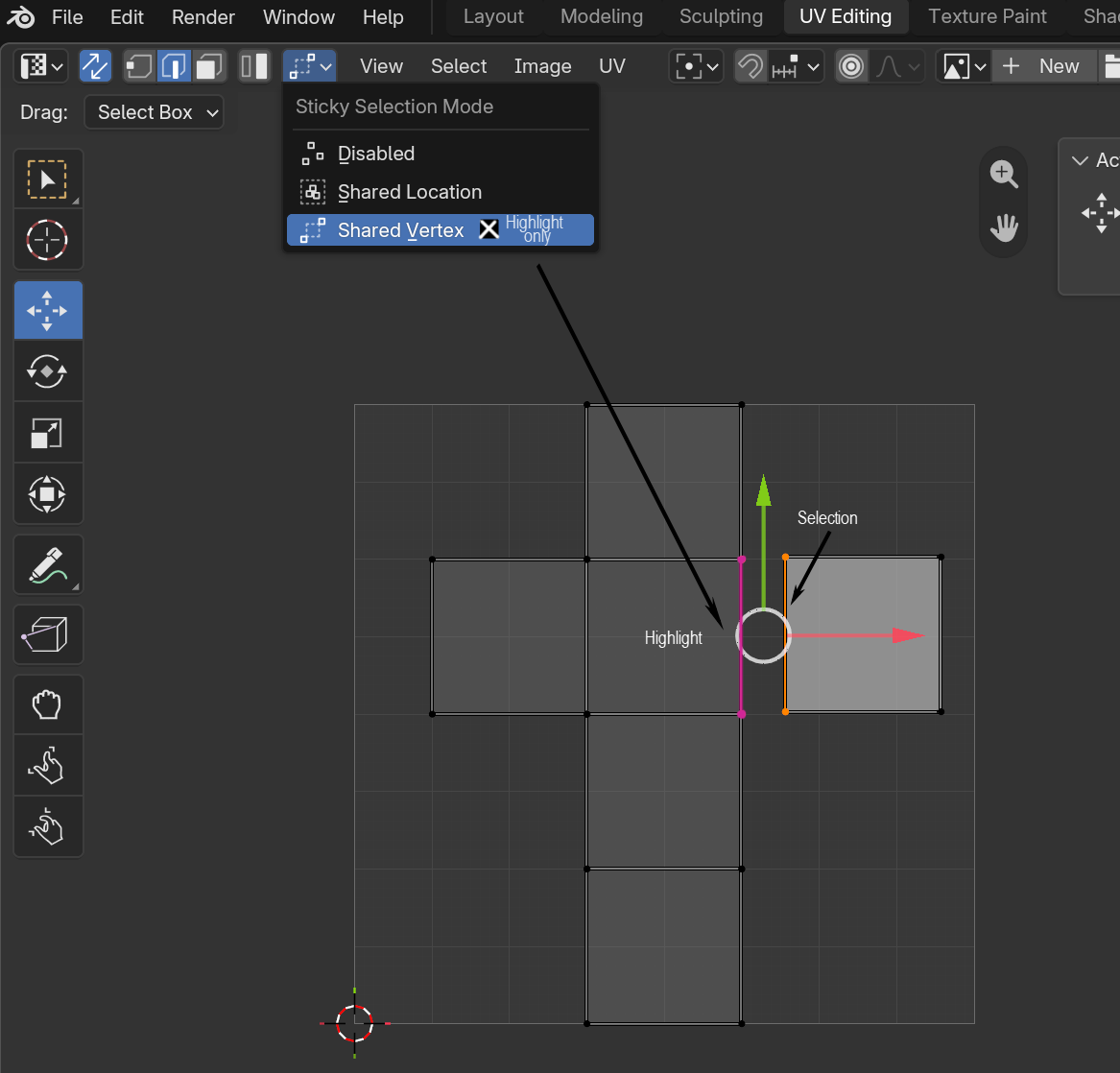 This would save you from having to click into and out of shared vertices mode all the time just to make tweaks.
0 Comments