
Versatile Copy/Paste Coordinates in Edit Mode
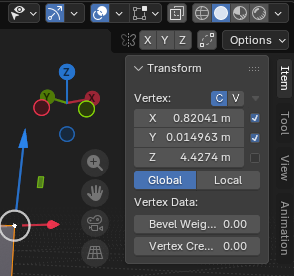
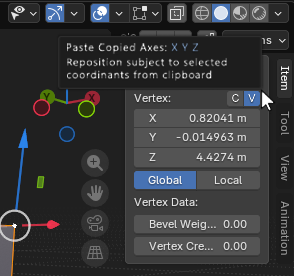 Key-binds Ctrl + C, & Ctrl + V currently have no function in edit mode when manipulating geometry.
UI & GUI example for how a new system could function.
In Edit Mode -- The user can copy selected centroid data and paste it directly into any other coordinate systems (Possibly just in edit mode for now). The user can reroute which data is or isn't copied. For my workflow, checking boxes next to axes on the transformation panel would be convenient.
Ctrl+C could copy all three axes, or none by default. Alternatively, I think any function for this Keybind would be really useful in Edit Mode.
Thank You Blender Team! Your software changed my life :)
1 Comment
Icons would be better but I agree, it's definitely a handy feature just would clutter the UI a bit