
Edit hair thickness and more
I love Blender hair system, but it has some major limitations at the moment.
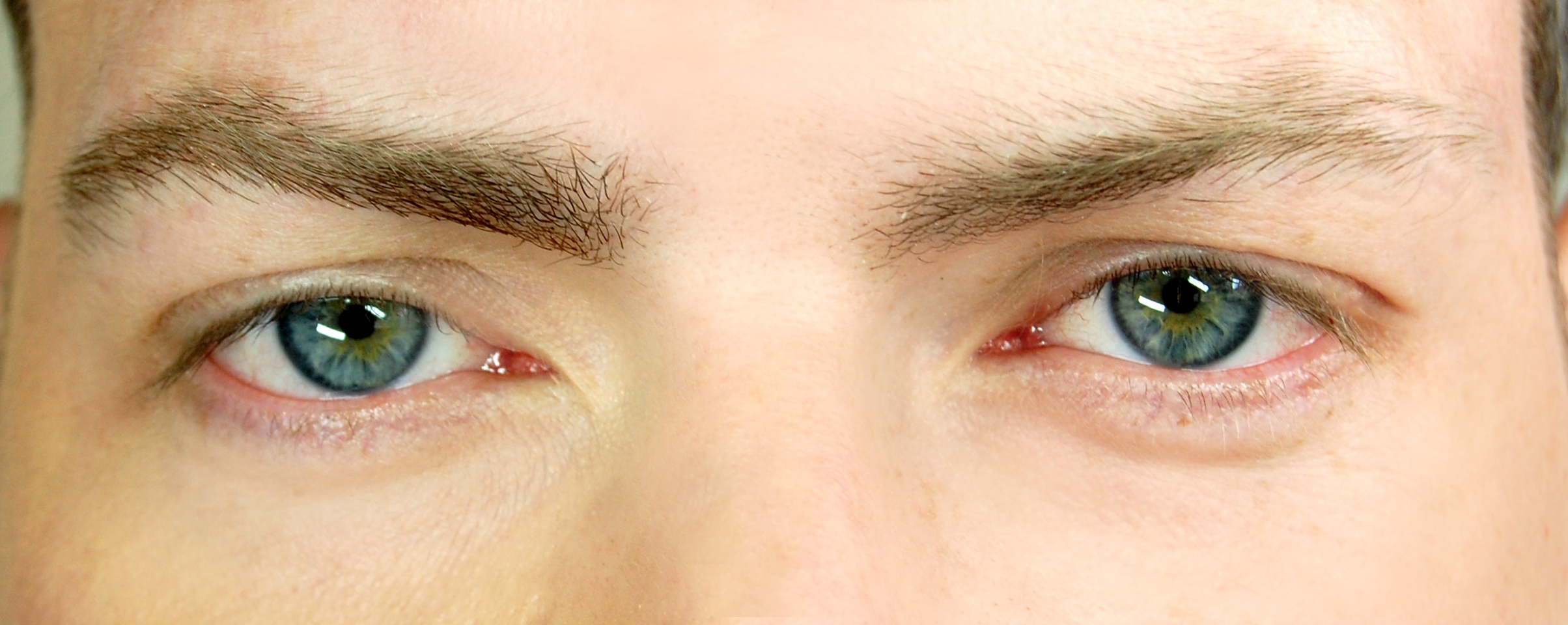
One of it's biggest problem is that it's impossible to edit thickness of hairs beloging to the same particle system: they come out with uniform thickness leading to unrealistic result, especially if you are creating eyebrows or short hairs.
At the moment the solution is to create multiple particle system with different thickness...but it's slow and unpractical.
I don't know if would be possible to do but a better approach would be creating something similar to vertex grop, but designed for hairs, that allows the user to edit parameters such as thickness, lenght etc.
18 Comments
Actually this is one of the features I miss a lot. Adding the thickness map would be soo helpful! Is there some info about when the new hair system will be implemented?
Also there shouldn`t be vertex groups. Particle destribution/size etc should go from maps like vertex colours, or bitmaps. The reason: you dont need dense emmiter mesh. You can store 4 layers of values in one bittmap (RGBA channels)
* @ Vyacheslav * Ehm am i crazy perhaps... But we already have textures for particles? You can do distribution, length and more
* @romboutv * Yup, you are right, but still no influence to radius.
* @ Vyacheslav * You mean thickness by that right? Check this tut for using Particle Instance Modfier and animation nodes. youtube.com/watch I think you can use thickness with that
* @romboutv * I found texture mapping. But it can affect size(?), and not initial thickness (Radius). Length — yes, got it. Solved. Size???? acts strange, and, I assume, it is for instances. Yo can see screenshot
About AN: it is not situable for hairs all the time except extreme closeups, when we can see difference between strip and geometry, because operates with instances of real geometry. But native hairs (strands) are optimized for fast render. {attachment 090201jpg}
Thickness can be replaced by transparency. It works good for 2D, because there isn`t brushes/strokes smaller than 1px
But we still need at least 2 particle systems: 1px thickness hairs and 2px, to have similar result as on the photo. Instead 1 system just with maps of influence.
* @romboutv * i will definitely check that tutorial, but I think this method is WAY too complex to do something as simple as edit hair thickness. I hope you will agree with me
* @ Vyacheslav * But having random thickness in general is more for closeups. I mean from a total shot or smaller distance, you would never notice it. I think once youve setup an Anim Nodes version. You could make it a template file so you would only need to import it.
PS size in Particle texture isnt for hair indeed. I think they made a design flaw in 2.80 I think they should add back the headers which 2.79 does show. I see that in 2.80 on the first options shows what it influences. Not very clear i think.
* @romboutv * it is not a flaw. Size will affect instances, as I said. And no. Difference between thickness not only for closeups. It is noticible at portraits. Yes, more like transparency of pixels but noticible.
I would really like a particle sculpture mode that could be used without disabling the particle settings options itself. I believe that the combination of both would be the perfect option. Even for animation. In this case, for example, you could define which ones would have thicknesses and then, if you wanted, you could simply continue editing other parameters.
* @thiagocavalcantecarvalho * It is impossible with full functionality: when you cut hairs, you make individual paths. But you still can influence with texture-maps and childrens. So set maximum density and size for initial hairs and use maps!
* @ Vyacheslav * It would be a more intuitive way for the user to tinker with the particle part. A pity to be a destructive method. But I have to say we already have a lot anyway. The workflow would then first make all the settings, and then go there and do the finishing touches with the sculp mode of the particles.
* @thiagocavalcantecarvalho * I think, direct grooming and painting weights and maps is pretty intuitive.
Hardly agree. But did you tried Animation nodes. I assume, it may have ability to control thickness.
* @ Vyacheslav * Trust me, I've tried everything but I can't manage to find a way to do this. Absolutely, I think that the possibility to use bitmaps would be very useful... I might be wrong but right now seems like it's possible to edit hairs density only with Interpolated Children.
* @nicolo.vincenzi2000 * Here all options, that you can change by weights: {attachment 100209jpg}
* @ Vyacheslav * there's no option for thickness unfortunately + density works only with "Interpolated" children
* @nicolo.vincenzi2000 * oh, i see