
Proposal: Outliner improvement hide-unhide by second click [isolate visibility function]
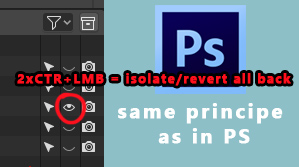
Briefly: fast way to restore your 'layers' visibility settings up when you use "isolate visibility" [repeat LMC+CTR on eye icon] = repeat click
Longer: Everyone who used Photoshop before know that there are very usefull feature: Twice pressing on eye(visibility) icon with ALT. First time when you press turn on it - all except pressed will be hidden. [same now in Blender whit CTR]. And when you repeat this operation [CTRL+LMB] on that [same] layer again - it will come back all as it was before you isolate visibility. [for better understanding how it works play around in Photoshop with it: mega.nz/ ]. It will really handy feature.
Benefits: non destructible[if you have had setted up scene visibility ] way of watching any elements in your scene. And that means that you no need to re-set up all your scene visibility again if you have used "isolate visibility" function. Especially it will works fine with a lot stuff in Outliner .
0 Comments