
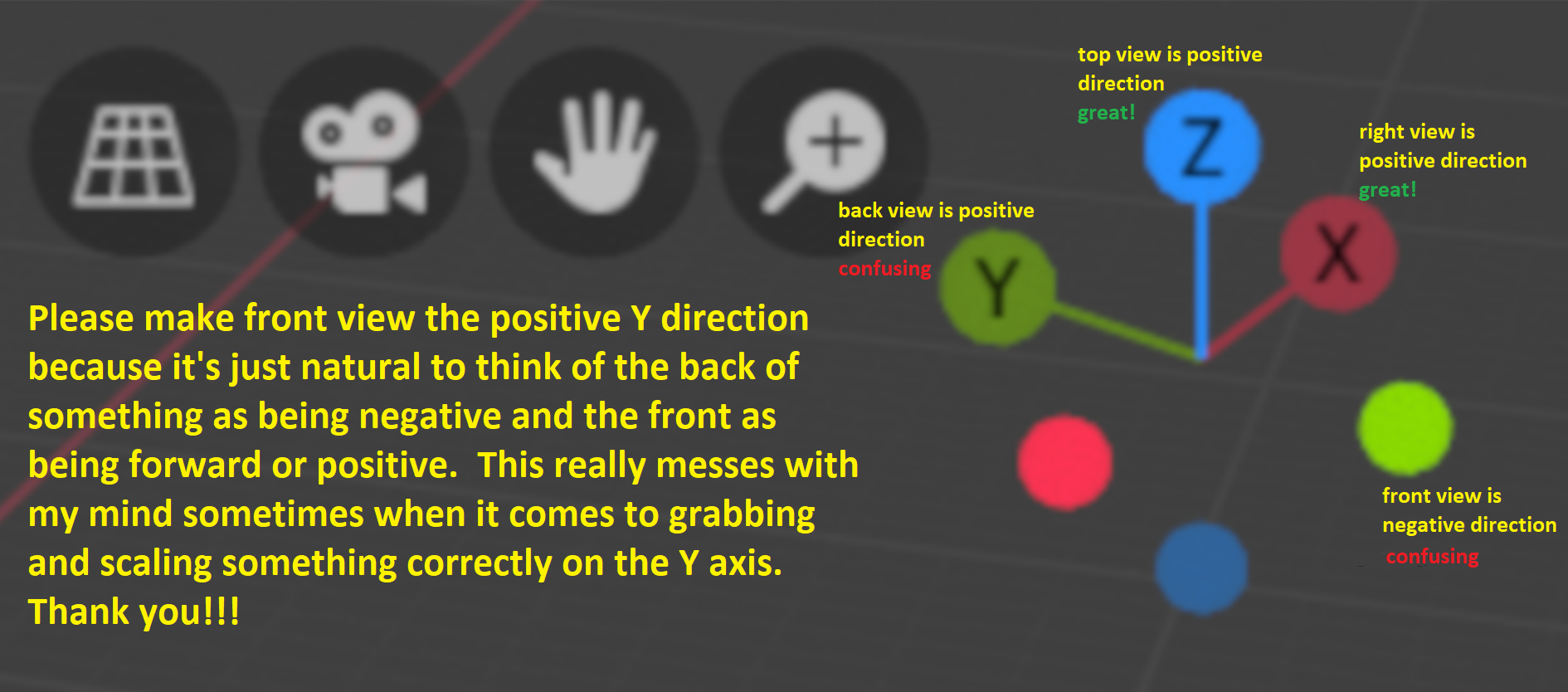
Please make front view go in the positve Y direction
Hi, I've been using blender on and off for a while and something that has always bothered me is that the front view is going in the negative direction on the Y axis. This has confused me on numerous occasions when trying to scale, grab, or rotate correctly on the Y axis.
Every other axis is perfect like top view going in the positive Z direction and right view going in the positive X direction. But having front view going in the negative Y direction just really doesn't follow the correct theme as you would normally think of the front as going forward/positive direction where as the back should be negative.
Just like top/up is positive and right/most dominant arm as positive; front/forward should also be positive. Will you please consider fixing this in future updates? I've included picture to help you understand some more.
Thank you very much and keep up the amazing work blender devs!!!
EDIT: for simplicity, just make a change to call the back view "front view" and vice versa. and since after making this change, the back view will now be front view, the shortcut keys would also need to be flipped.
10 Comments
No. That would be incorrect. Most 3d apps works this way.
Ignoring for a moment the huge interoperability problems a change like this would cause with existing pipelines, importers, exporters, etc. This is still a pretty naive suggestion. There's only one other piece of software I can think of that uses a left-hand z-up coordinate system and that is Unreal Engine, and even Tim Sweeney admits that it was a mistake that they are now stuck with.
* @testure * i agree with the pipeline aspect u said, but would like to know if there are other issues still.... and why it was made like that in other softwares in the starting??
* @yashpalgoyal1304 * it doesn't really matter at this point, does it? it's a widely accepted standard. do we question why one meter is one meter? do we need to know that it's based on some fraction of the calculated diameter of the planet to use it as our unit of measurement? of course not, we just have to accept it and move on (or use one of the other, less widely accepted units of measurement).
I noticed this too and I switched to a pie nav menu set to "space". Tooltips with the name of view under all the bullets of this gizmo would really help here instead of the big redundant tooltip that we have now.
Hey, i am starting on the BUI - Blender User Interface -> scientific visualisation plugin, In science there is no discussion: in front view x runs to the rightt, y runs up and z comes towards you, unlike blender. This is a mathematical convention. Imagine all the formula I need to change because Blender says Z is UP and Y is -1/z, euh, maybe not
I had this discussion many times before, even Ton got involved with paraphrasing: "I don't care about conventions, I say Z is up, the end."
For science, that is a bit ridiculous, so I need to change the axes, trying it now ...
* @hewi * blender was not built to be a scientific application. if you're using it for scientific modeling you're going to run into bigger problems than 'what letter do we use for up' given that the floating point precision is only 16bit.
as an aside, this proposal is not about making Y up, it's about reversing the positive/negative direction of the Y axis.
* @testure * correct, correct and correct
wowzers, all the downvotes, man tough crowd up in here
* @pstuddyonline * sad, a bit, I think