
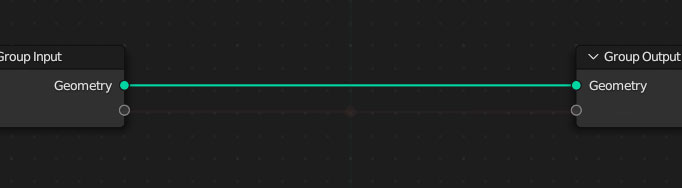
Make a visible X/Y center for the node editors
Whenever I switch from node tree to node tree I end up with a lot of nothing and I have to hunt down the nodes because I moved them off center along the way. How about a slight visual cue for the center of the editor plane, so you know where to build your tree around?
8 Comments
To me, the fact that centering them is helpful in the first place is the problem. The node editor should keep track of the view position for each node so you don't have to fix it when switching. Actually, I think it's already meant to do this, but clearly it isn't working properly!
Could you make an example of a situation where switching back and forth between node trees sets your view incorrectly?
I have shaders that require me to me to click FRAME ALL every time I switch from one to the other, just so I can see something other than an empty grid. It does get annoying. Is there a "keep the view position" setting I'm overlooking?
It seems like the Geometry Node editor and the Shader editor are inconsistent on this. The geo editor will remember the view position the last time you had a node tree open, whereas the shader editor will not.
Yes that would be helpful, I too often had to eye ball myself to adjust node position to align them as near as possible. Using add on to re center them is quite a chore and sometimes you don’t want it to auto arrange either.
I might be missing the point of your proposal and I'm not sure if you know, but you can use the Frame Selected command (default is numpad '.') to find your nodes. Just Select All if no nodes are selected already
Some times you don’t want to frame them tho, I often work with a gigantic node setup, if there’s a quick way to indicate world position That’d be a great start
I’m currently using an arrange node add on to type in position manually. A simple toggle to visually show it will be helpful to organise it. A node artist’s dilemma I guess
Fair
If I remember correctly centre was almost added in 3.0 (when background grid was replaced with dots). But people complained because it was not optional so that part was skipped. Now I can't find the patch, maybe it's on old fabricator devsite...