
Extrude with gesture.
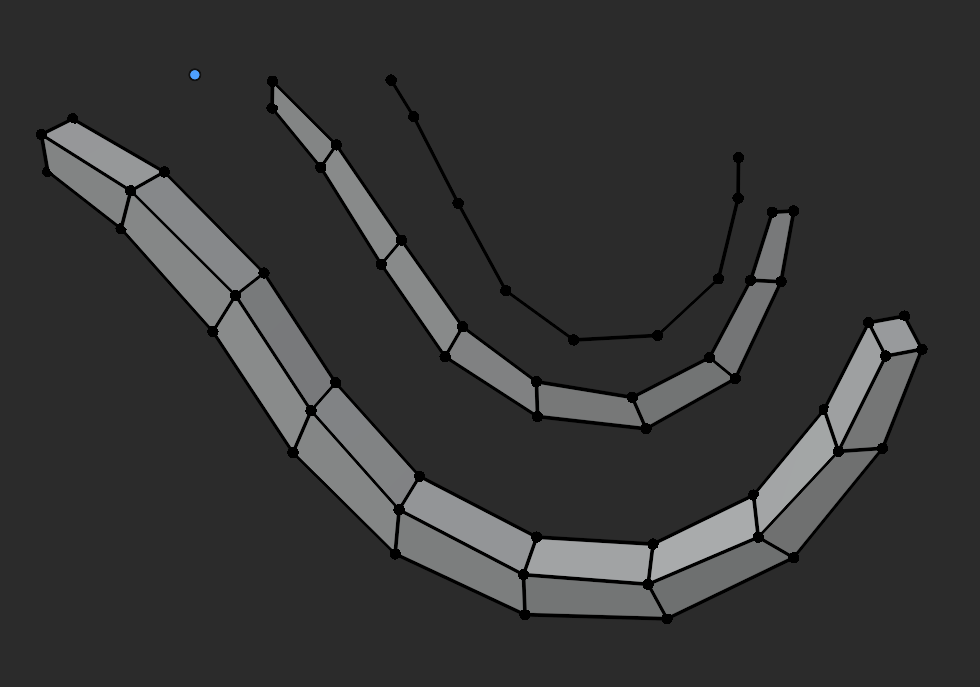
When you extrude the cursor, by clicking Ctrl+RMB in front of the selection, you can create gestural shapes by repeating the action.
Although with patience you can form worm shapes, it requires several clicks, both as an action and with the active tool, and it is a bit tedious.
The proposal is to click only once and then create the shape by making a gesture, either in Edit Mode or Sculpt Mode. The first Extrude should indicate the distance of the following ones.
Once the action is finished, it would be great to be able to regulate the increase in thickness or twist, editing the attributes of the last action, and also would fantastic capture the pressure of the pointer to adjust the size of the extrusions in relation to the first one.
In Sculpt Mode it should start from the non-masked area. In Edit Mode Ctrl+RMB conflicts with the lasso selection, I don't know if Alt+RMB could be a good candidate. The active tool should also have some combo, since it only allows you to adjust the position of the last extruded face.
0 Comments